Part 1 - Getting Started
18
Camera List Area
1
2
3
4
Registered
Initial registration
other NVRs
(Registration X)
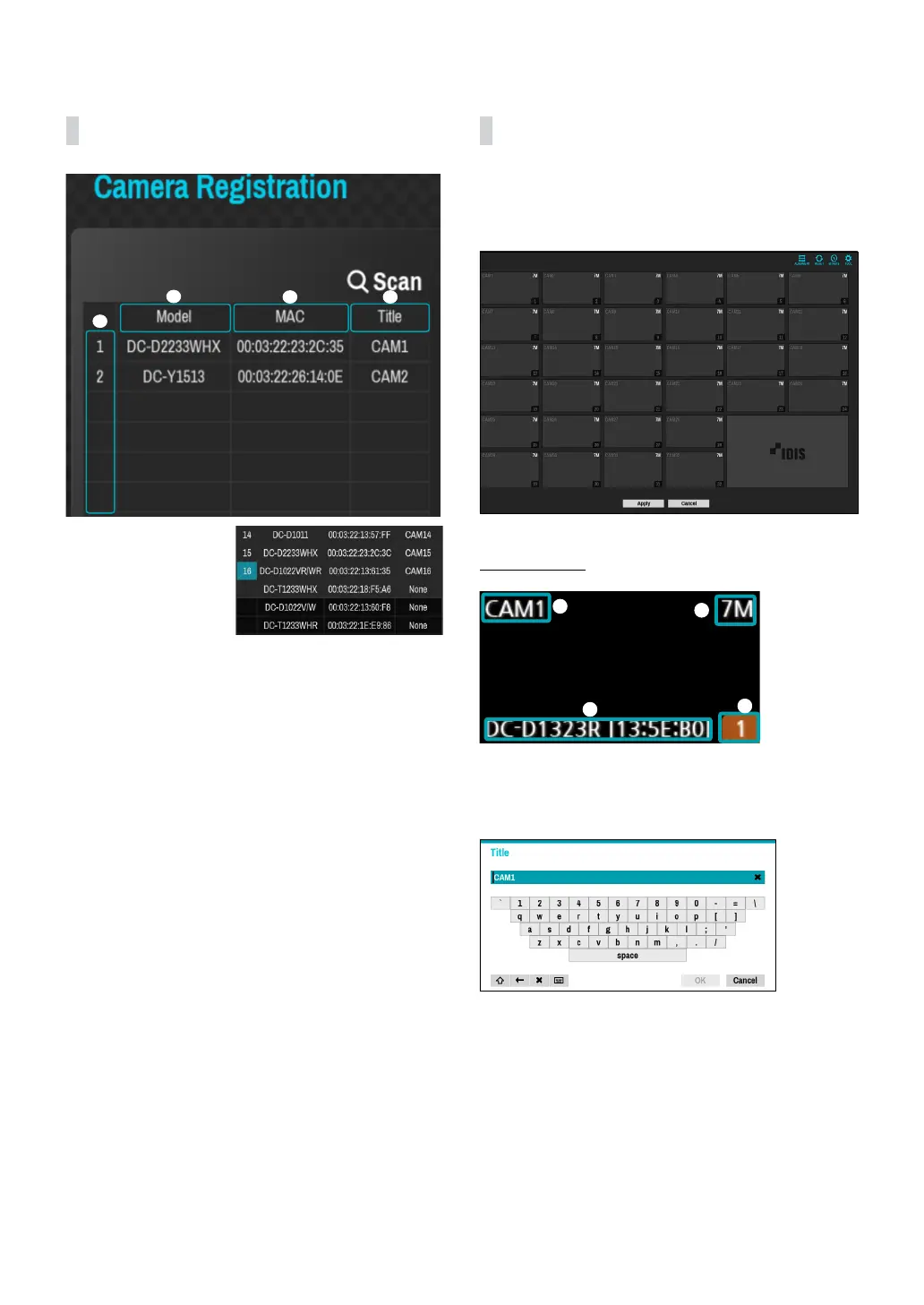
1 Screen Position/Registration Status: Identies the
camera’s position in the video display area. A blue
background indicates a camera that is available for
registration. A gray background indicates an already
registered camera. Other registered cameras are
shown in black background.
2 Model: Indicates the camera’s model.
3 MAC: Displays the 12 digits of the camera’s MAC
address.
4 Title: Indicates the camera’s name. Changing a
camera’s name in the video display area updates the
camera list as well.
Following options can be accessed by right-clicking on a
camera list entry:
● Add/Remove Camera: Adds or removes the selected
camera. The Add Camera option is inactive if the
camera has already been added to the screen.
● Authentication: Enter the necessary camera login
info. This option is inactive for DirectIP / IDIS cameras
because they do not require logins. This option is
inactive for IDIS protocol only if the password is set.
● Multi-Selection Mode On/O: Adds or removes
cameras simultaneously by selecting multiple
cameras from the list.
Video Display Area
Left-click on the video display area to toggle between
split screen and single screen modes.
Drag the camera screens around to rearrange them.
Camera Screen
1
2
3
4
1 Camera Title
Indicates the camera’s title. Left-click on the title to
edit the camera’s title.
2 MAC Address
Camera’s model and MAC address are shown if the
camera has not been registered to the NVR.
3 Screen Position/Registration Info
Flashes in orange if the camera has not been
registered to the NVR.



 To Next Page