Part 2 - Conguration
82
● Line Delimiter: Designate a string to mark the end of
a line. You can enter control strings by selecting
and then entering ^, followed by a letter. For example,
Carriage Return is ^M and Line Feed (new line) is ^J.
● Ignore String: Specify a string to ignore from
transaction records.
● Case Sensitive: Ignores case in strings designated
under Transaction Start, Transaction End, Line
Delimiter, and Ignore String.
Case Sensitive does not apply to control strings.
● Time Out: Once Time Out has been enabled, the
system will assume the end of a transaction if no new
string is entered within the specied duration of time.
Select between 5 secs and 15 mins.
• If using a USB-serial port, the Text-In feature may
malfunction if the USB cable is removed while the
system is in operation.
● Title: Designate a name for the text-in device.
● Actions: Specify which actions to take when text-in is
detected.
– Record: Specify which cameras to begin linked
recording on when an event occurs. If the schedule
is set to Event or Time & Event mode, the selected
cameras will begin linked recording when an event
occurs.
– Alarm-Out: Designate event-triggered alarm-out
channels (each for the NVR and camera) and beeps.
– Notify: Congure to be notied of events by Mail,
LAN1 through 5, Push, FTP, and/or Alert Window.
– PTZ: Moves the PTZ camera to a specic preset position
when an event occurs.
– Event Monitoring: Selects the cameras to monitor when
an event occurs.
In order to use the Callback feature, the NVR must be
registered on the remote program.
–
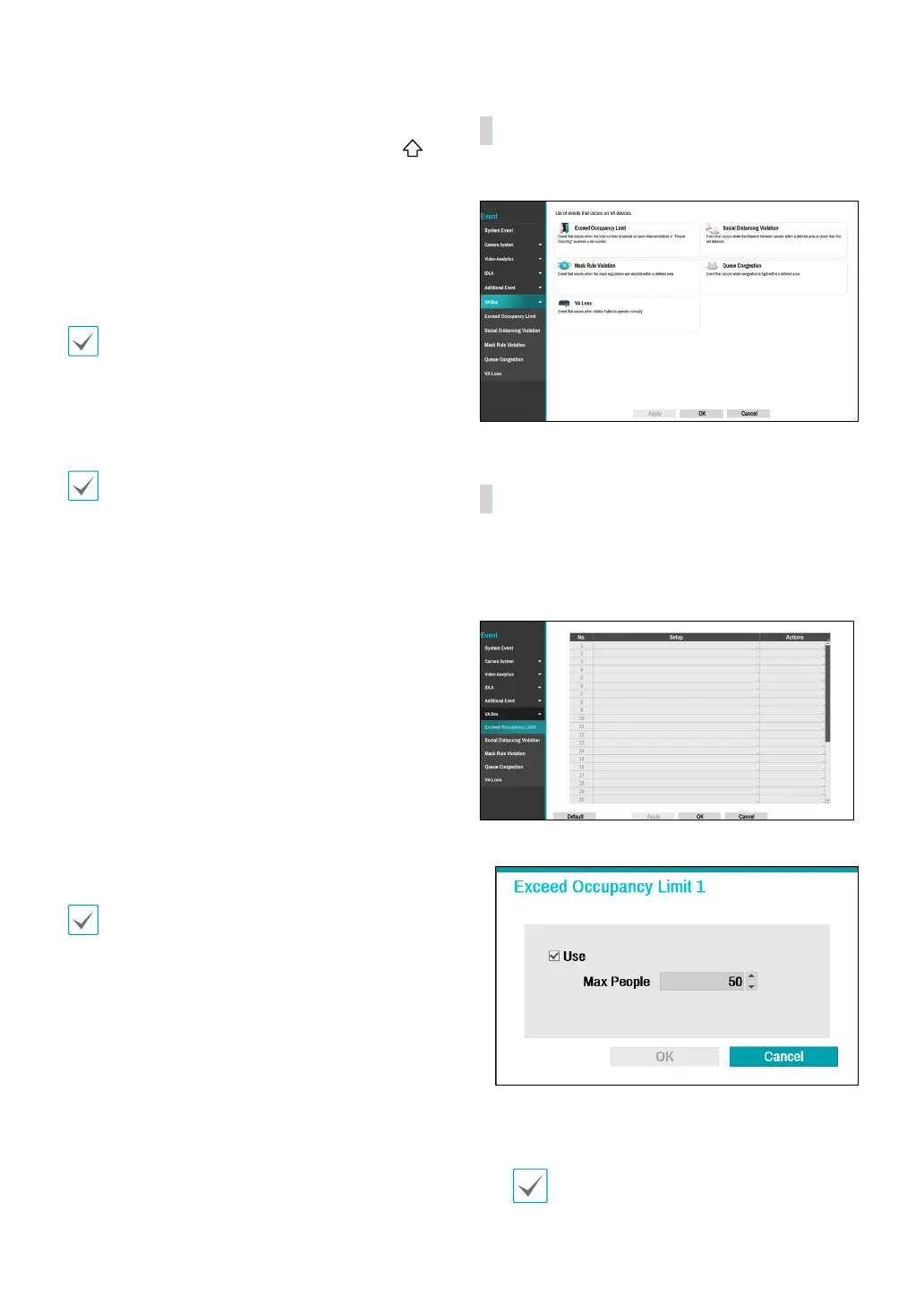
VA Box
A list of events that occur on VA Box.
VA Box_Exceed Occupancy Limit
Event occurs when the In/Out coecient is detected and
the coecient of the relevant VA Box channel is added in
real time to exceed the specied conditions.
● Setup : Set the
Exceed Occupancy Limit event.
- Max People : An event occurs when a person in
the area in excess of the number of people set by a
person.
To use the Exceed Occupancy Limit function,
DV-1304's People Counting with Main should be
set on the channel.



 To Next Page