Part 1 - Getting Started
22
3
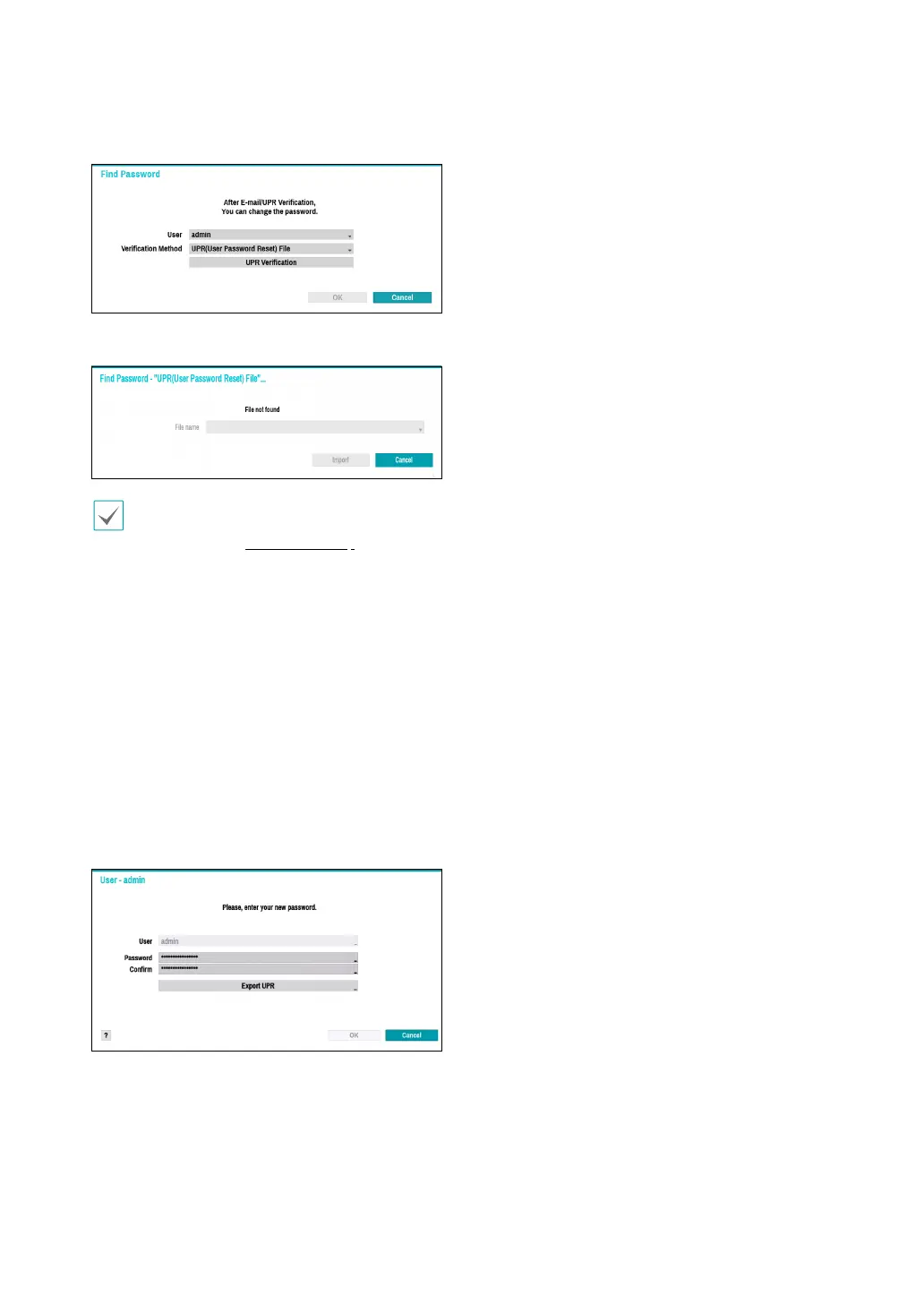
Enter an UPR(User Password Reset) verication and
then click on UPR Verication button.
4
Select the UPR le and then click on Import button.
•
To use UPR function, the UPR le must be saved
in advance. For more information on saving the
UPR le, refer to User on page 37 .
•
You can reset the password using an encrypted
UPR (User Password Reset; lename extension *
.upr) le.
•
It can be used as USB ash driver on local pc,
but not remotely.
•
Only les exported from the same device are
available.
•
If you lose the UPR le and the password of the
NVR account is changed, the UPR le may not
be used.
5
To set a new password, click the question mark
button in the lower left corner and follow the
instructions.



 To Next Page