Part 2 - Conguration
48
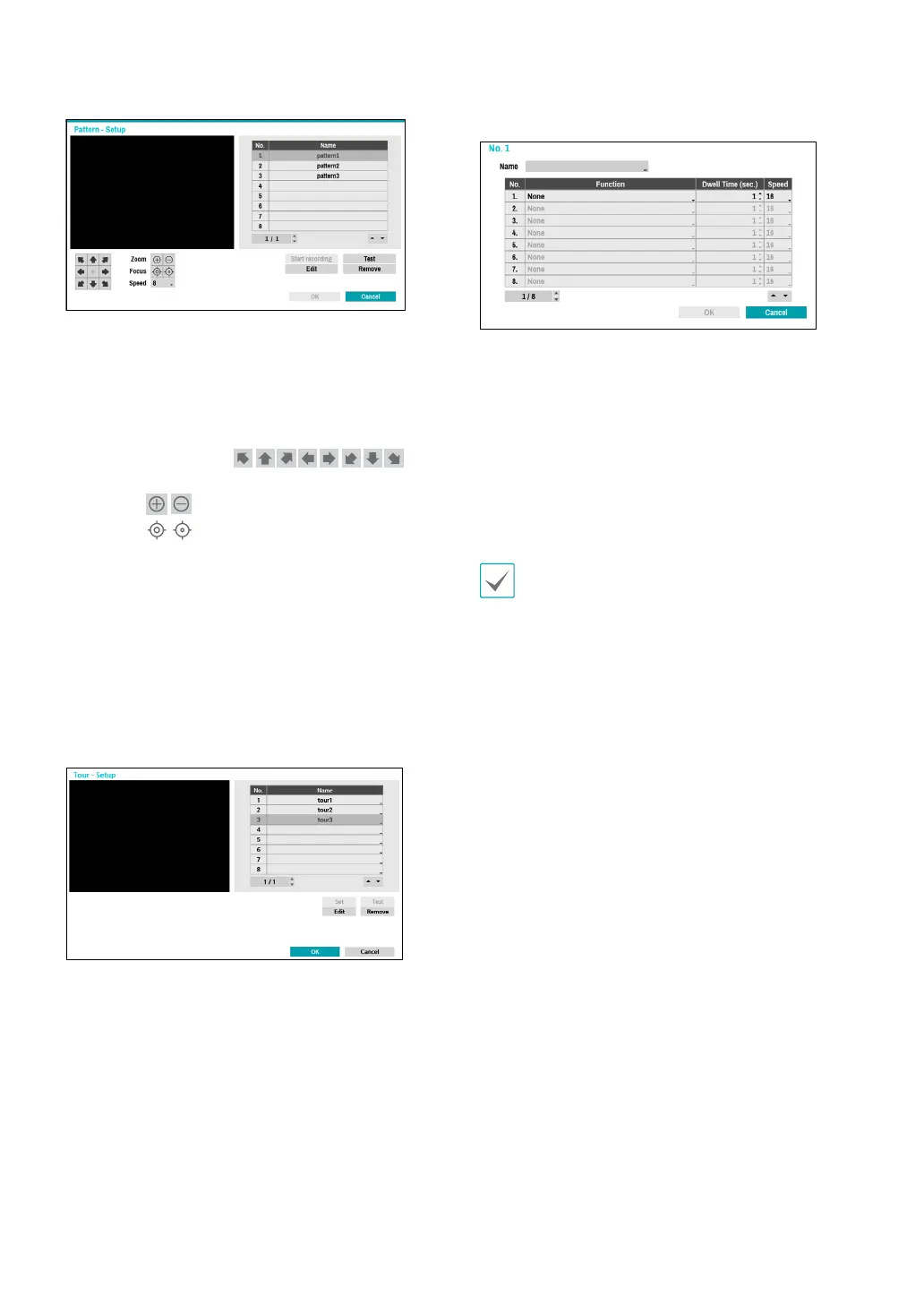
Start recording: Select a pattern number, enter a name
for the pattern, and then click OK to save the pattern.
Move the camera using directional, zoom, and focus
buttons and then click Stop recording to save the
pattern prole. You can record up to two minutes of
movement.
– Directional Buttons (
):
Used to tilt and pan the camera.
– Zoom (
): Zoom in and out.
– Focus (
): Adjust camera focus to far or near.
– Speed: Specify the camera’s panning and tilting
speed.
● Test: Select a pattern prole and then click Test to test
it.
● Edit: Used to edit the selected pattern prole.
● Remove: Used to remove the selected pattern prole.
4 Tour
Used to set up a tour prole of multiple functions in a
designated sequence.
Set: Used to set up a tour prole.
– Name: Enter a name for the tour prole.
– Function: Indicates the order of the function in the
tour sequence.
– Dwell Time (sec.): Specify how long to perform the
selected function for.
– Speed: Specify the preset speed.
● Test: Select a tour prole and then click Test to test it.
● Edit: Used to edit the selected tour prole.
● Remove: Used to remove the selected tour prole.
Select Apply after setting up a preset, scan, pattern, or
tour prole to see images from the concerned camera
on the left side of the screen. Selecting Apply or OK
displays a popup screen that indicates whether the
prole has been set up successfully.



 To Next Page