111
User Interface
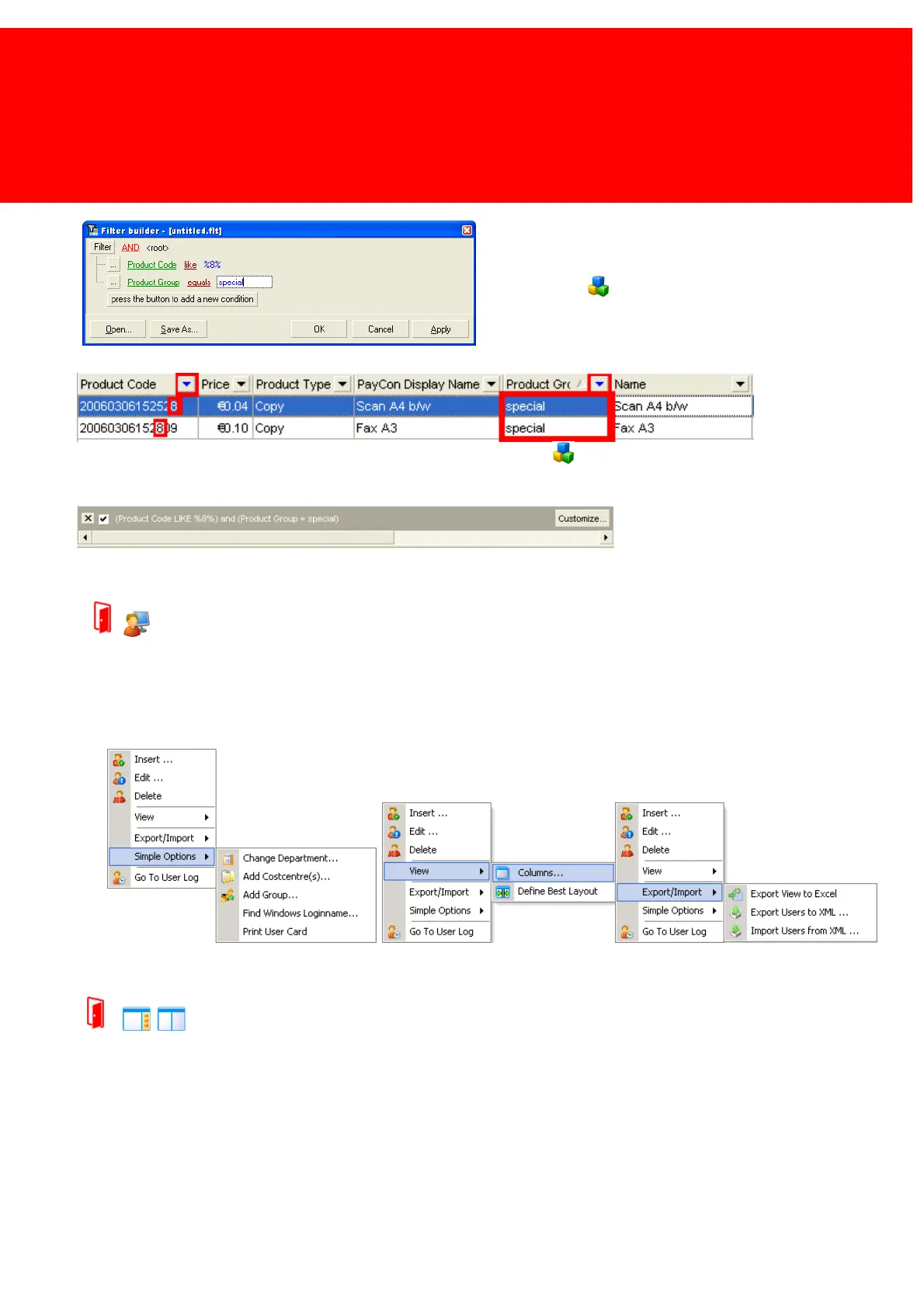
Add a new condition by clicking on 'press the button to add
a new condition'.
Set the field to 'Product Group', the operator to 'equals'
and the condition to 'special'
Click 'OK'
Now only two records are shown, those who have the value 'special' in 'Product Group'.
To save the filter click 'Customize' on the filter bar and click the 'Save As...' button.
Load a filter in the same menu.
Context Menu
Context Menu
The context menu is a menu that will provide the options that are relevant to the current object in the program.
Detail Panel and Divider Bars


 To Next Page