134 - Inepro Back Office Suite
Steps
Print Subscriptions
Prerequisites:
§
Subscription Printer
§
Subscription Layout
Where
§
Main Menu\Advanced\Subscriptions
Subscriptions
When a subscription printer is available, it is possible to print out subscription cards in a monochrome color and when the
card is return the subscription printer is able to erase the print on the card again. The card can now be re-used.
These card are used for subscriptions like a season ticket for the bus or train. When it is time to renew the subscription
card, the user will return it, the printer will then erase the old data and write the new data (period and user data) on the
card.
Inepro Back Office Manager supports these subscriptions and provides the user information in our database to be used for
the creation of these subscription cards.
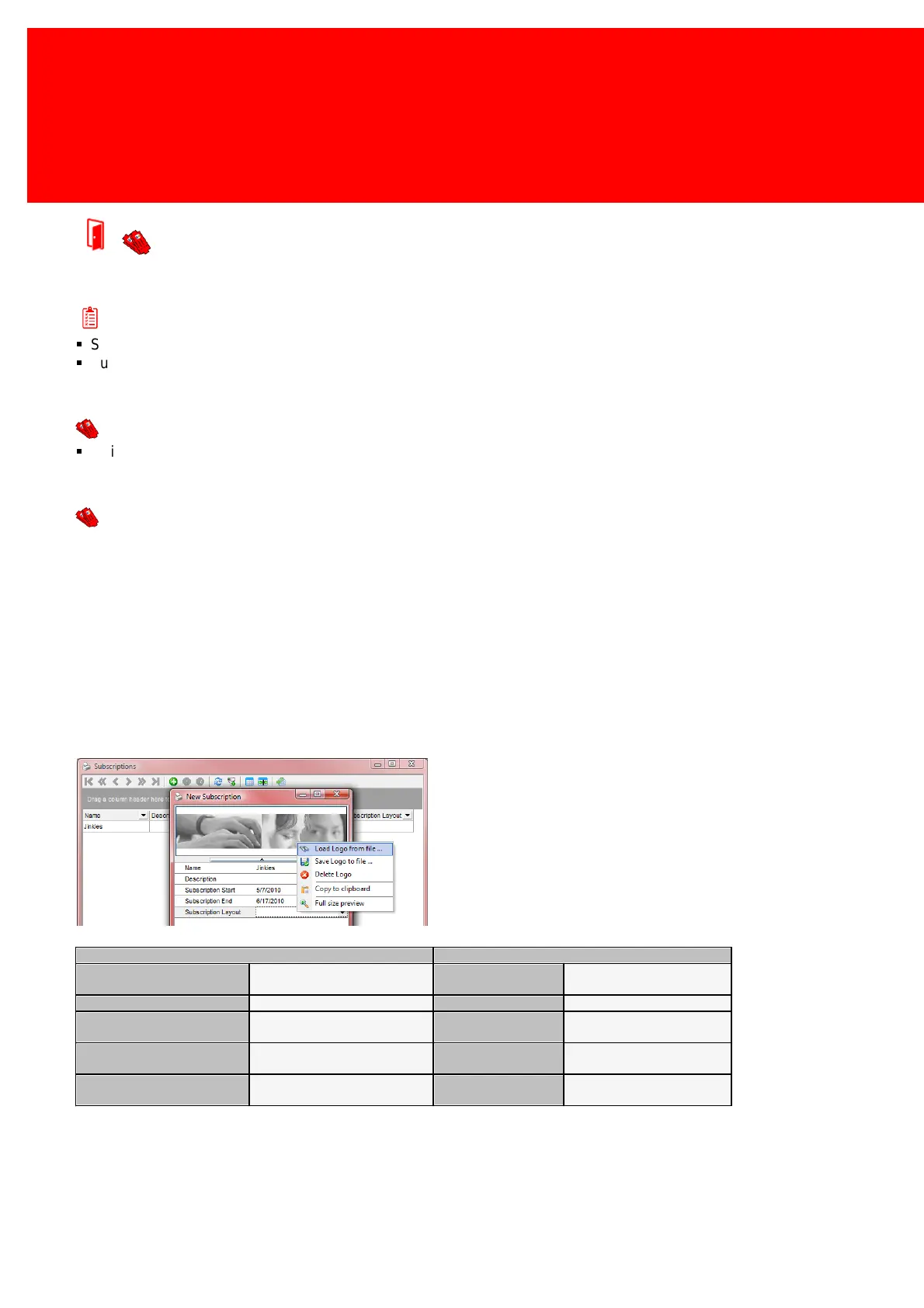
Before a subscription can fully be entered a subscription layout should have been created.
The unique name for the
subscription
Load a logo image to print on
the subscription
Save this image back to a file
The date from which the
subscription is valid
Delete the logo stored in our
database
The date through which the
subscription is valid
Copy the image to the
clipboard
The layout used for the
subscription
Preview the image full size.



 To Next Page