197
Configure CashPRO devices
Configure Vending Machines
Prerequisites:
§
CashPRO
§
A PayCon Vending installed in a running vending machine and connected to the network
Where
§
Main Menu\Basic\CashPRO
Configure Vending Machines
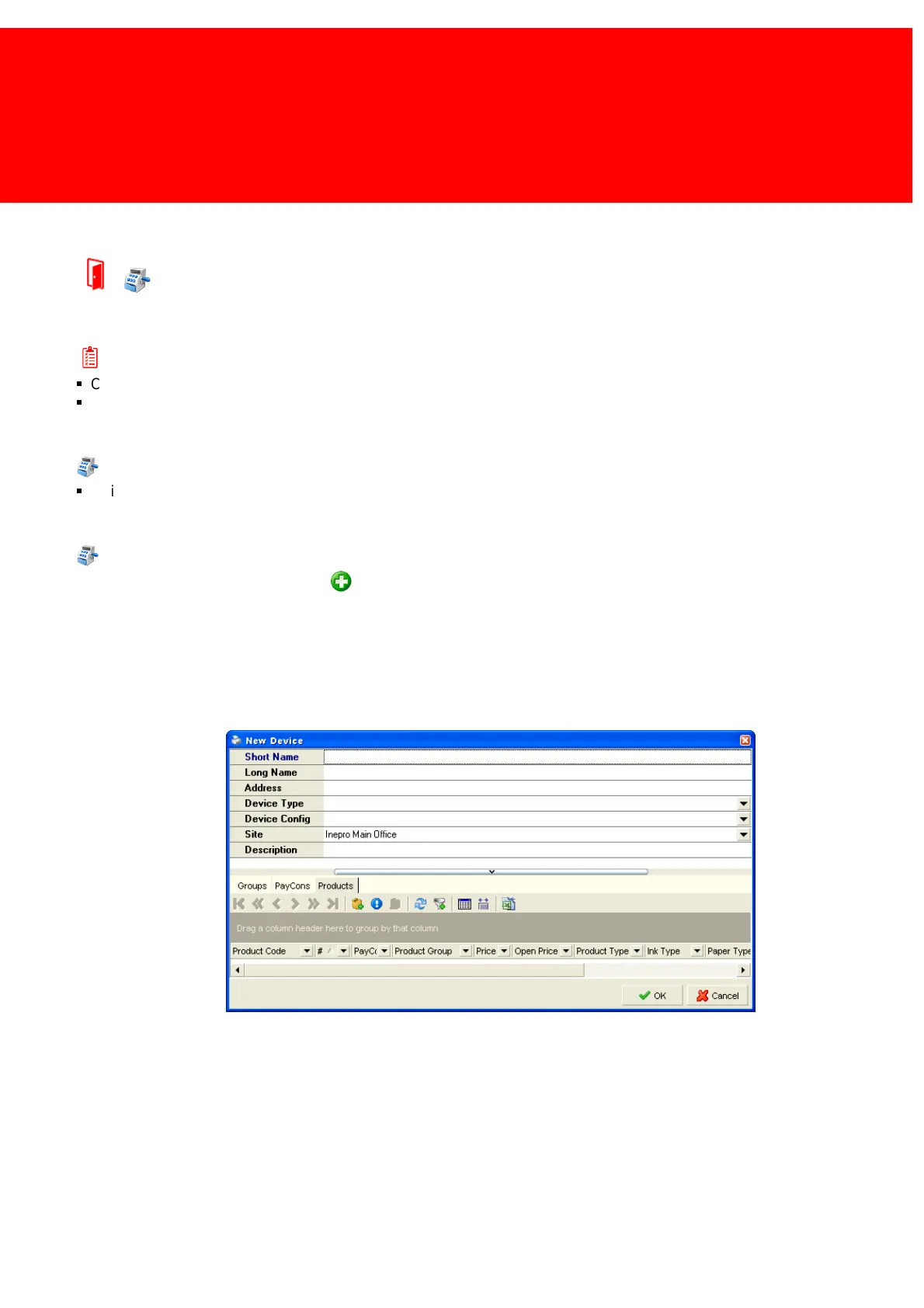
Go to 'CashPRO Devices' and click the 'Add' button.
Fill in the long and the short name.
Set the 'Device Type' to 'Vending Machine'.
Set 'Product Template' to 'Cash Register / Vending Machine'
The site should be set to the location of the vending machine.
The description and address fields can be left open or set to the precise location in the address field.
The extended description of the device can be given in the description field.



 To Next Page