74 - Inepro Back Office Suite
Steps
Printer Pool(s)
Prerequisites:
§
Printer Rules (Only if used)
Where
§
Main Menu\Advanced\Printer Pools
Printer Pool(s)
A Printer Pool within the Inepro Back Office Suite is a collection of printers that can use follow-me. That is if one printer in
the pool is busy, broken or for any other reason not the first choice to print at, the job can be collected by another printer in
that pool.
While a printer pool can exist over more than one server on multiple sites, the follow-me functionality cannot. So it only
possible to print out the job at the printers in the printer pool at the local print server.
The printers in the pool are ideally all the same brand and type. But this is not required. It is best to use at least use
printers of the same brand with the same support for Postscript and / or PCL.
In order to manage the follow-me functionality organize the printers / Multi Functional Devices (MFD's) in follow-me or
printer pools. These pools can be freely defined, for example:
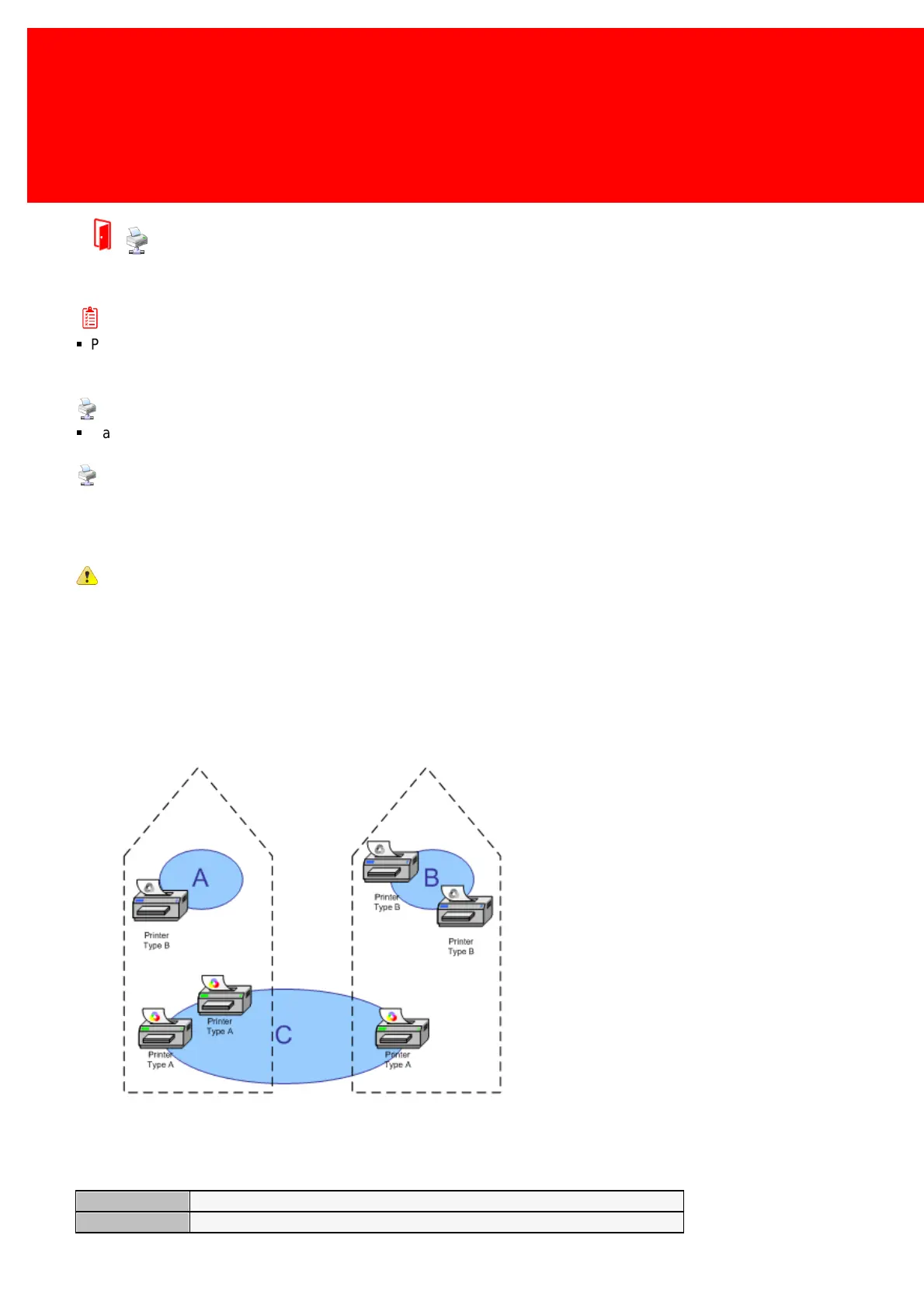
Printer pool A:
A black & white printer without follow-me
possibilities
Printer pool B:
2 black & white printers with follow-me enabled
Printer pool C:
3 colour printers with follow-me enabled
So a user printing to Printer Pool 'C' on the server on the site on the left side will only be able to print on the two printers in
the pool on the left side. And a user printing to Printer Pool 'C' on the server on the site on the right side will only be able to
print on the only printer available on the right side and will have no follow-me functionality.
The Printer Pool properties:
The name of the printer pool
The set of printer rules linked to this pool



 To Next Page