34 - Inepro Back Office Suite
Steps
Determine Network Configuration
There are a lot of different network setups which are possible. In this chapter a number of possible configurations are
shown.
Network configurations
Stand-alone configuration
Central server, remote management
Single site, 1 database server, 1 print server, and remote management
Single site, 1 database server, 2 print servers, and remote management
Multiple sites, 1 database server, 2 print servers, and remote
management
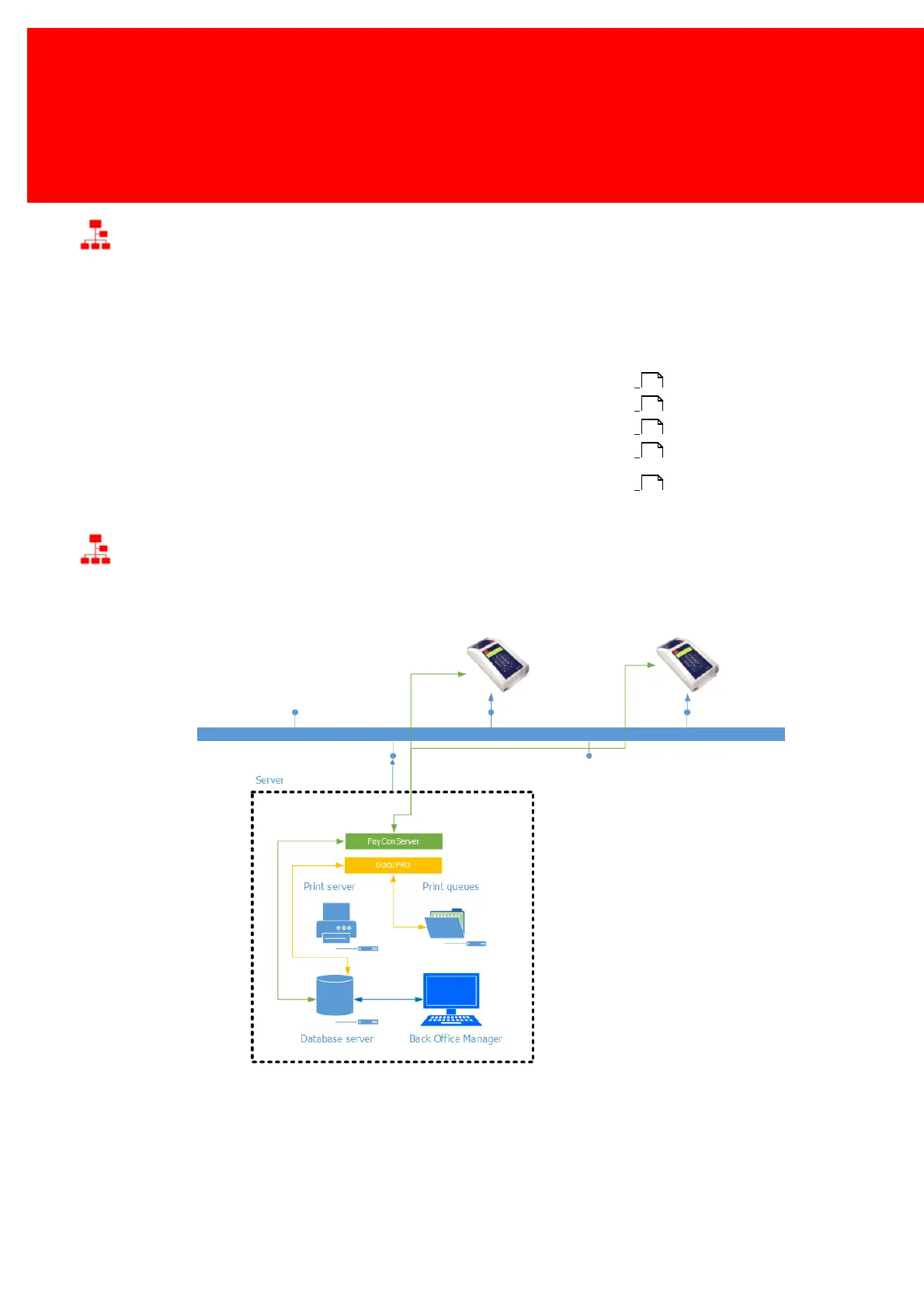
Stand-alone configuration
In the stand-alone configuration all modules are installed on 1 machine:
In the stand-alone configuration all modules are installed on 1 machine:
All modules connect to the IBOS database for information synchronization. In a print environment all client computers
connect to this (print-) server and use the shared printers for printing (not in diagram).
34
35
36
37
38



 To Next Page