81
Define
Device Groups
Prerequisites:
§
(Only if the devices are added here rather then assigning Device Groups to Devices) Defined Devices
Where
§
Main Menu\Advanced\Device Groups
Device groups
The Device Group is used to create a more orderly report. If groups are actively used the Devices are seen neatly divided in
sub headers on the reports and this will give a better overview.
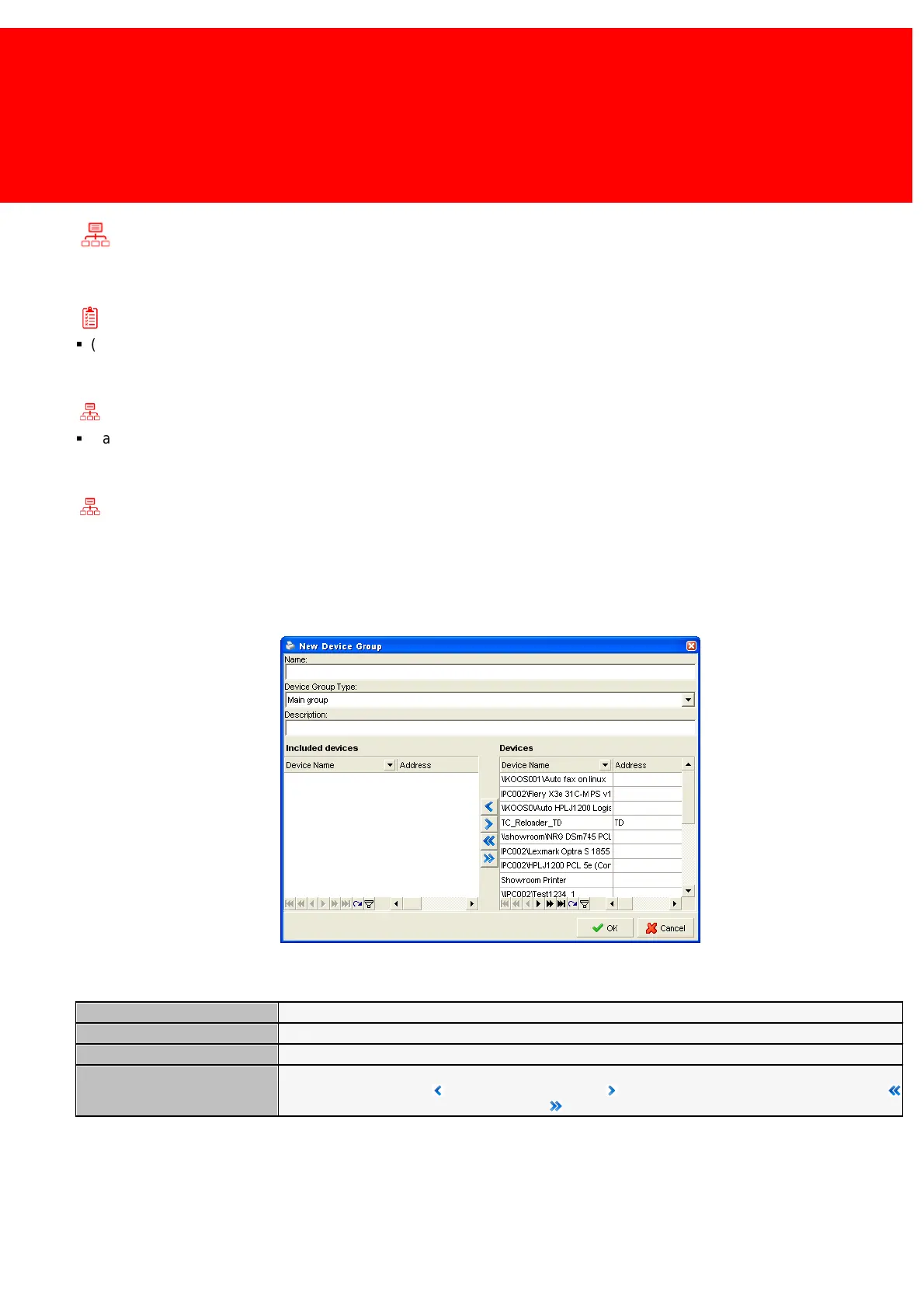
Choose a name for the group and enter it. To complete this select the Device Type and the Devices in that group and press
OK.
The Device Group properties:
The name of the Device Group
A free field to enter extra information such as a description of the object or it's location.
Choose the devices that are needed in this group by either drag-and-dropping them from the device pool or
select them and press the Add Device button. Use the Remove Device button to remove a device, the
Add All button to add all devices and finally the Remove All button to remove all the devices



 To Next Page