72 - Inepro Back Office Suite
Steps
Printer Rule Sets
Prerequisites:
§
DocuPRO hardware
§
DocuPRO
Where
§
Main Menu\Advanced\Printer Rule Sets
Printer Rule Sets
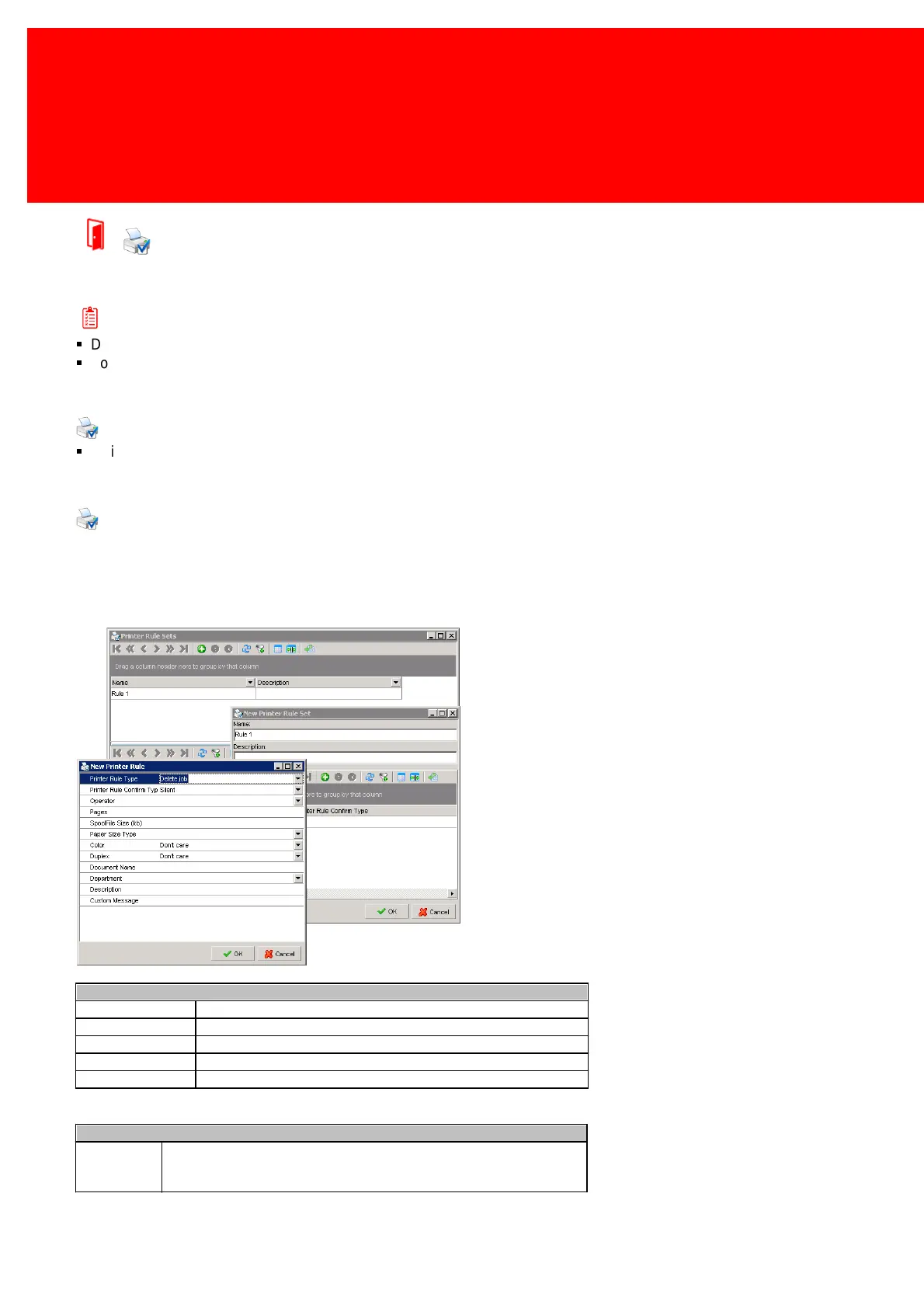
Printer Rule Sets allows a set of rules to be entered so it can be attached to a printer. The rules can determine what must
be done with certain print jobs. For example big print jobs could be led to a specific printer that is meant for such jobs even
if the user sends it to another printer. Or it could prevent a certain department from printing in colour. There are a lot of
possibilities.
First a set must be created, given an unique name and then the rules belonging to that set must be added.
The options of the new printer rule window are explained in these tables:
Delete any jobs that this rule applies to
Do not charge anything to the job ow ners car or account
Redirect this job to another printer
Redirect this job to another printer and change its price
Printer Rule Confirm Type
Acknow ledge will show s a message with an 'OK' button. The action can
not be stopped. The user w ill confirm that he has seen the message, and
the action will be executed.



 To Next Page