139
Reports
Scheduled Reports
Prerequisites:
§
Alert Email configured and tested (if they should be emailed)
§
Folder with enough space (if they should be stored on disk)
Where
§
Main Menu\Advanced\Site Types
Scheduled Reports
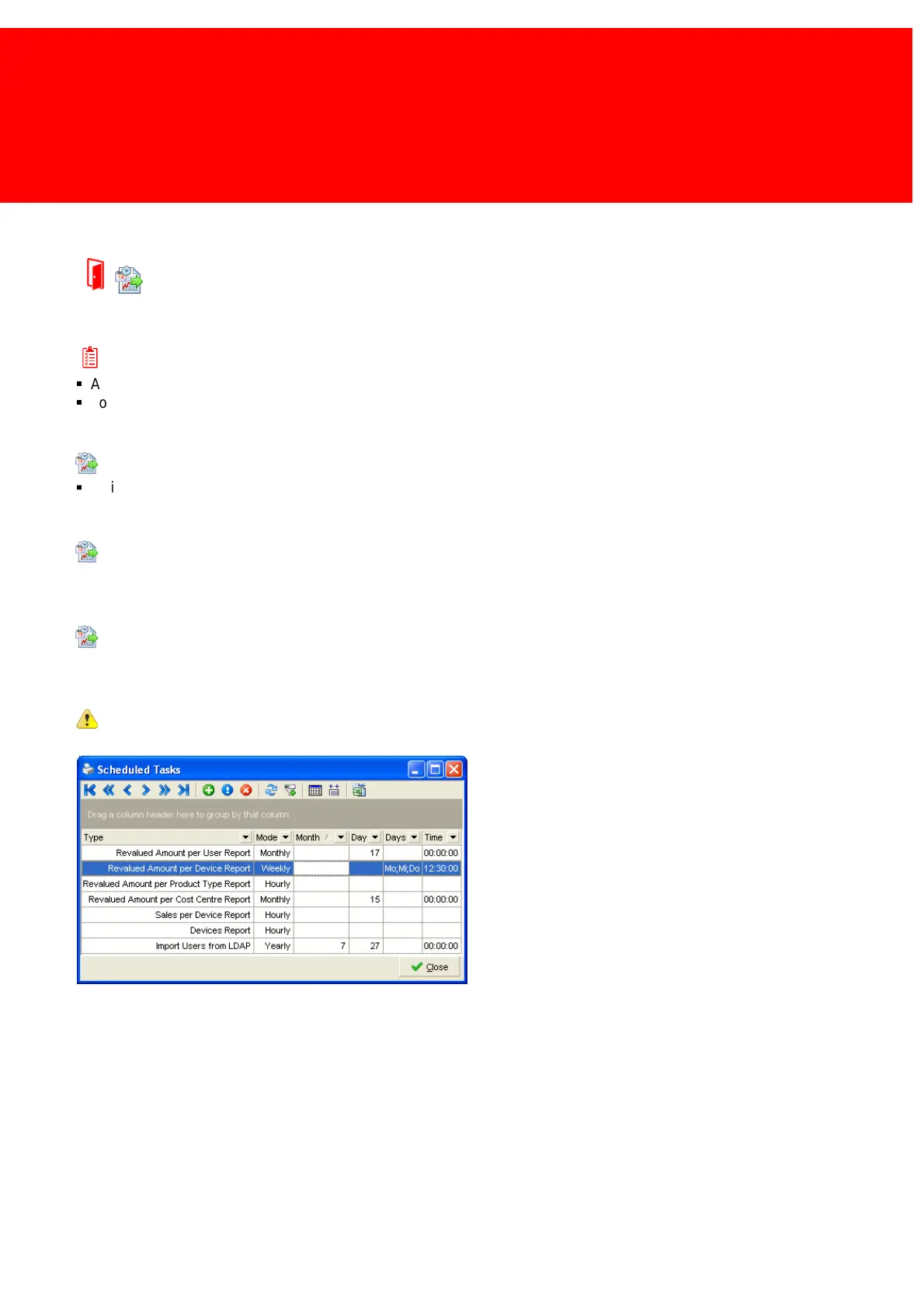
In our software certain tasks like the generation of reports can be scheduled.
This can be done in the scheduled tasks screen or the report tool wizard.
With Task Scheduler
In the scheduled tasks screen an overview of the tasks that are already scheduled is shown and this is also the place to
schedule new tasks.
Importing from LDAP or CSV should be scheduled in the Inepro Data Import Service!



 To Next Page