140 - Inepro Back Office Suite
Steps
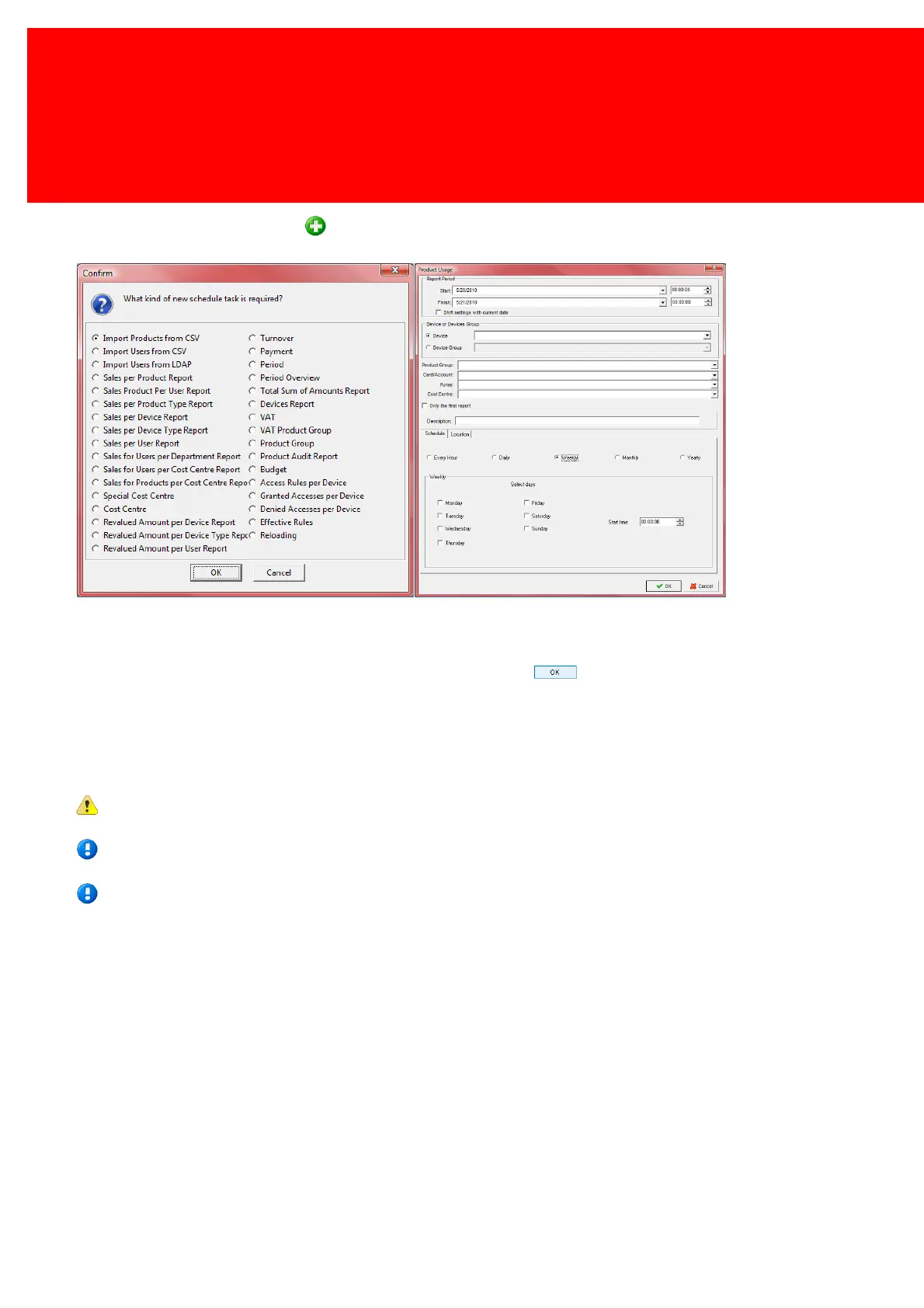
To schedule a new task press the button and pick a report to schedule.
When the task is an import, follow the wizard. If the task is a report, the report screen as shown here is presented. The
start period should be filled out, just as the schedule frequency, the device and other details.
When finished assign a file name to this scheduled report and press .
Every interval (hour, day, week, month or year) the report file that is assigned will be replaced with a report that starts at
the start time and date increased with that interval. So if a report is created with the start date of 07-05-2007 and end date
10-05-2007 and the interval (scheduler) set at "month", a report for 07-05 to 10-05, 07-06 to 10-06, 07-07 to 10-07
etcetera, etcetera will be ceated.
The existing file will be overwritten.
We recommend using the Inepro Balance Scheduler for scheduling budget or other changes in the balance of user
cards or accounts.
We recommend using the Inepro Data Import Service for importing data from *.csv file or Active Directory.



 To Next Page