71
Define
CashPRO Device(s)
Prerequisites:
§
Sites Defined
§
PosPRO Hardware (like a PosPRO till) installed and connected to the network
Where
§
Main Menu\Basic\CashPRO Device(s)
CashPRO Devices
CashPRO devices the devices that make money exchanges within the Inepro Back Office Suite. For example the vending
machines, MPV's, reloaders, PosPRO cash register (or till), and PayCon cash registers.
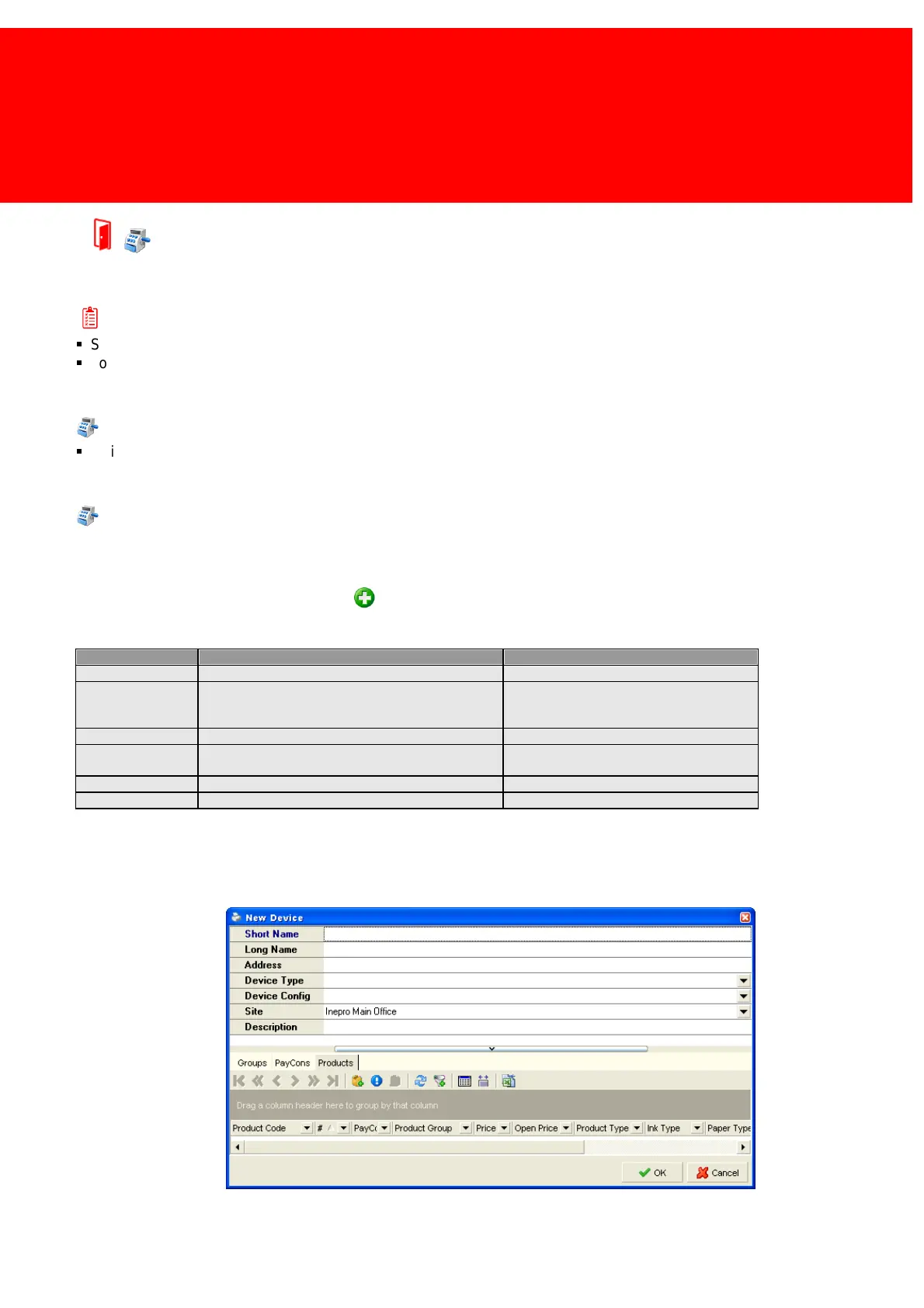
1) Go to 'CashPRO Devices' and click the 'Add' button.
2) Fill in the long and the short name
3) Set the 'Device Type' to a device according to the table below.
Default Project Template(s)
Cash Register, No Products
Keyboard, 64 keys
Keyboard, 128 keys
A Multi Purpose Vending machine
Generic Kiosk Reloader
Default Reloader
4) 'Product Template' to one of the template available for this device.
5) The site should be set to the location of the device.
6) The description and address fields can be left open or set to the precise location in the address field and the extended
description of the device can be given in the description field.



 To Next Page