195
Configure DocuPRO Devices
Configure Copier(s)
Prerequisites:
§
None
Where
§
Main Menu\Basic\DocuPRO
Configure Copier(s)
A copier under DocuPRO is a machine that is used in DocuPRO only to copy (and/or scan & fax) but not print! A device that
can also print under DocuPRO is called a multi functional.
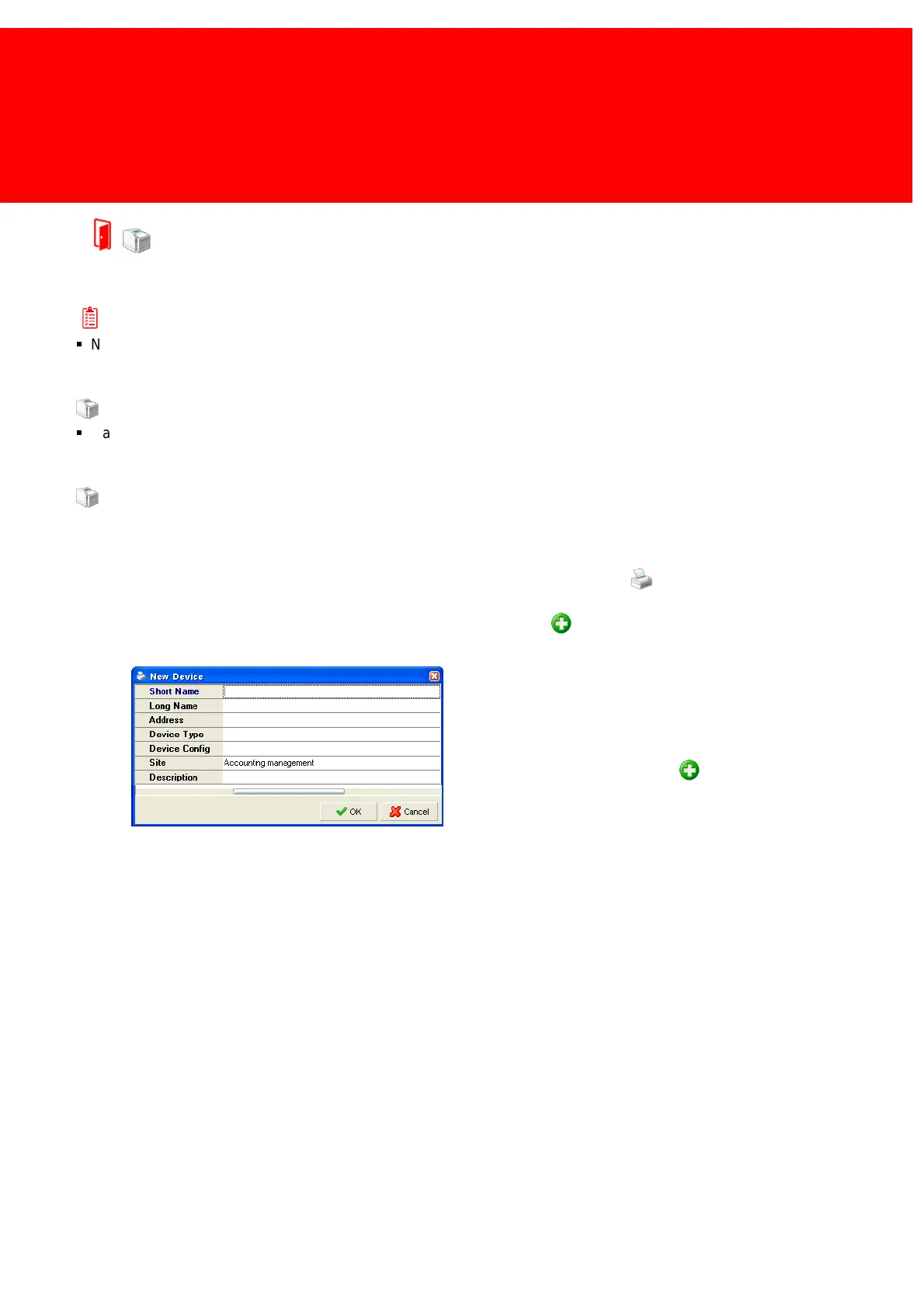
To add a photocopier to the database start the Back Office Manager, and go to the Devices view.
In the data view, right-click and select 'Insert…' or click the Add button .
Now fill in a short and long name for the copier, and select
a Product Templates which applies best. Do not forget to
enter the correct site information.
For adding a terminal to the copier go to the Terminals tab
and select the Add button .
Now select a terminal for this copier.


 To Next Page