108 - Inepro Back Office Suite
Steps
How to use the Export To Bar
This is the Export To Bar:
This bar is used to export the data to Microsoft Excel
Export To Excel
Use this to save the data as an Microsoft Excel file. A save dialog screen will appear and choose the save location.
How to group data and build filters
The data in the Inepro Back Office Suite is presented in a data grid, a matrix of cells not unlike Microsoft Excel in which the
data is presented. In some cases the data can be sorted, grouped or filtered.
Filter needs need to be as flexible as possible.
That is why we provided a drag-and-drop tool to group the data and use an easy tool to create custom filters.
How to Group data
Data can grouped directly in the screen.
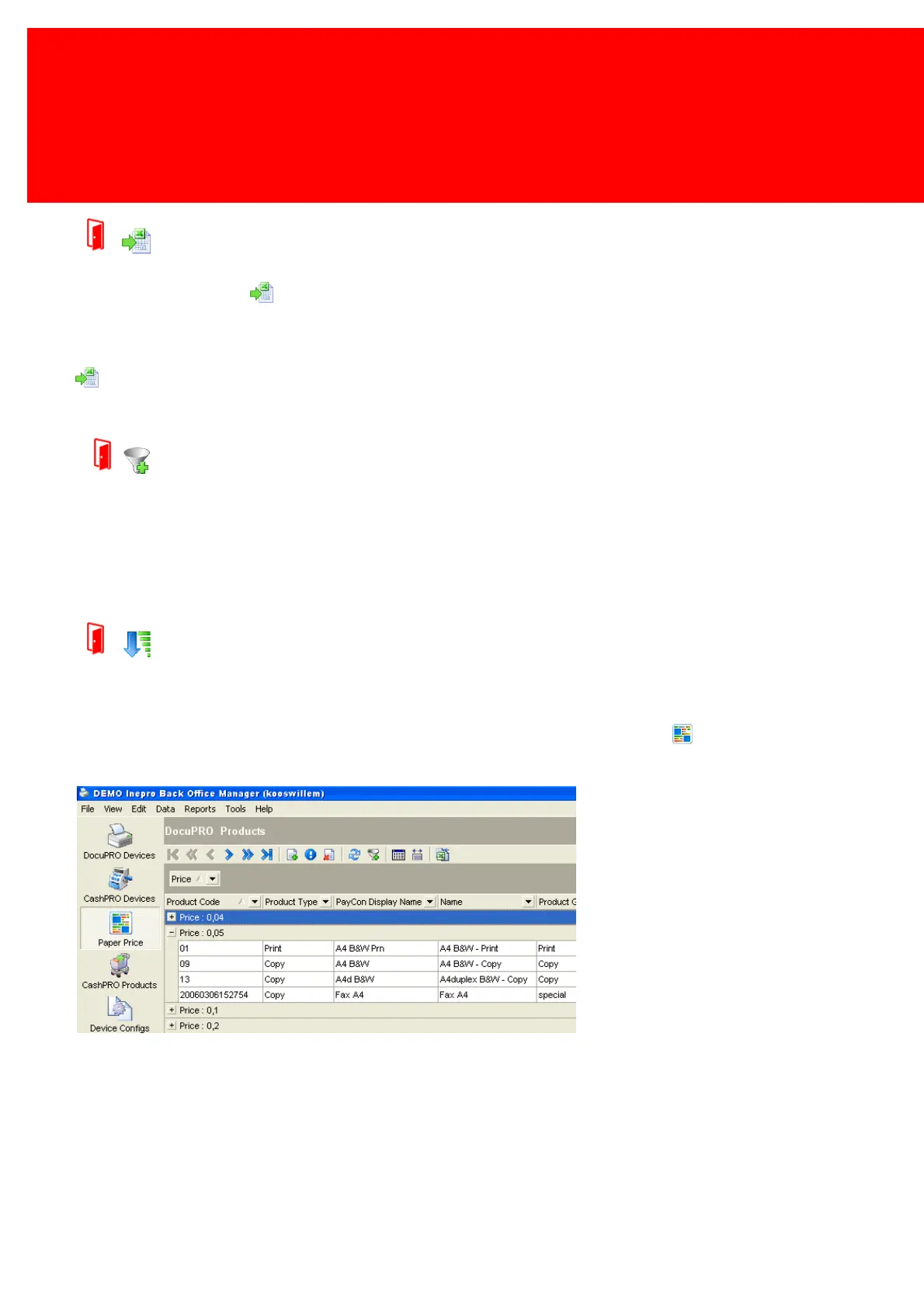
This example will show how to group data using the grey 'Group By' bar. We will use the 'Paper Price' table.
First drag and drop 'price' to the grey space below the toolbar as shown in this image:



 To Next Page