147
Remove User(s) from the system
This can started under Tools => Clean Database.
Warning: Make sure the data is no longer used and that the financial balance between the data that is
about to be deleted and the remaining data is zero. Otherwise the financial overview will no longer be
accurate.
Warning: Always create a database backup before executing a cleanup action.
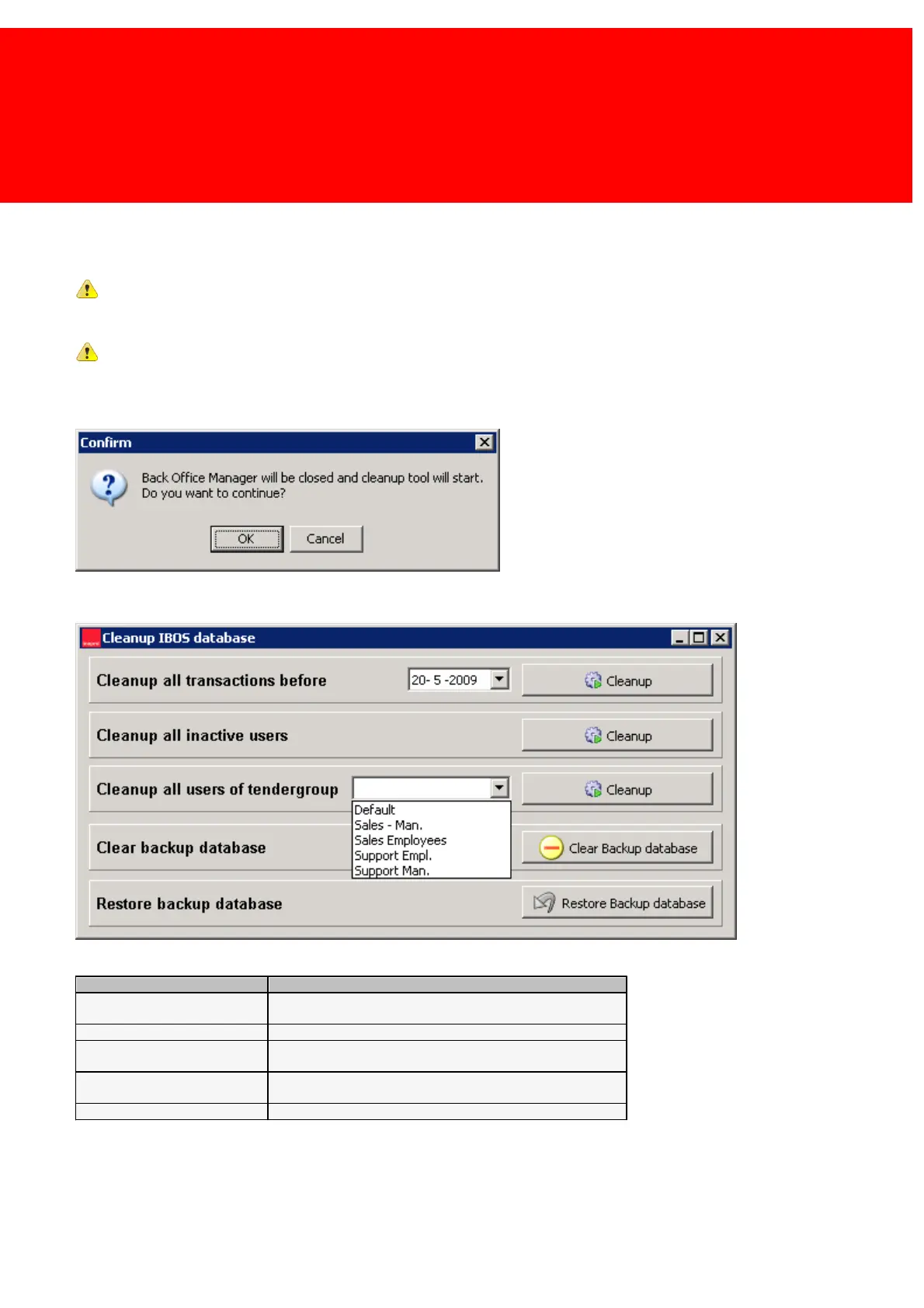
When the Cleanup Tool is started from the Inepro Back Office Manger this window will be shown:
1. Because the Cleanup Tool will access the database, the manager (that also has access to the database) needs to be
closed. Press OK.
2. Execute one of these actions.
Cleanup all transactions before
Cleanup all the transactions that occurred before the date
entered.
Cleanup all inactive users
Cleanup all users of tendergroup
Cleanup all the users that belong to the specified card /
account group.
Delete the backup database! Make sure a backup is available
on another location, the backup on the server will be erased!
Restore the existing backup.



 To Next Page