18 - Inepro Back Office Suite
Software installation
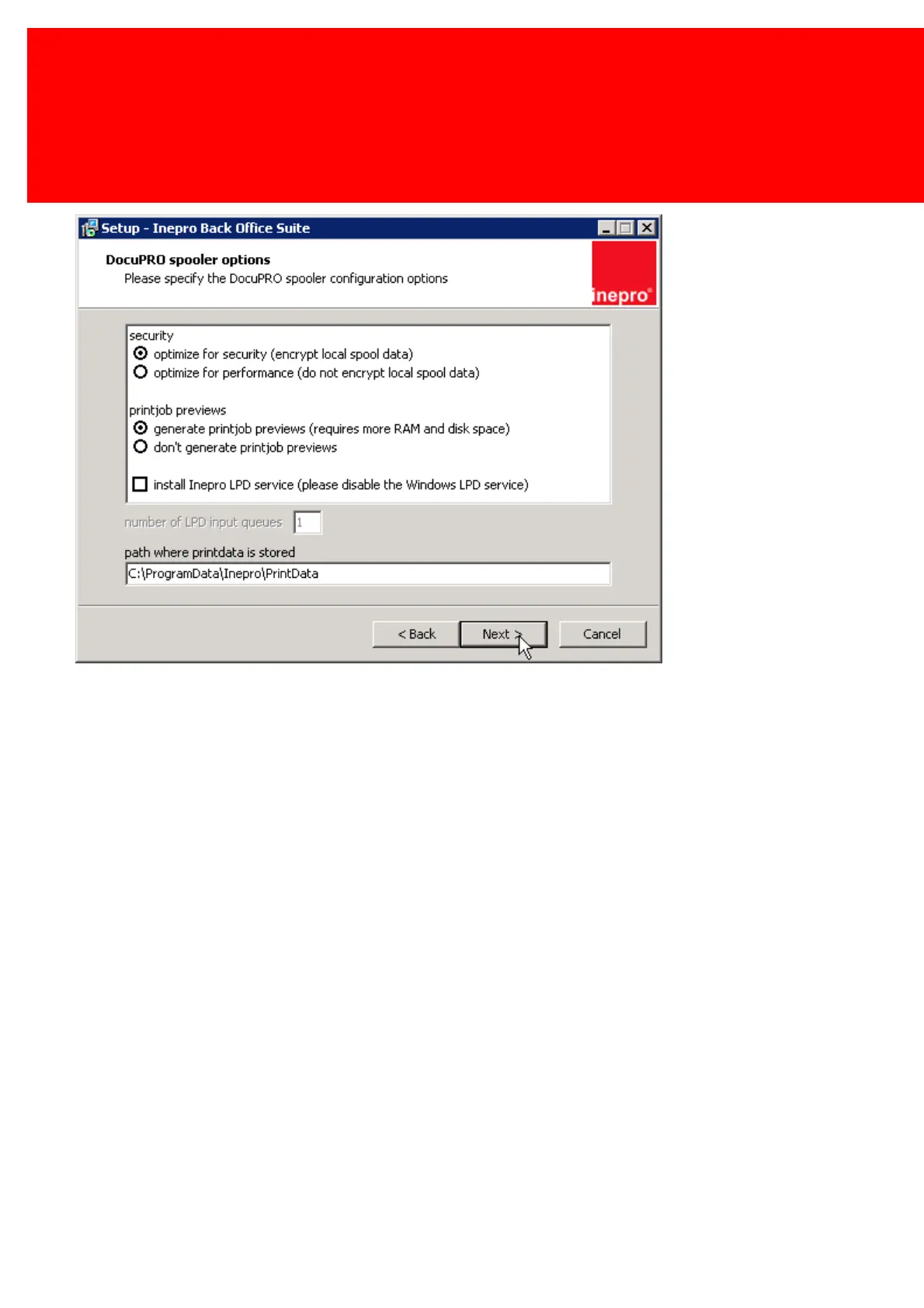
7. DocuPRO spooler options
The DocuPRO spooler options specify some very important options for the DocuPRO spooler.
Security: When optimized for security, the data is encrypted this is more secure but will take a little bit longer to process.
When optimized for performance, the data is not encrypted (like a normal print job in Windows).
Print job previews will show you a graphic preview of the job, this will require more internal memory and disk space, but
gives a better user experience.
Not using Print job previews will lighten the server load. The impact this has depends on the number of jobs that are on the
server on the same time.
Use Inepro LPD service, will use Inepro's own LPD service instead of using the Windows LPD service. This will be used in
those cases where the Windows LPD service cannot provide the required functionality. Please refer to documentation or a
Inepro Certified Engineer if this is required. By default the Windows LPD should be used.
Path, this is the location where the print data (spool files) are stored. Click 'Next'.



 To Next Page