43
Define
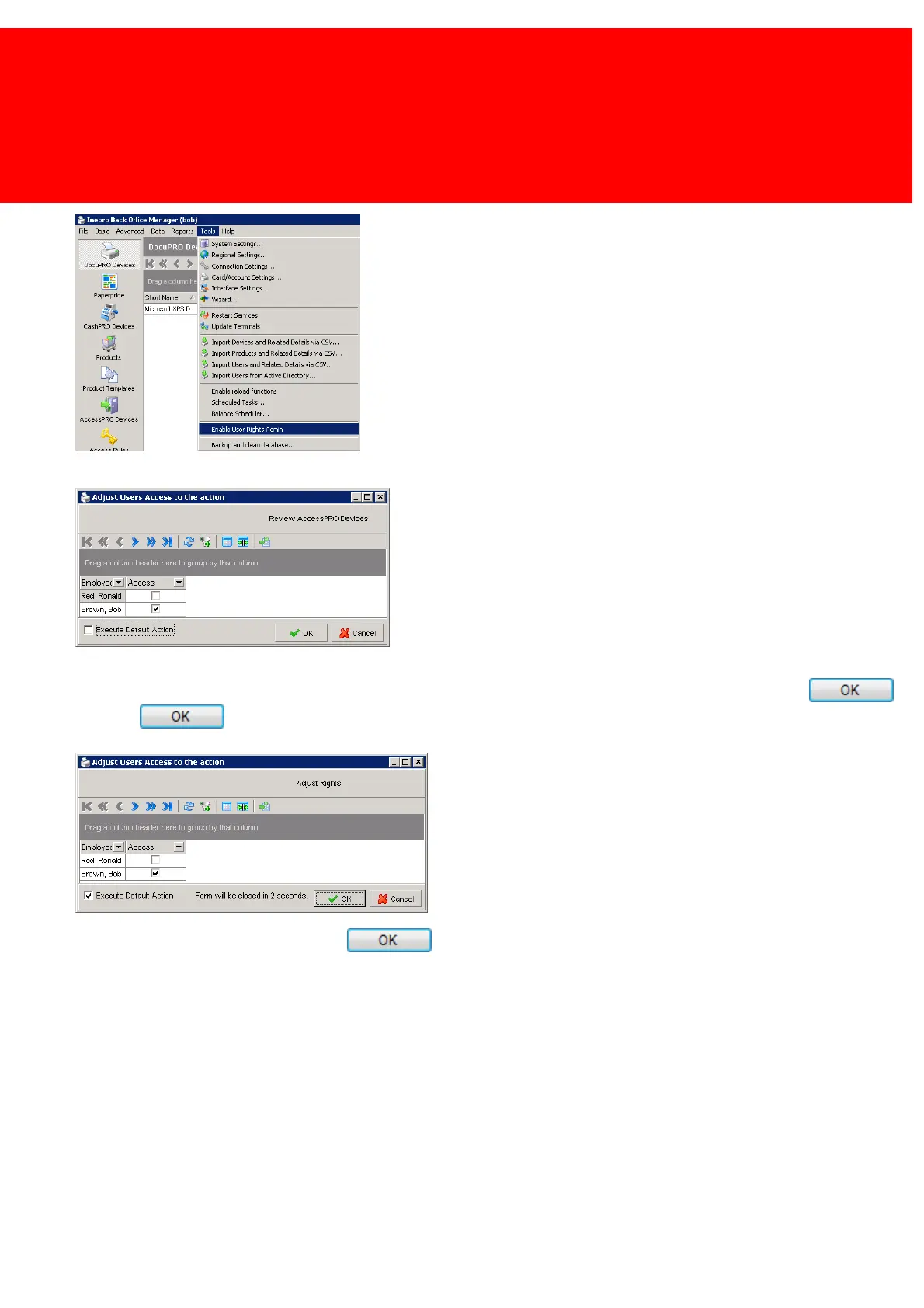
2. Click on 'Enable User Rights Admin' in the Tools menu.
3. There will only be a couple of seconds before the default action is started! Uncheck the tick box 'Execute default action'.
4. By unchecking the tick box, Ronald's right to view AccessPRO devices is revoked.
5. Because 'Execute Default Action' was unchecked, the AccessPRO Devices window will not be shown if I press .
6. Press .
7. To stop the 'User Rights Admin' mode, click 'Enable User Rights Admin' in the Tools menu like in step 2 once more, leave
'Execute Default Action' on and press .
8. The 'User Rights Admin' function has now been closed.


 To Next Page