50 - Inepro Back Office Suite
Steps
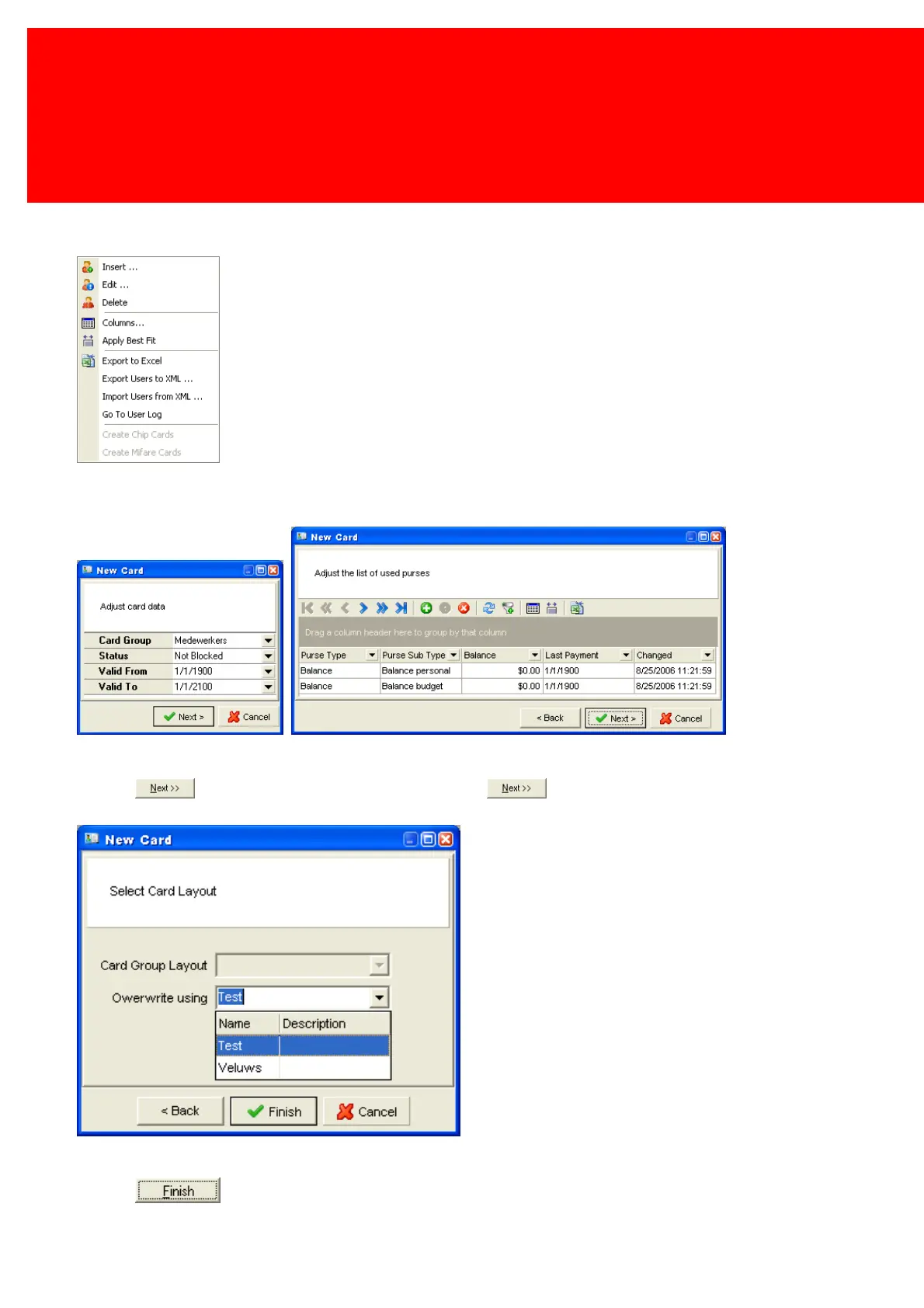
1. Go to the context menu of the selected user(s) in the Users screen:
2. Choose Create Mifare cards for the creation of Mifare cards and Create Chip cards for the creation of chip cards.
3. Select the Card Group the selected user(s) belong to and the validation period.
4. Click . Select the appropriate Card Purses. Click .
5. Check if the group layout is correct, and if not overwrite the card group with 'Overwrite using...'.
6. Click .



 To Next Page