Up/Down Controller User Info/Support Blood Glucose Records
Record Keeping
8
89
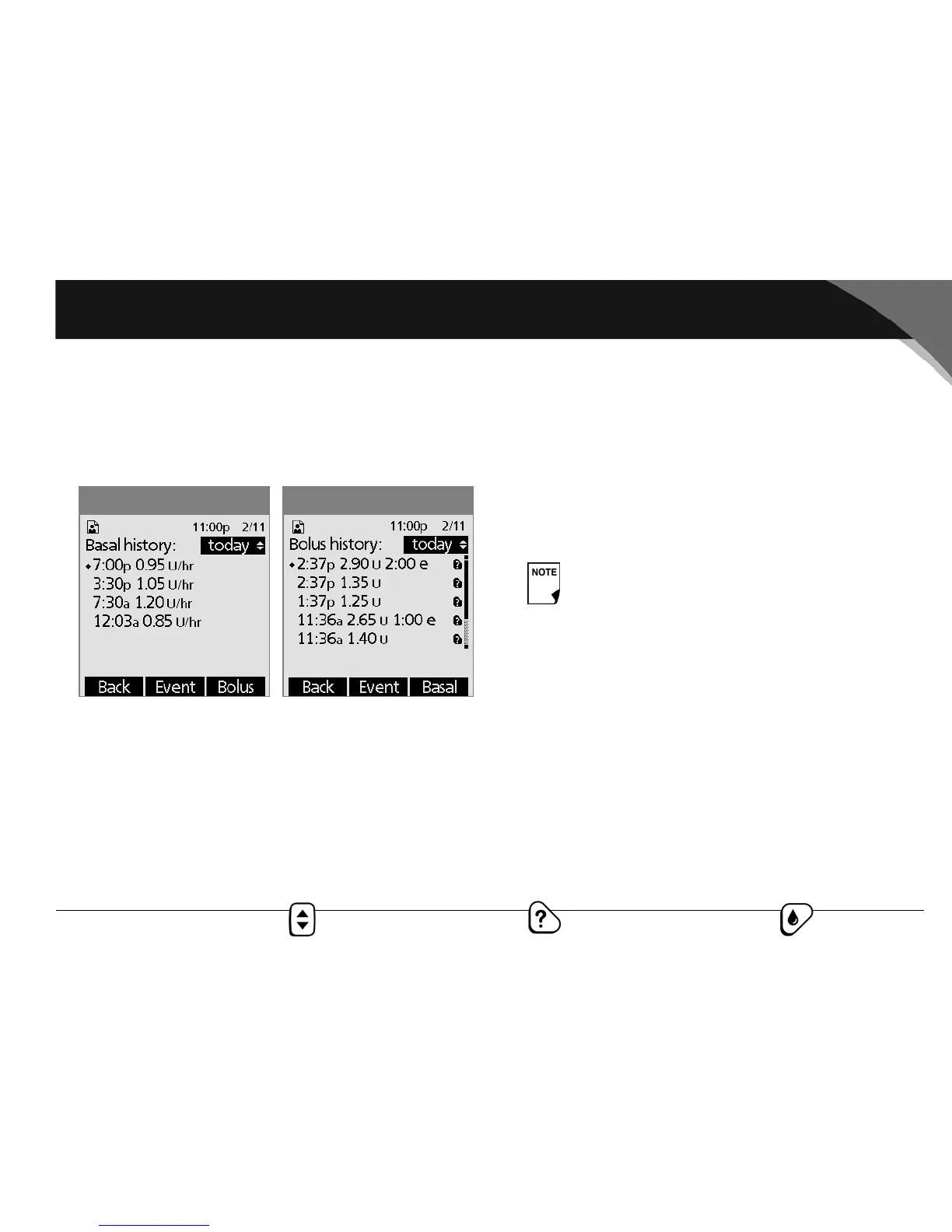
3. To review your basal history by day, press Basal.
The display shows the basal deliveries that have occurred for
the current day, in reverse time order (Figure 8-3). The cur-
rently active basal rate or program is indicated by a diamond
icon (♦).
Press the Up/Down Controller button for earlier or later
dates.
Press Event to use the Up/Down Controller button to scroll
through the list of information on the screen. Press Day to
use the Up/Down Controller button for dates.
4. To review your bolus history by day, press Bolus.
The display indicates whether the bolus was normal or
extended (marked “e,” Figure 8-4). Normal and extended
boluses are displayed separately even if they were pro-
grammed at the same time. Extended boluses are shown
with time and duration. If an extended bolus is currently run-
ning, a diamond icon (♦) appears next to it. If a bolus was can-
celled, only the amount delivered before cancellation is
shown.
Press the Up/Down Controller button for different dates.
Press Event to use the Up/Down Controller button to scroll
through the list of information on the screen. Press Day to
use the Up/Down Controller for dates.
Figure 8-4Figure 8-3
The amount shown after cancellation may be in 0.05
unit increments, even though you may have pro-
grammed the bolus increment to be 0.10 units.



 To Next Page