Up/Down Controller User Info/Support Blood Glucose Records
Using the OmniPod
5
43
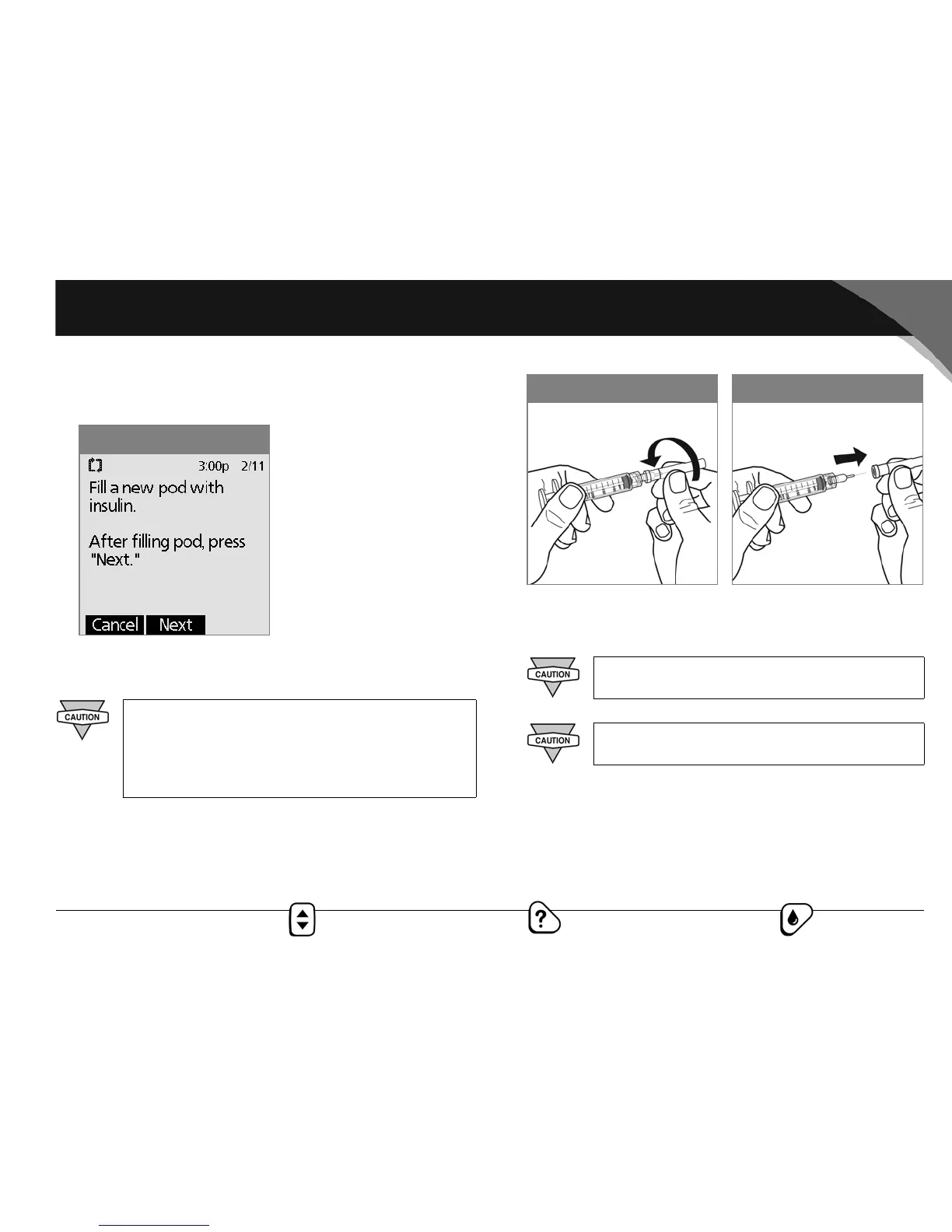
7. Fill a new pod following the instructions below and press
Next after the fill process is complete (Figure 5-6).
Fill a new OmniPod
1. Use an alcohol prep swab to clean the top of the insulin vial,
then discard the prep swab.
2. Securely twist the fill needle onto the syringe (Figure 5-7).
3. Pull outward to remove the protective cap from the needle
(Figure 5-8). Save the cap; you will need it later.
Before filling an OmniPod with insulin, ensure that
the pod is above 50° Fahrenheit. If the pod has been
exposed to temperatures below 50°, then allow the
pod to be brought back to room temperature before
filling it with insulin.
Figure 5-6
Use care after removing the needle cap and
exposing the fill needle.
Only use room temperature insulin when filling
the OmniPod.
Figure 5-7
Figure 5-8



 To Next Page