Up/Down Controller User Info/Support Blood Glucose Records
Checking Your Blood Glucose
7
77
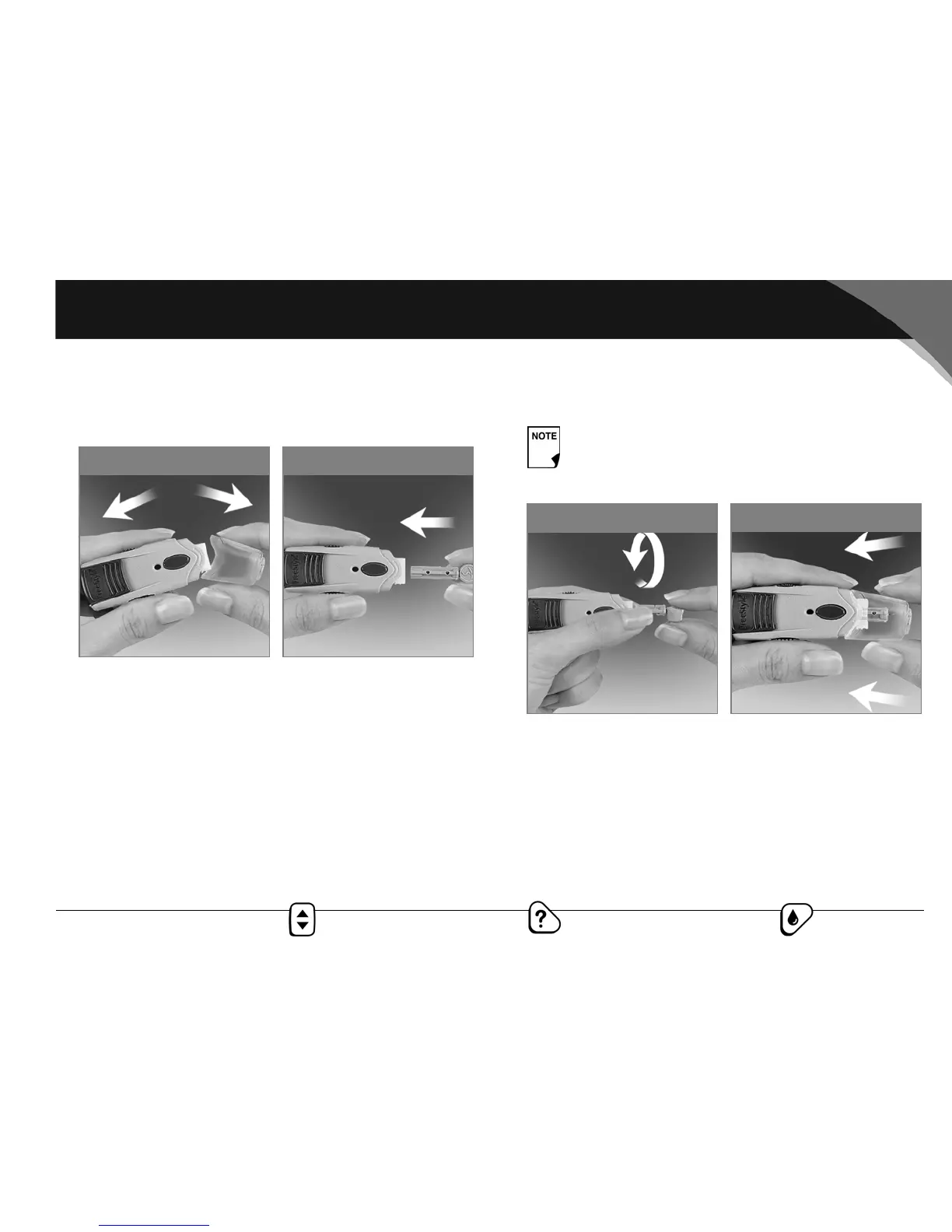
Prepare the lancing device
1. Snap off the cap on the lancing device at an angle (Figure
7-11).
2. Insert a new FreeStyle® lancet firmly into the white lancet
holder cup (Figure 7-12). Pushing the device into the cup may
cock the device, which is fine.
3. Hold the lancet firmly in place with one hand. With your other
hand, twist off the rounded top (Figure 7-13).
4. Replace the cap until it snaps or clicks into place (Figure 7-14).
Be careful not to touch the exposed needle on the lancet.
Figure 7-12
Figure 7-11
Use the clear cap to lance at the following test sites:
forearm, upper arm, hand, thigh, and calf. Use the
gray cap for finger tests only.
Figure 7-14
Figure 7-13



 To Next Page