Home Food Library Power/Backlight
2
Getting Started
10
■ Set Up the Personal Diabetes Manager (PDM)
Chapter 6 describes the PDM options in detail. The instructions
in this chapter are simplified to help you get started.
Turn on the PDM
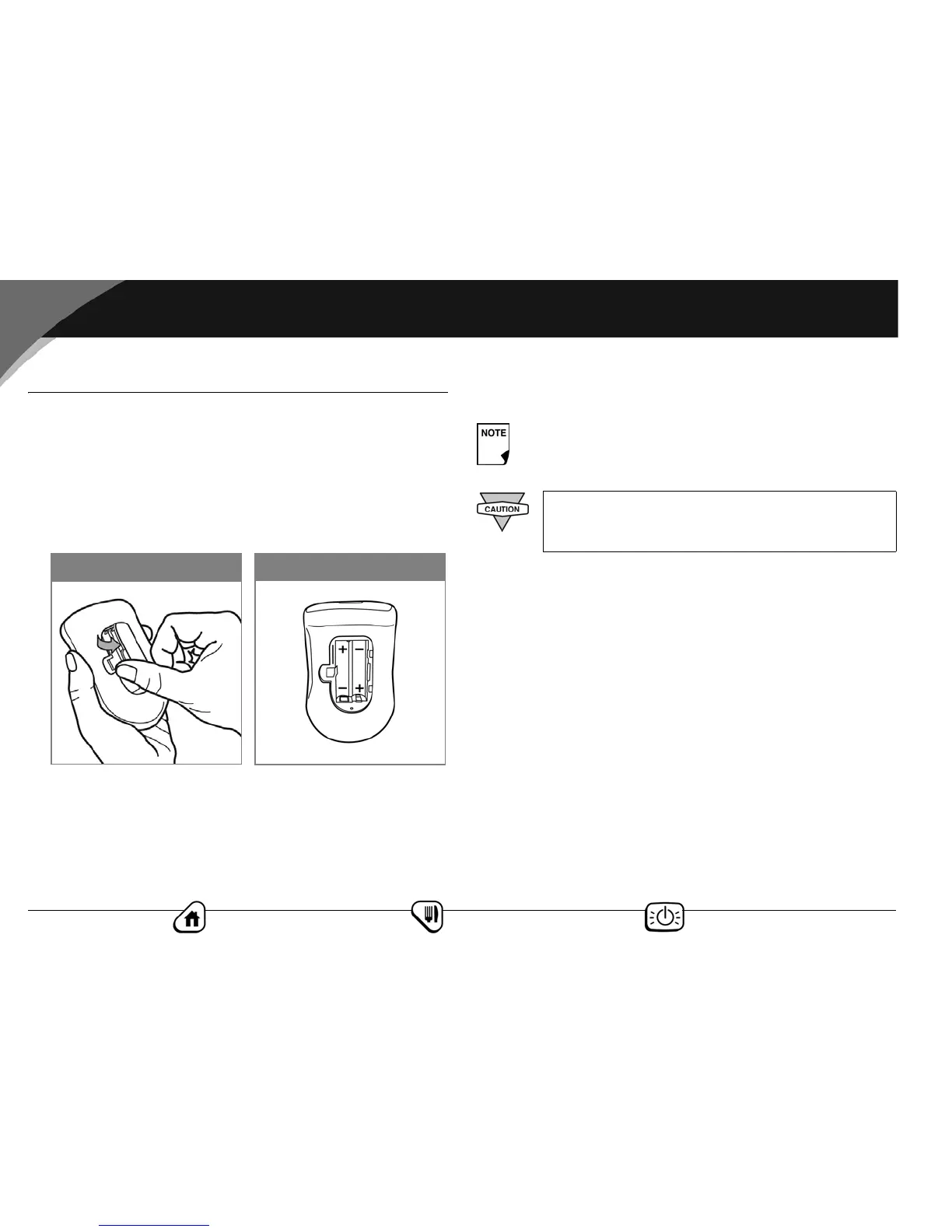
1. Open the battery compartment on the back of the PDM by
pushing the compartment latch inward and then upward
(Figure 2-1). No special tools are necessary.
2. Insert two (2) new AAA alkaline batteries into the compart-
ment.
3. Replace the battery door.
4. Turn the PDM face-up. The PDM will power-on automatically.
Figure 2-2
Figure 2-1
The diagram inside the compartment shows you which
direction to insert the batteries (Figure 2-2).
Use only new AAA alkaline batteries to power the
PDM. Never use old or used batteries; the PDM may
not work properly.



 To Next Page