Home Food Library Power/Backlight
8
Record Keeping
92
■ Carbohydrate History Records
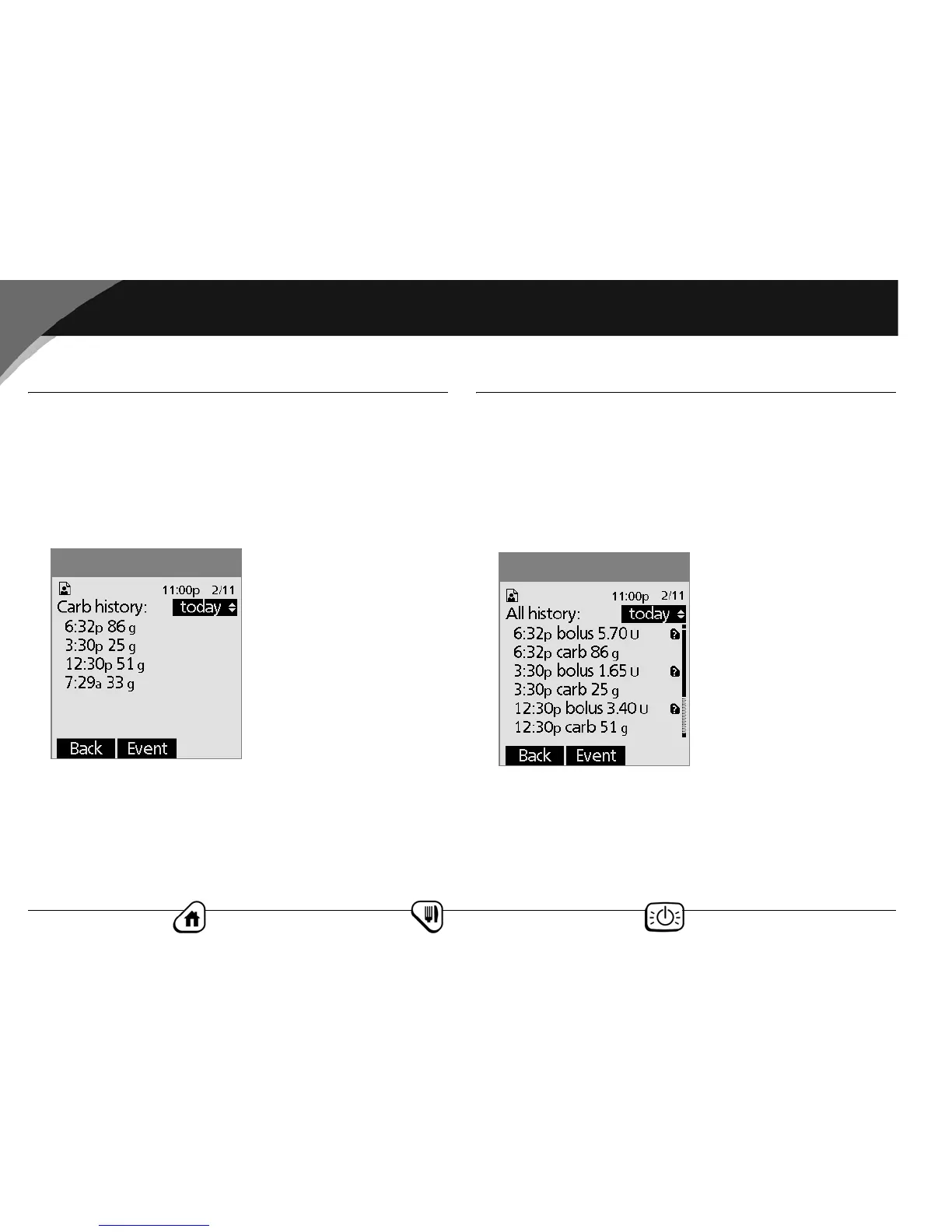
The PDM displays the record of carbohydrates you have entered.
1. On the Home screen, use the Up/Down Controller button
to choose My records, then press Select.
2. Choose Carb history, then press Select.
The PDM displays the date, time, and grams of carbohydrate
you have entered (Figure 8-11).
3. Press the Up/Down Controller button to see additional days.
Press Event to use the Up/Down Controller button to scroll
through the list of information on the screen. Press Day to
use the Up/Down Controller for dates.
■ All History Records
The PDM displays the combined insulin delivery, blood glucose,
alarm, and carbohydrate records.
1. On the Home screen, use the Up/Down Controller button
to choose My records, then press Select.
2. Choose All history, then press Select.
The PDM displays all history for the most recent date (Figure
8-12).
3. Press the Up/Down Controller button to see additional days.
Press Event to use the Up/Down Controller button to scroll
through the list of information on the screen. Press Day to
use the Up/Down Controller for dates.
Figure 8-11
Figure 8-12


 To Next Page