Home Food Library Power/Backlight
11
Communication Failures
126
■ Failure During Bolus Cancellation
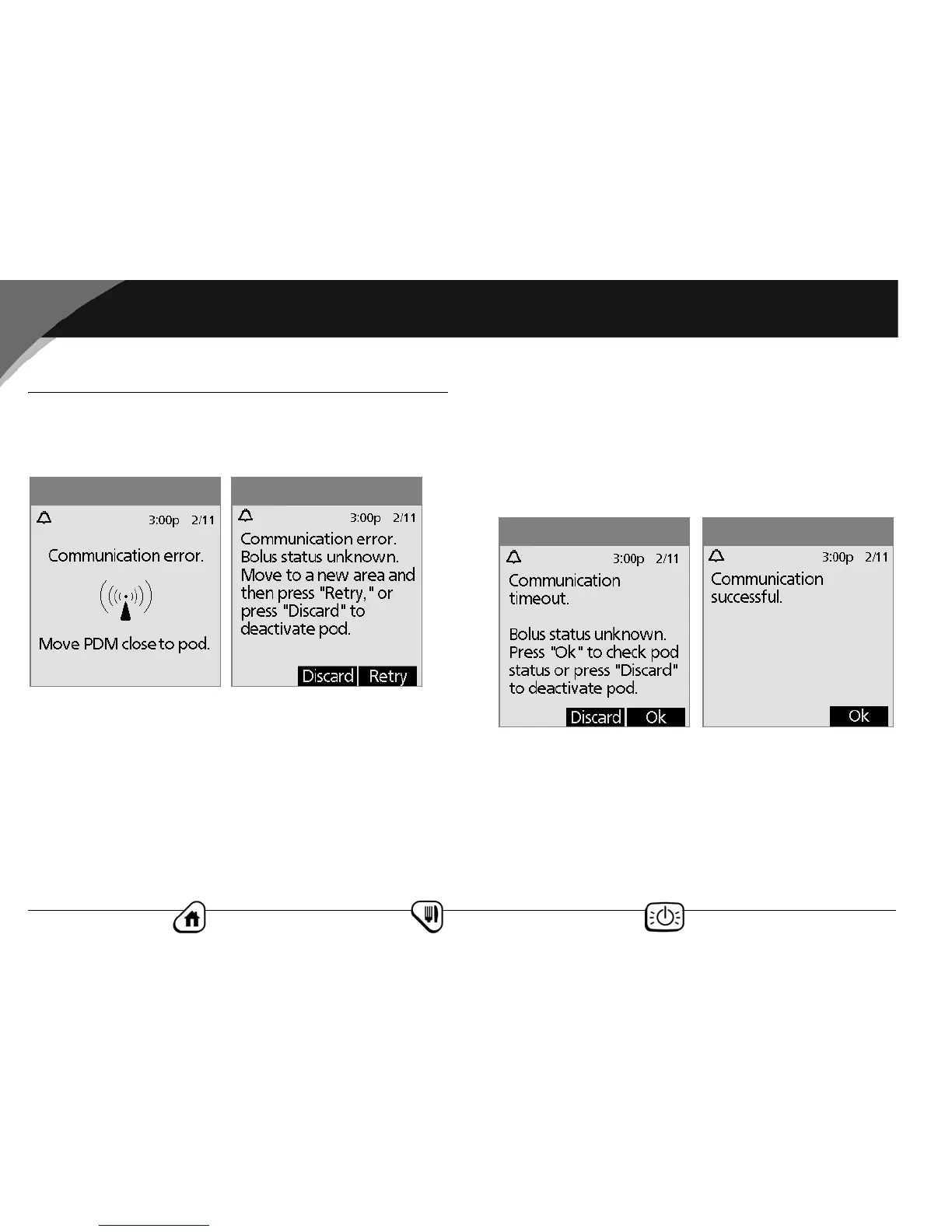
When you instruct the PDM to cancel a bolus, if the PDM cannot
send your instruction to the pod within a few seconds, it displays
the “Communication error” screen (Figure 11-11).
1. Move the PDM close to the pod. The PDM tries to communi-
cate with the pod again.
2. If the PDM still cannot communicate with the pod, you will
see the “Bolus status unknown” message (Figure 11-12).
3. Move across the room or to a different room. Then either:
a. Press Discard to begin the deactivation process.
b. Press Retry to repeat the attempts to communicate with
the pod. The PDM tries to communicate with the pod
again. If it cannot communicate, it displays the same
screen as in Figure 11-11, then finally a second “Bolus sta-
tus unknown” screen (Figure 11-13). Press OK to check the
pod status or press Discard to begin the deactivation pro-
cess.
4. If at any point in this process the PDM can communicate
again with the pod, you will see Figure 11-14. The message
indicates that your original instruction to cancel the bolus
was successful.
Figure 11-12Figure 11-11
Figure 11-14
Figure 11-13



 To Next Page