Home Food Library Power/Backlight
6
Using the Personal Diabetes Manager
66
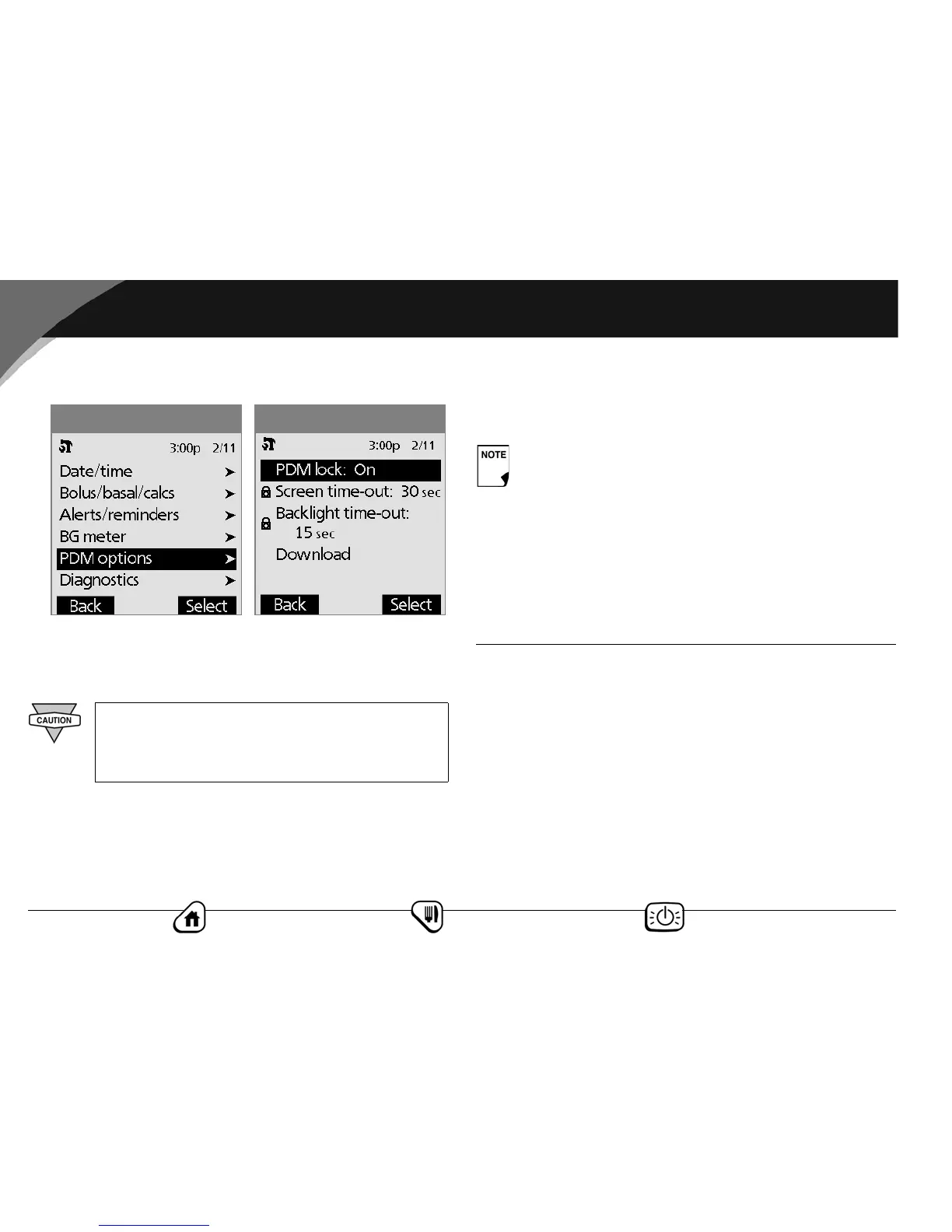
4. Choose one of the PDM options, then press Select.
Set PDM lock
Choose Off or On, then press Select.
Set the Screen time-out
Choose a time interval of 15, 30, or 60 seconds, then press
Select.
Set the Backlight time-out
Choose a time interval of 15, 30, or 60 seconds, or Always on,
then press Select.
Activate the Download
See the OmniPod PathFinder User Guide for details about using
this feature. (Special software & hardware are required). For more
information, please call Customer Support at 800-591-3455
(from outside the United States, 781-457-5098).
■ Set Diagnostic Functions
The Diagnostics screen allows you to instantly confirm how the
System is working or to completely update settings entered dur-
ing setup (see Chapter 2, Getting Started). Options include:
Check alarms: Confirms that all alarms work properly when
needed. When you select this function, the PDM beeps, then the
pod beeps.
If you choose On, other PDM options and most
other soft keys are locked (Figure 6-13) and will not
respond to button presses. To use them, you must
first set PDM lock to Off.
Figure 6-13
Figure 6-12
Choosing Always on will drain the PDM battery sooner.



 To Next Page