Up/Down Controller User Info/Support Blood Glucose Records
Understanding and Adjusting Basal Rates
3
21
To see the program as a graph, press Graph. To see the list
again, press List.
Change, rename, copy, or delete a basal program
1. On the Home screen, use the Up/Down Controller button
to choose Settings; then press Select.
2. Choose Basal programs, then press Select.
3. Choose a program from the list, then press Select.
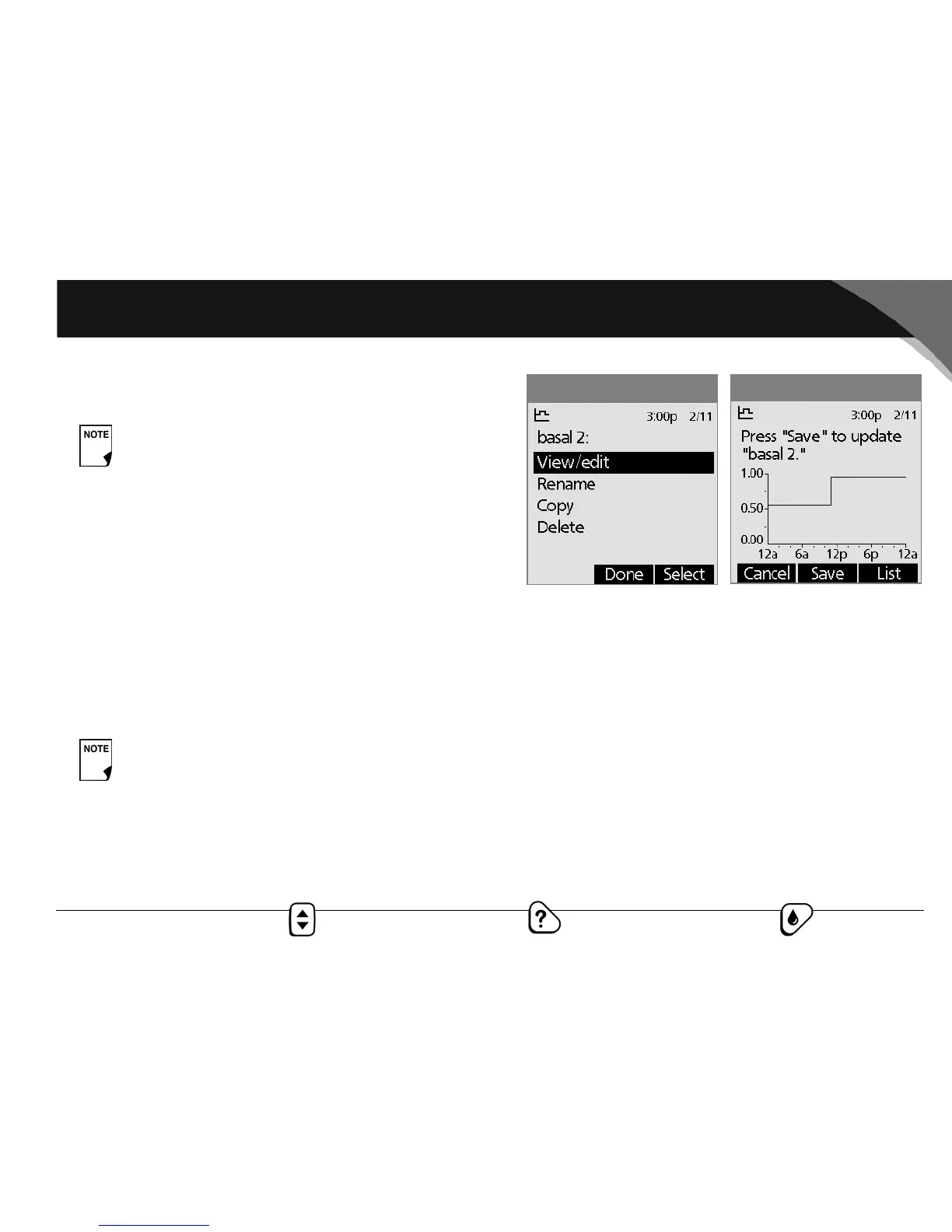
To view the segments of the basal program
1. Choose View/edit, then press Select (Figure 3-8).
To edit or add a segment or rate in the basal program
1. Choose the segment to change, then press Edit.
Or, choose [add new], then press New.
2. Enter a start time for the segment you want to change, then
press Next.
3. Enter an end time for this segment, then press Next.
4. Enter a basal rate for the new segment, then press Enter.
5. To save the newly entered segment into the basal program,
press Save (Figure 3-9). If you want to make additional edits,
repeat steps 2–5.
As a safety feature, you cannot enable a new basal
program while a temporary basal preset is in process
(see “Temporary Basal Rates and Presets” later in this
chapter); you must first cancel the current temporary
basal preset.
As a safety feature, you must suspend insulin delivery
before editing an active basal program (see Chapter
5, Using the OmniPod.) Remember to resume deliv-
ery after the edits are made.
Figure 3-8
Figure 3-9



 To Next Page