Home Food Library Power/Backlight
1
Your New OmniPod Insulin Management System
6
Primary screens
Messages on the screen either:
• Tell you how the System is operating
• List menu choices
• Explain how to perform certain tasks
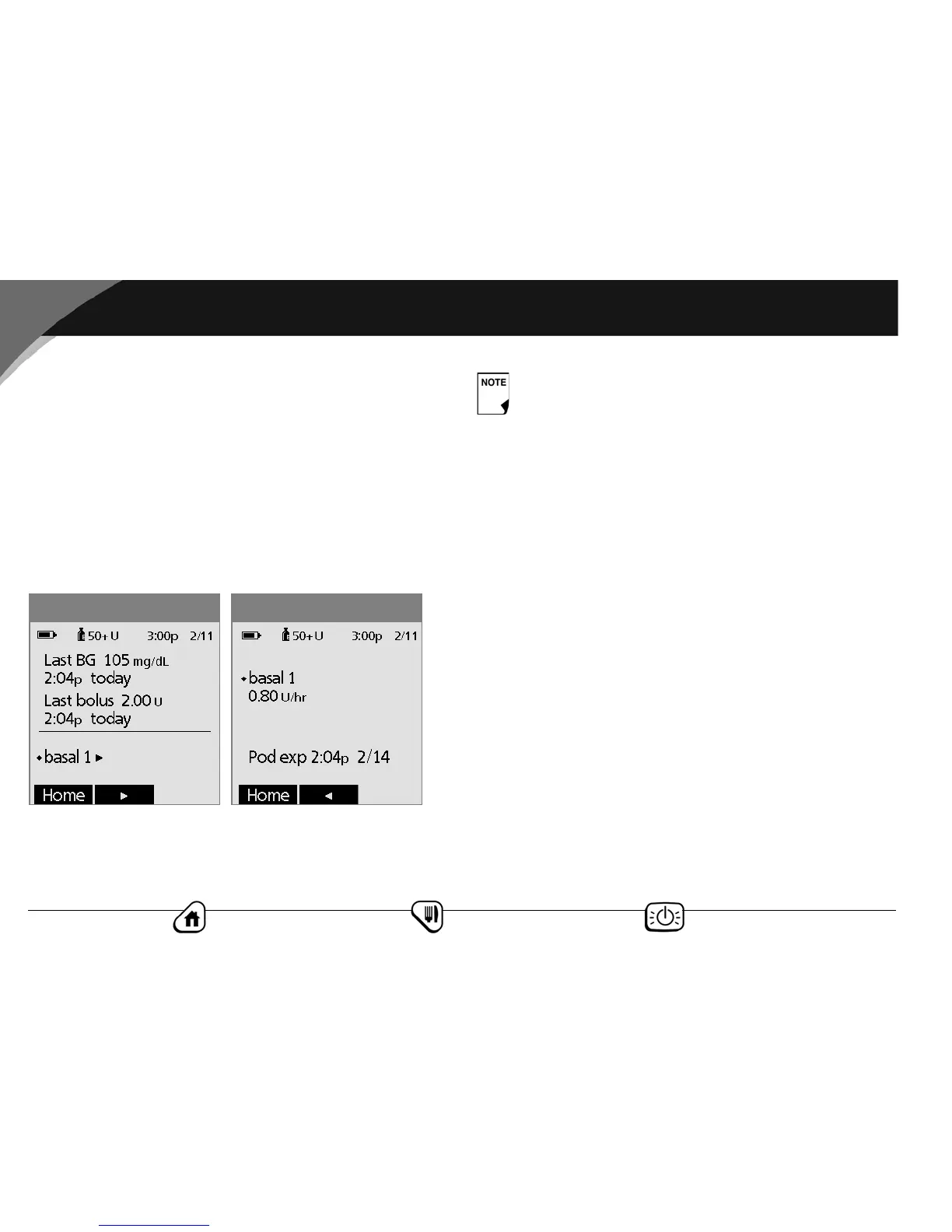
The System’s primary screens are the Status screens (Figure 1-3
and Figure 1-4) and the Home screen (Figure 1-5 on next page).
Status screen
Lists the System’s current operating status.
The top of each Status screen displays the battery-level icon,
insulin gauge icon, and the current time and date.
Status screen 1 displays:
• Time, date, and result of last blood glucose checked or
entered manually
• Time, date, and total amount of last bolus programmed
• Name of current basal program
• “Temp basal” if a temporary basal program is in use
•“Ext bolus” if an extended bolus is being delivered
• “INSULIN SUSPENDED” if insulin delivery has been
suspended
Status screen 2 displays:
• Name and rate of active basal program or temp basal
program
• “Ext bolus,” the amount of insulin, and the delivery time
remaining if an extended bolus is being delivered
• Time and date when the pod will expire
Figure 1-4
Figure 1-3
You can switch between Status screen 1 and Status
screen 2 at any time by pressing the middle soft key on
either screen.



 To Next Page