Up/Down Controller User Info/Support Blood Glucose Records
Understanding and Delivering Bolus Doses
4
39
■ Reference Food Library
The OmniPod System includes a reference library of over 1,000
common food items. The library shows each item’s carbohydrate,
fat, protein, fiber, and calories for a single portion. You can use
this information to determine the carbs for a meal or snack you
are going to eat. You can also use it to help you create carb pre-
sets for your favorite meals.
The items in the food library are derived from the USDA data-
base, USDA National Nutrient Database for Standard Reference,
Release 16, published by the U.S. Department of Agriculture,
Agricultural Research Service, in 2004.
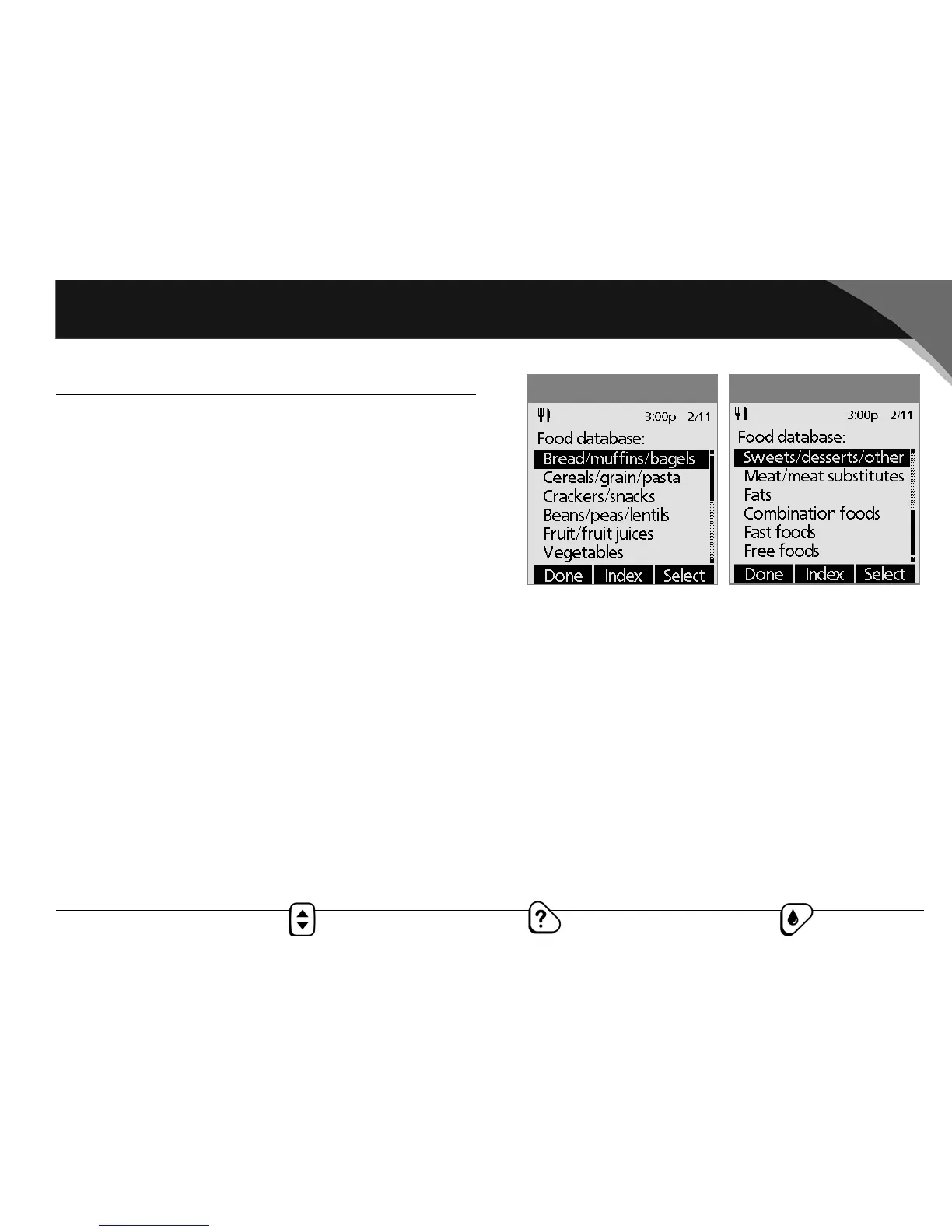
Access the reference food library
1. Press the Food Library button.
The screen displays a list of main food categories (Figure
4-16a and Figure 4-16b).
2. To choose directly from the food categories, use the Up/
Down Controller button to choose a main category, then
press Select. Choose a subcategory, then press Select.
Choose a food item from the subcategory, then press View.
3. To choose from an alphabetical list of foods, press Index.
Enter the first letter of the food item, then press Select.
Choose a food item from the alphabetical list, then press
View.
The screen displays the food item’s:
•Name
•Serving size
• Grams of carbohydrate, fiber, fat, and protein
•Total calories
4. Press OK to return to the list of main food categories.
Figure 4-16a
Figure 4-16b



 To Next Page