Up/Down Controller User Info/Support Blood Glucose Records
Communication Failures
11
127
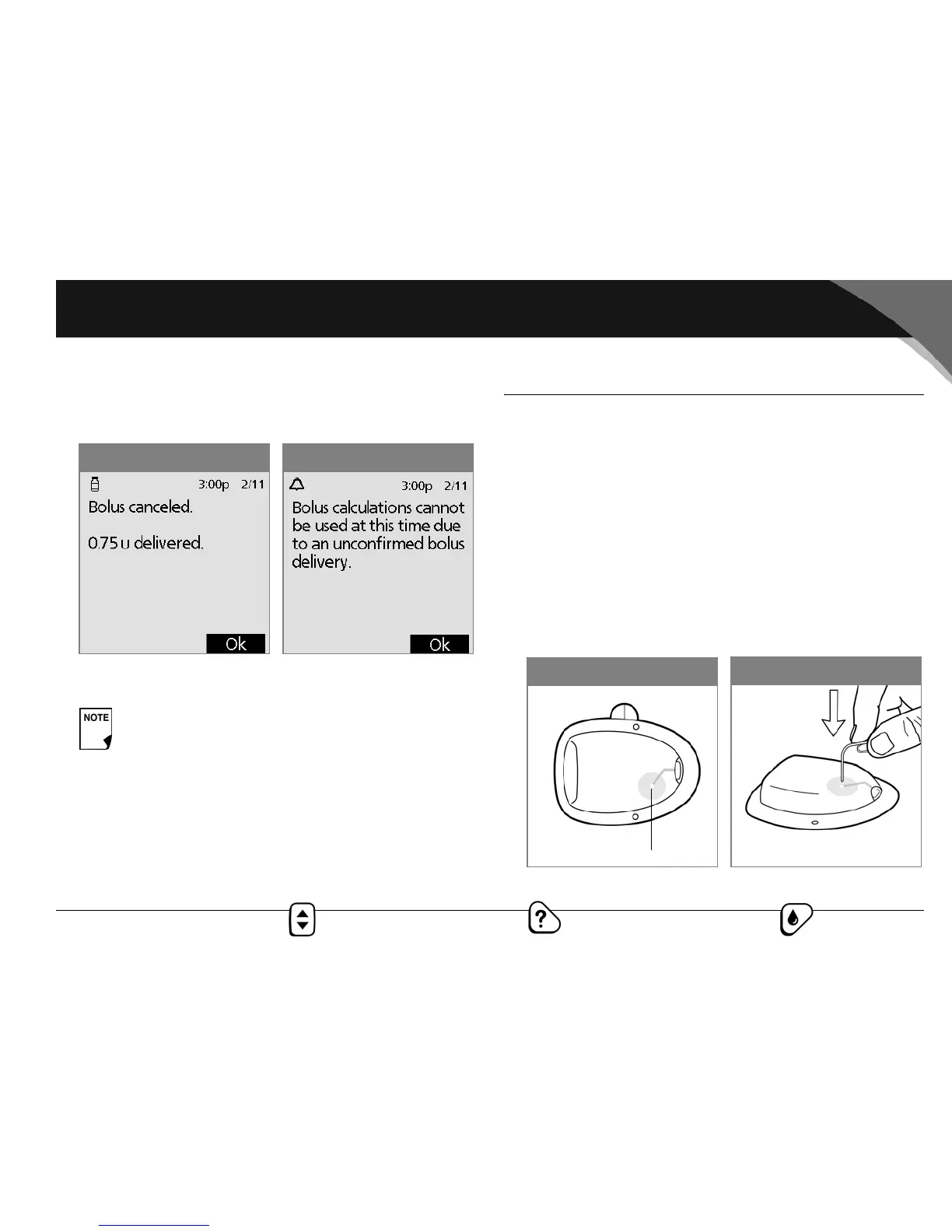
a. Press OK. The PDM displays the screen in Figure 11-15,
showing how much insulin was delivered before the
bolus was canceled.
b. Press OK again to return to the Status screen
■ Failure During a Hazard Alarm
If you respond to a hazard alarm (see Chapter 10, Errors, Adviso-
ries, and Hazard Alarms), but the PDM cannot communicate with
the pod to acknowledge or shut off the alarm, you can shut off
the alarm manually.
1. Remove the pod from your body if you have not already
done so.
2. Press the end of a paper clip or similar item straight down
into the manual alarm shut-off port (Figure 11-17) on the top
side of the pod (Figure 11-18). The port can be found by fol-
lowing the bright white trail on the top right of the pod. Move
the paper clip back and forth until the alarm stops. Then dis-
card the pod according to local waste disposal regulations.
If you have an unconfirmed correction bolus when
you discard a pod, then the bolus calculator will be
temporarily disabled (Figure 11-16). In this situation,
the bolus calculator is disabled until the duration-of-
insulin-action period passes beyond the expected
completion time of the correction bolus. If you have
any questions, call Insulet Customer Support,
800-591-3455, 24 hours/7 days (from outside the
United States, 781-457-5098).
Figure 11-16Figure 11-15
Figure 11-18
Figure 11-17
Manual alarm shut-off port



 To Next Page