Home Food Library Power/Backlight
6
Using the Personal Diabetes Manager
56
■ Reset the Date or Time
Occasionally, you need to change date and time settings (for
example, to adjust for daylight savings time or after resetting the
PDM). As a safety feature, you can change date and time settings
only when the pod is deactivated or when insulin delivery is sus-
pended (see Chapter 5, Using the OmniPod).
1. Suspend insulin delivery.
2. On the Home screen, use the Up/Down Controller button
to choose Settings; then press Select.
3. Choose System setup, then press Select.
4. Choose Date/time, then press Select.
5. Choose either Time or Date, then press Edit.
Reset the time
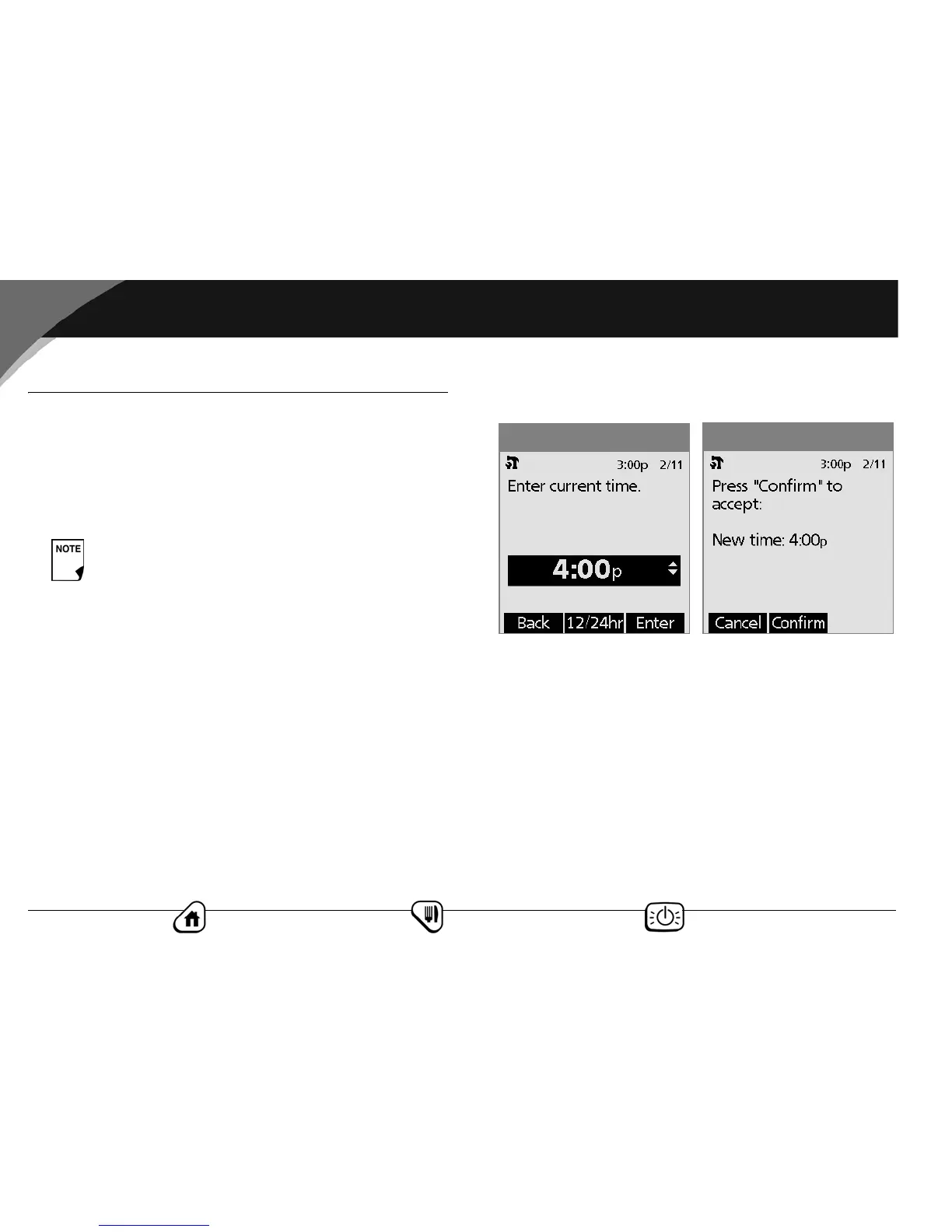
1. To enter the current time, press the Up/Down Controller
button. Press and hold the button to increase or decrease the
time faster.
2. Press 12/24 hr to choose either a 12-hour or 24-hour clock,
then press Enter (Figure 6-4).
3. Press Confirm to accept the new time (Figure 6-5).
Reset the date
1. Press the Up/Down Controller button to choose the current
year, then press Next.
2. Choose the current month, then press Next.
3. Choose the current day, then press Next.
If you are changing the pod, you can reset the date or
time without suspending by changing the date or
time before activating the new pod.
Figure 6-5
Figure 6-4



 To Next Page