Up/Down Controller User Info/Support Blood Glucose Records
Understanding and Delivering Bolus Doses
4
31
Or press the Up/Down Controller button to change the
bolus, then press Enter.
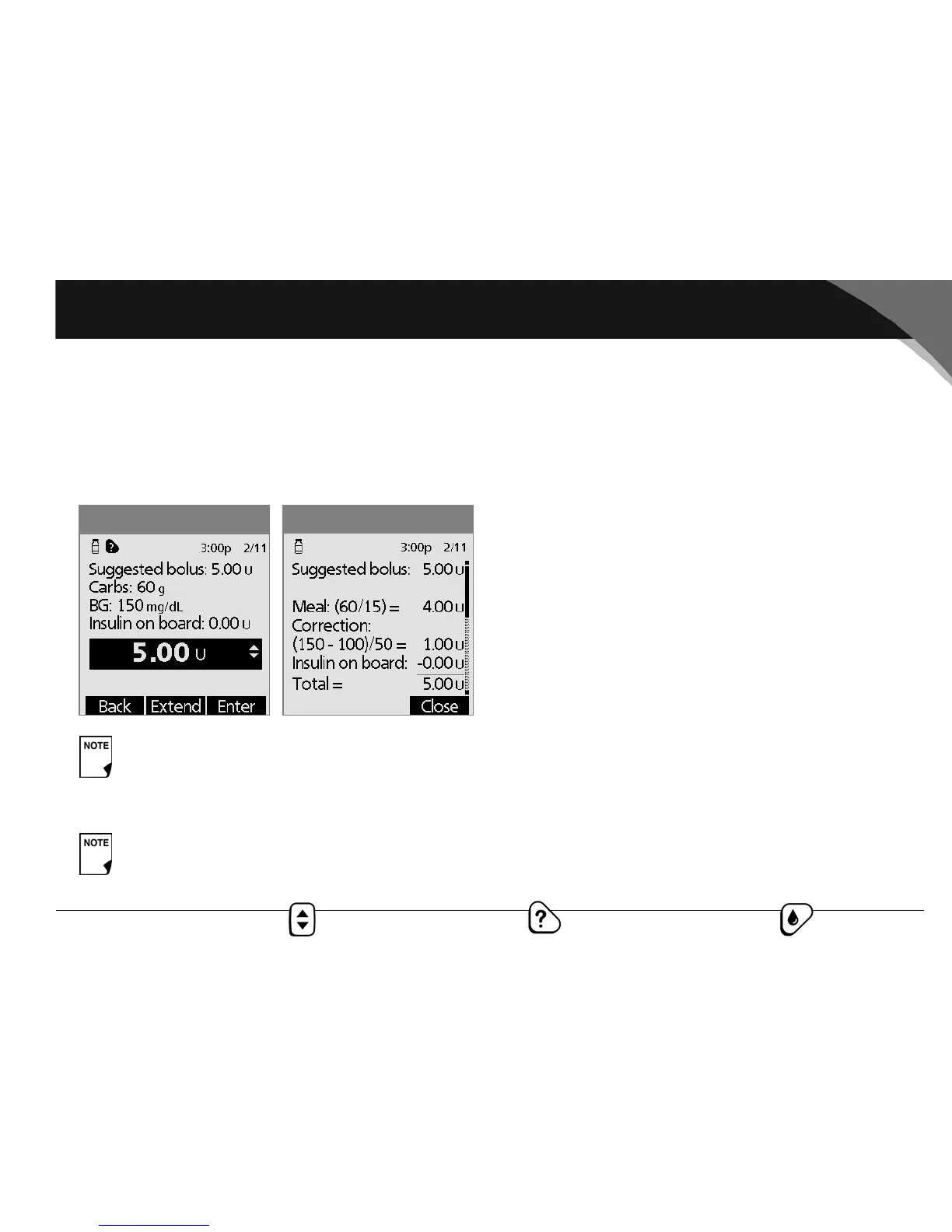
Or press the User Info/Support button to view the details
of the suggested bolus (Figure 4-4). You can scroll to the
bottom of the screen to see the settings used in the sug-
gested bolus calculator. Press Close, then press Enter.
4. If you have set the blood glucose reminder option to On and
you want to add a reminder:
a. Press Yes .
b. Enter the time for the reminder.
c. Press OK.
5. Press Confirm to begin the bolus delivery.
Deliver a bolus manually (suggested bolus calc is Off)
1. On the Home screen, use the Up/Down Controller button
to choose Bolus; then press Select.
2. Enter the number of units you want to deliver, then press
Enter.
3. If you wish, set a blood glucose reminder.
4. Press Confirm to begin the bolus delivery.
If the reverse correction feature is turned On and if
your blood glucose level is below your target, the
System subtracts a correction amount from the meal
portion of the bolus.
If the reverse correction setting is turned Off, the
System does not subtract anything for a blood glu-
cose level below your target.
Figure 4-4
Figure 4-3



 To Next Page