Home Food Library Power/Backlight
4
Understanding and Delivering Bolus Doses
30
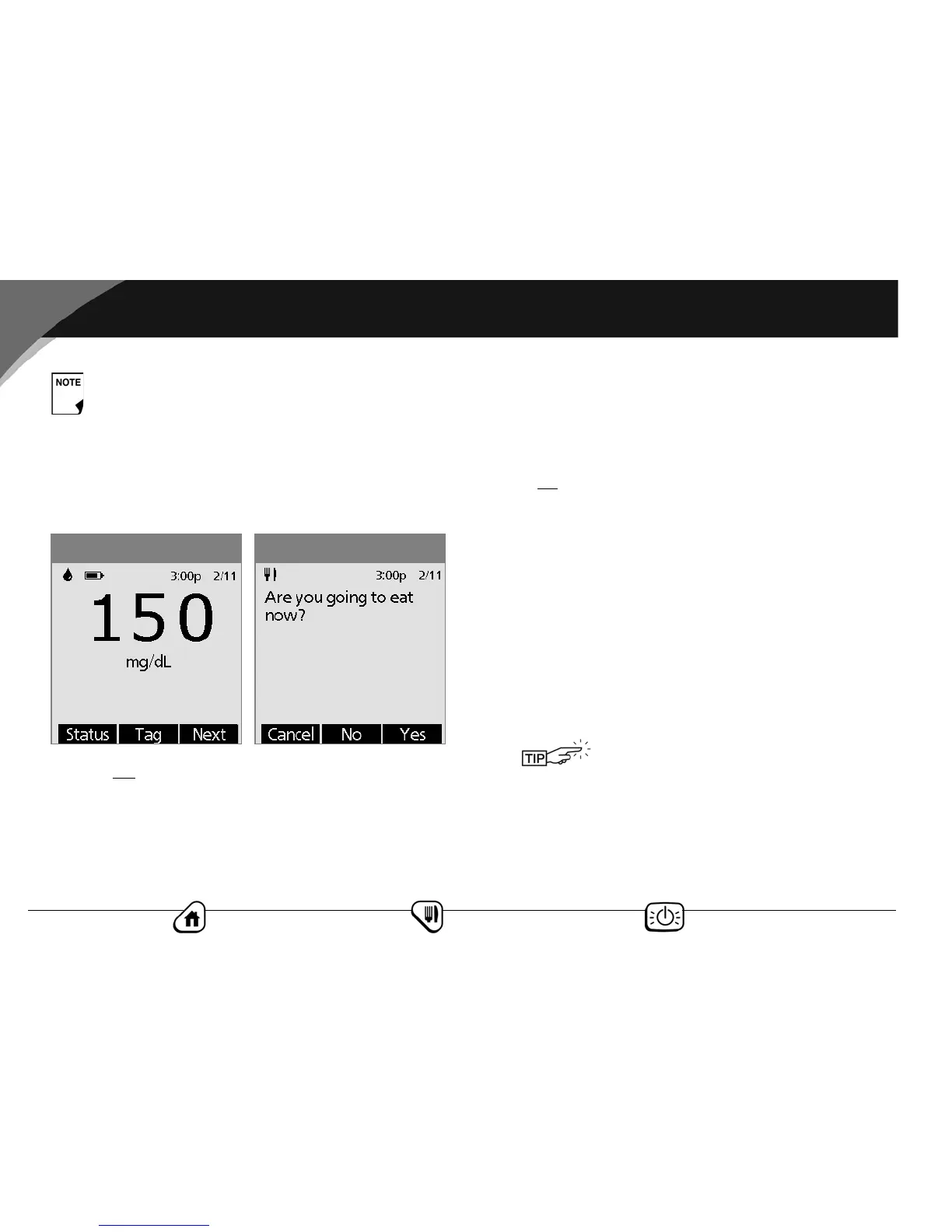
2. If you are not going to eat now:
a. Press No (Figure 4-2), then press Enter to accept the
suggested bolus.
Or press the Up/Down Controller button to increase or
decrease the suggested bolus, then press Enter.
Or press the User Info/Support button to view the details
of the suggested bolus. You can scroll to the bottom of
the screen to see the settings used in the suggested bolus
calculator. Press Close, then press Enter.
b. Press Confirm to begin the bolus delivery.
3. If you are
going to eat now:
a. Press Yes (Figure 4-2), enter the number of carbohydrates
you are about to eat, then press Enter.
If you’ve previously entered a carb preset, then either:
• Use the Up/Down Controller button to choose
[enter manually], then press Select. Enter the num-
ber of carbohydrates that you are going to eat, then
press Enter.
• Use the Up/Down Controller button to choose favor-
ites, snacks, or meals. From there, select a carb preset
you have previously entered (see “Carb Presets” later
in this chapter), then press Select.
b. Press Enter to accept the suggested bolus (Figure 4-3 on
the next page).
If you use a separate blood glucose meter—not the
Personal Diabetes Manager (PDM)—you will need to
enter your blood glucose manually. From the Home
screen, choose Bolus, then press Select. Use the Up/
Down Controller button to enter your current BG
value, then press Yes if you want to use the value
suggested by the bolus calculator.
Figure 4-2Figure 4-1
The OmniPod System includes a reference
food library. For more information, see
“Reference Food Library” at the end of this
chapter.



 To Next Page