Up/Down Controller User Info/Support Blood Glucose Records
53
CHAPTER 6
Using the Personal Diabetes Manager
■ The Status Screens
When a pod is active and the PDM is turned on, the PDM estab-
lishes communication with the pod to obtain a status check.
During the status check, the PDM collects information from the
pod about bolus deliveries, current basal programs, and pod
expiration. The information obtained is then displayed in the
two status screens, which show the System’s current operating
status.
The top of each Status screen displays the battery-level icon,
insulin gauge icon, and the current time and date. (To see user
information and product support details, press the User Info/
Support button.)
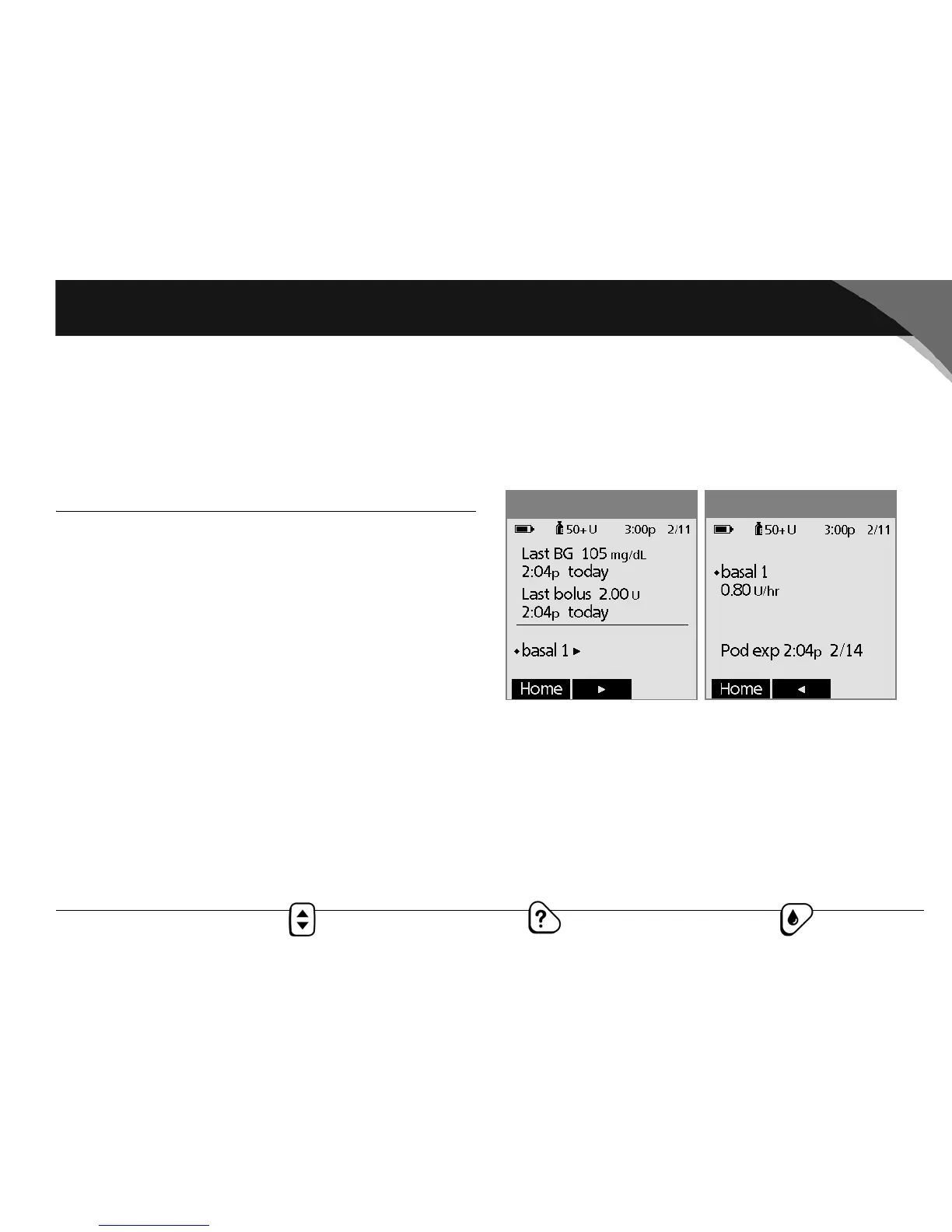
Status screen 1 (Figure 6-1) displays:
• Time, date, and result of last blood glucose checked or
entered manually
• Time, date, and total amount of last bolus programmed
•Name of current basal program
•“Temp basal” if a temporary basal program is in use
•“Ext bolus” if an extended bolus is being delivered
• “INSULIN SUSPENDED” if insulin delivery has been
suspended
Figure 6-1
Figure 6-2



 To Next Page