Home Food Library Power/Backlight
7
Checking Your Blood Glucose
84
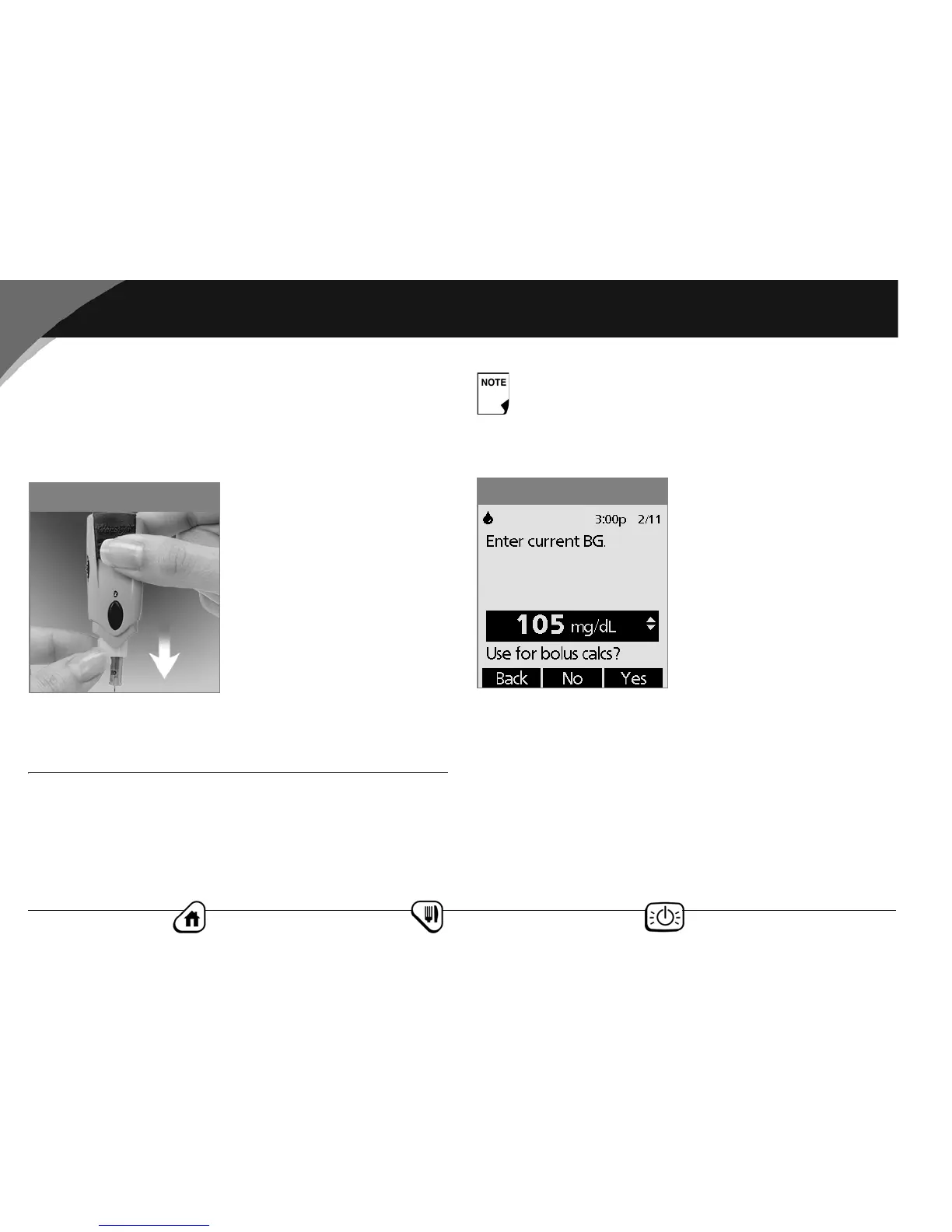
Remove the lancet
When you have finished testing, snap off the cap from the
lancing device. Hold the lancet over a sharps container or a
puncture-proof container with a lid. Pinch the white clip that
holds the lancet until the lancet falls out (Figure 7-32).
■ Blood Glucose Results and the Suggested Bolus
Calculator
If the suggested bolus calculator feature is turned On when you
check your blood glucose, the PDM will display the result. From
here, press Next to enter carbs (if eating) and have the System
calculate a suggested bolus. (See “Suggested Bolus Calculator” in
Chapter 4, Understanding and Delivering Bolus Doses.)
If the suggested bolus calculator feature is turned Off, the Next
soft key does not appear. Instead, press Status to return to the
Status screen to see the most recent BG result.
The result is also stored in the System’s history, whether sug-
gested bolus calculator is turned On or Off. (See “Blood Glucose
History Records” in Chapter 8, Record Keeping.)
Figure 7-32
If you use the suggested bolus calculator within 10
minutes after taking a blood glucose reading, the BG
value will be automatically populated for use in the
suggested bolus calculator process (Figure 7-33).
Figure 7-33



 To Next Page