Home Food Library Power/Backlight
3
Understanding and Adjusting Basal Rates
20
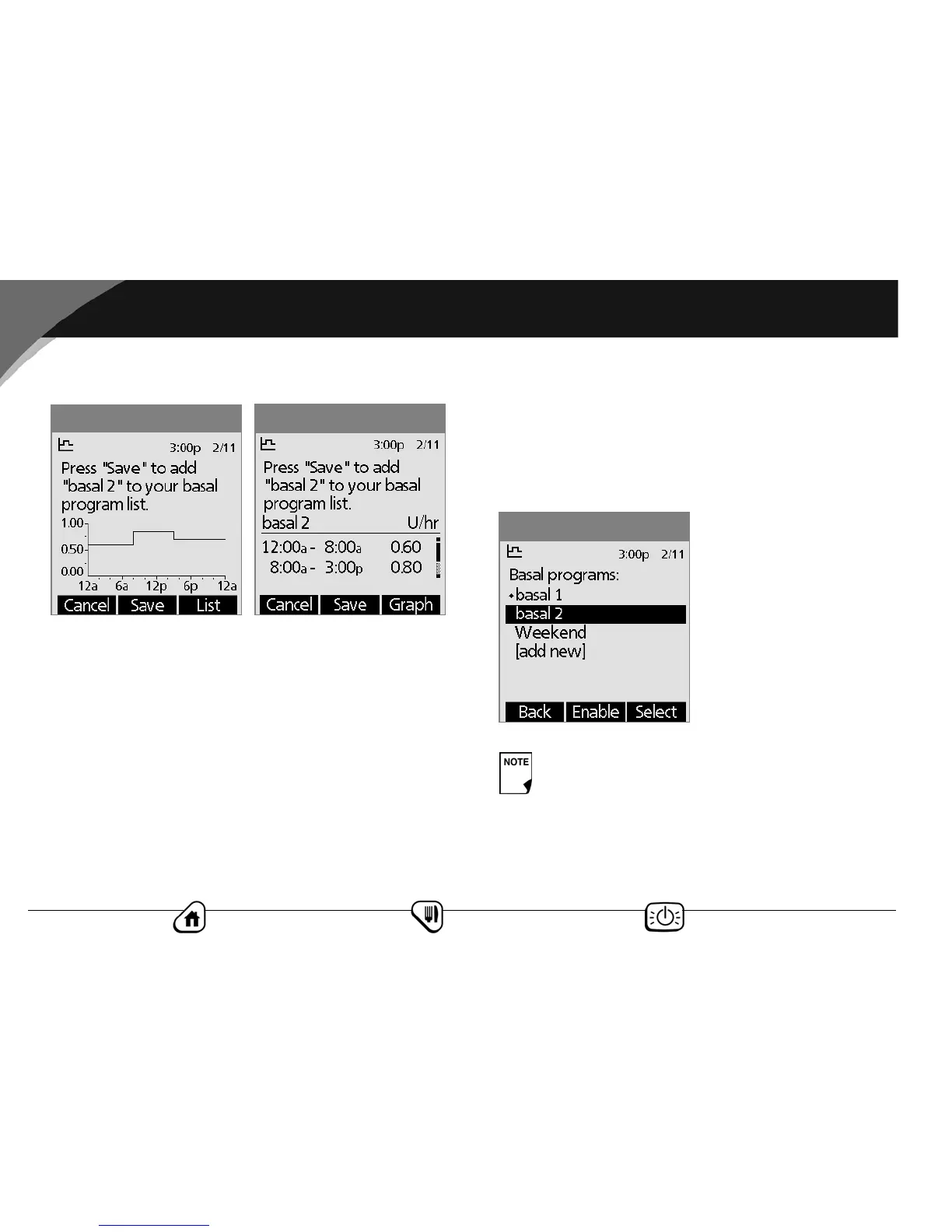
7. Review the graph of the new basal program (Figure 3-5).
8. To see the program as a list, press List (Figure 3-6). To see the
graph again, press Graph.
9. To add the program to the PDM’s memory, press Save.
Repeat steps 1 through 9 above for each basal program (up to 7)
you want to create.
Enable an existing basal program
1. On the Home screen, use the Up/Down Controller button
to choose Settings; then press Select.
2. Choose Basal programs, then press Select.
3. Choose the program you want from the list (Figure 3-7), then
press Enable.
4. Press Enable again to start the selected basal program. The
PDM beeps to indicate that the chosen basal program is
running.
Figure 3-6
Figure 3-5
A diamond icon (♦) appears next to the program that
is currently running. You cannot select the current
program to enable it, because it is already running.
Figure 3-7



 To Next Page