Home Food Library Power/Backlight
5
Using the OmniPod
42
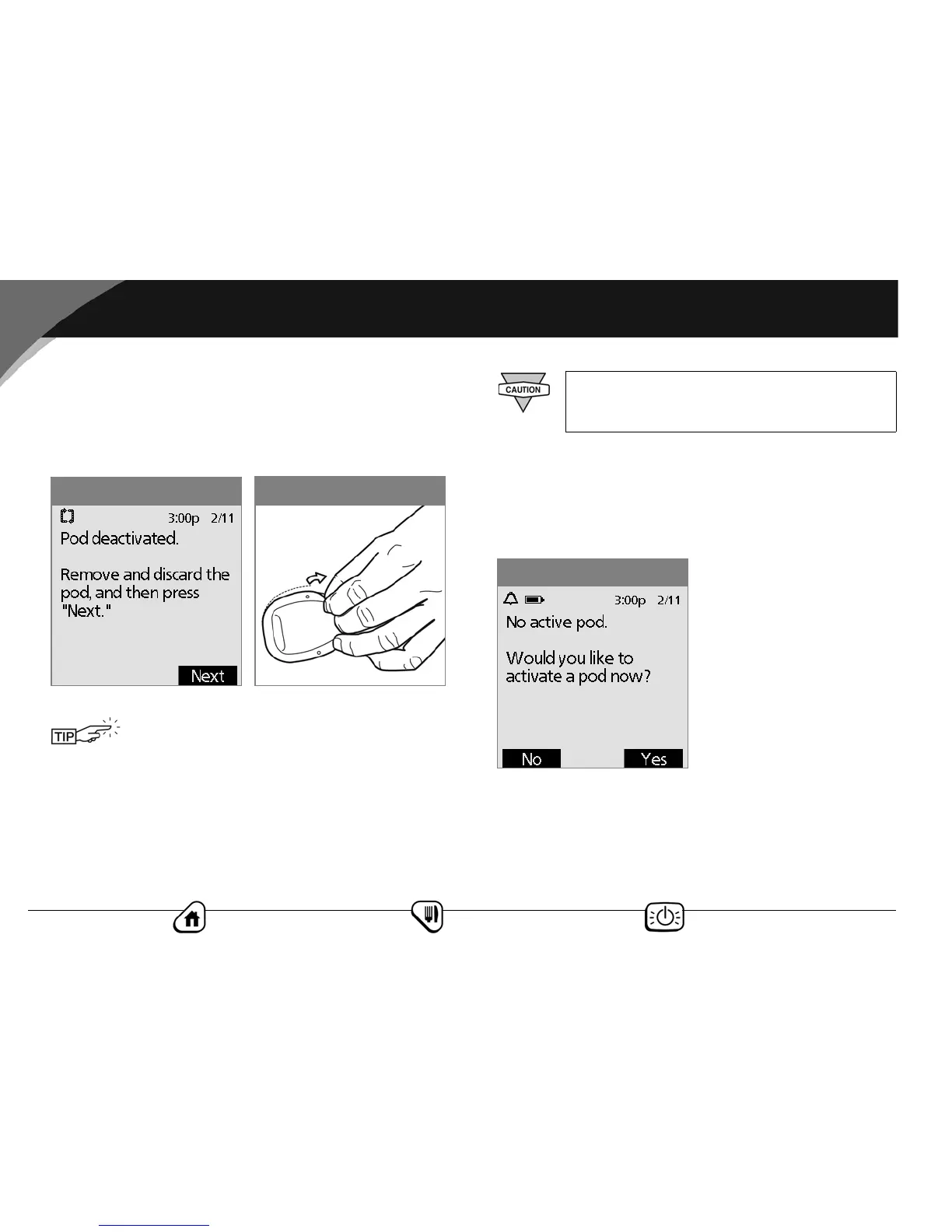
4. When you see the message, “Pod deactivated. Remove and
discard the pod,” (Figure 5-3), remove the old pod:
a. Gently lift the edges of the adhesive tape from your skin
and remove the entire pod (Figure 5-4).
b. Use soap and water to remove any adhesive that remains
on the skin or, if necessary, use an adhesive remover.
c. Discard the used pod according to local waste disposal
regulations.
5. After removing the old pod, press Next (Figure 5-3).
6. Press Yes to fill a new pod (Figure 5-5).
Removing the pod slowly will help to avoid
possible skin irritation.
Figure 5-4
Figure 5-3
Check the infusion site for signs of infection.
See “Avoid Infusion Site Infections” later in this
chapter.
Figure 5-5



 To Next Page