Up/Down Controller User Info/Support Blood Glucose Records
Errors, Advisories, and Hazard Alarms
10
121
PDM Press OK to
acknowledge.
Change pod.
Check blood
glucose.
PDM
or
Pod
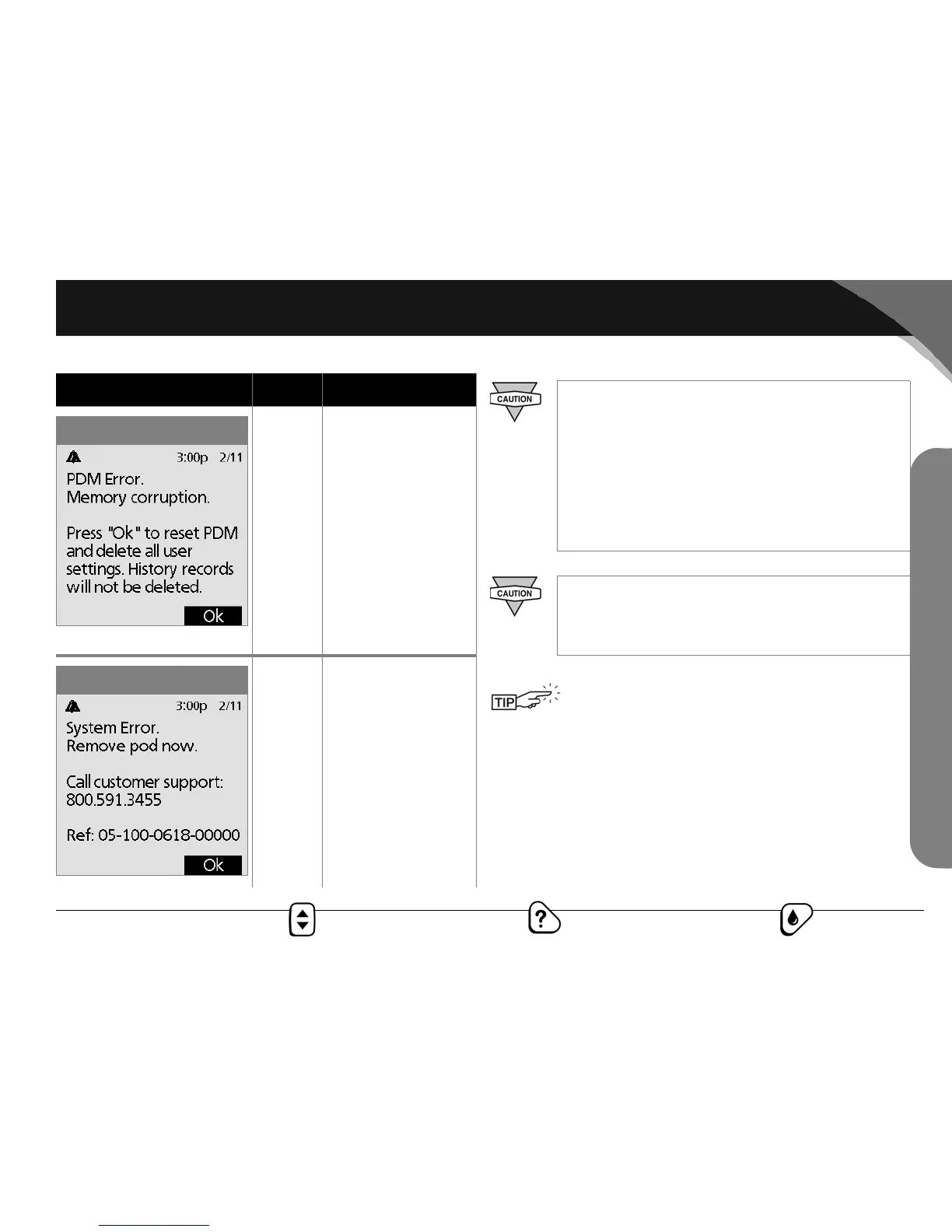
Press OK to
acknowledge.
Remove pod.
Call Customer Sup-
port at 800-591-
3455 (from outside
the United States,
781-457-5098).
Check blood
glucose.
Alarm Source Action
PDM error
System error
Due to the serious nature of hazard alarms, you must
act promptly to resolve them.
1. Acknowledge the alarm condition by pressing
OK, which silences the alarm.
2. Deactivate and remove the current pod (see
Chapter 5, Using the OmniPod).
3. Activate and apply a new pod (see Chapter 5,
Using the OmniPod).
If you ever need to return the PDM for repair or
replacement, contact your healthcare provider for
instructions on going back to treatment by injec-
tions.
Use the form at the end of this User Guide to write
down all your settings from the Setup Wizard.
You can also attach a copy of the CSII orders that
you used during your training session. If you ever
need to reset your PDM, having these settings
handy will make setup very easy.
Hazard Alarms



 To Next Page