54
4. Touch RIGHT arrow key to display NBD, GPS and ship’s heading information.
5. NBD, GPS and ship’s heading information are shown.
- NBD (Narrow Band Detection) IF tracking frequency: 1457000 KHz
- Detected Band Width: 1440KHz
- SIG (Signal Level ): 201
- W (West)/E (East) Longitude: 127.04 ° E
- N (North)/S (South) Latitude: 37.06° N
- HDG (Ship’s Heading): 090.0 degree
- LNB local oscillator (LO) frequency: 18250 MHz
G X 1 - 6 2- 1 1 1 A N T S E R I A L 1. 0 0 /1 . 0 0
V P - T 6 3 A C U S E R I A L 1. 0 0
7. Touch RIGHT arrow key to display the below information.
- Antenna part number, antenna serial number and PCU and Stabilizer rmware version.
- BDT part number, BDT serial number, BDT rmware version.
Touch BACK Key to return to the rst page of the antenna current status.
Tracking & Heading
information
Antenna & BDT
versions
T R A C KI NG 0 6 2 . 6 E I5 _ F1 S I G : 2 01
A Z : 2 5 4. 3 ( 1 6 4 . 3 ) E L : 1 0 . 9 F n
N B D F : 1 4 5 70 0 0 BW :1 4 4 0 S I G: 2 0 1
1 2 7 . 0 4E 37 . 06 N H DG : 0 9 0 .0 L : 1 8 2 50 F n
Current tracking status
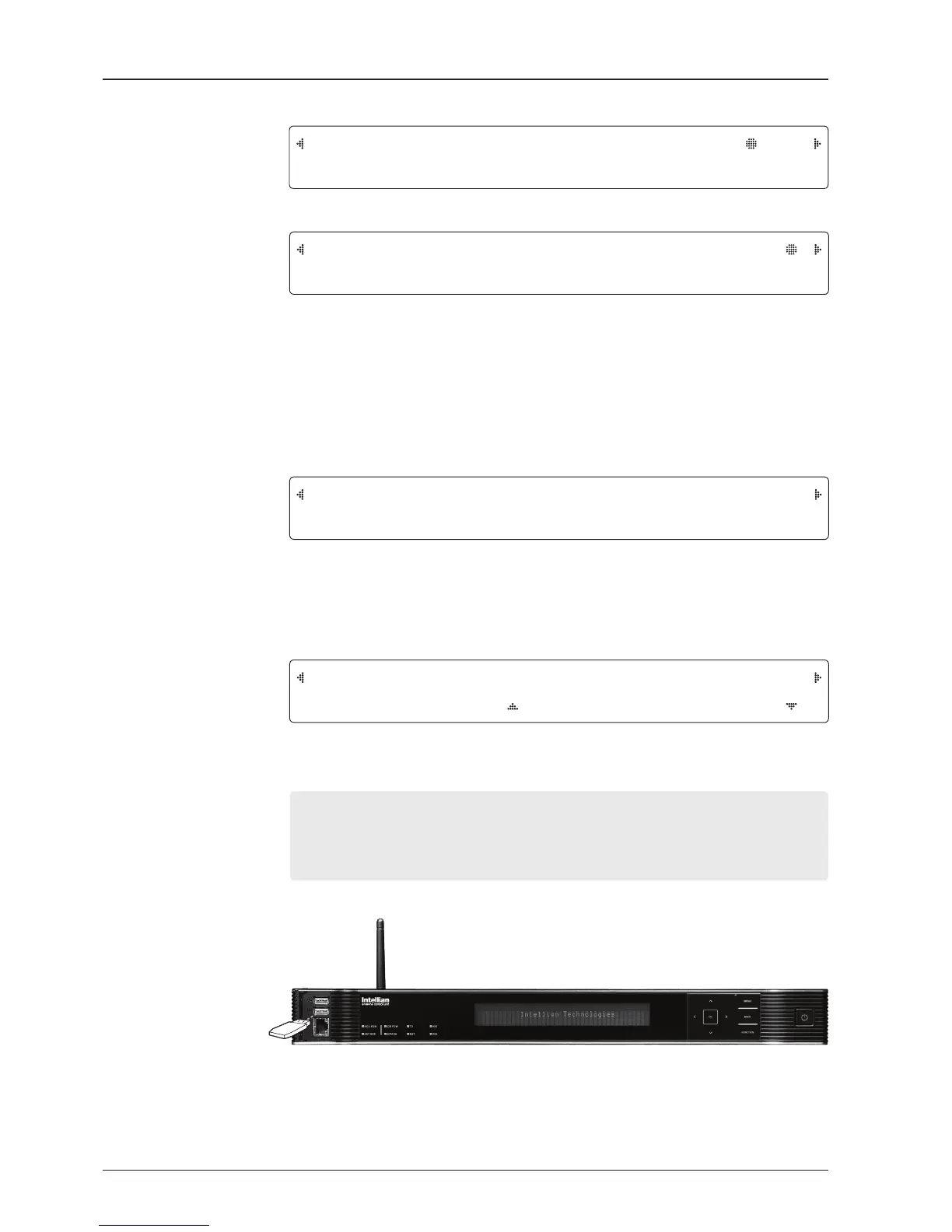
8.Touch RIGHT arrow key to display the USB FUNCTION*
This menu will be displayed automatically if a USB ash drive is plugged into the USB port
located in the front panel of the BDT.
USB FUNCTION*
• UPGRADE FIRMWARE: upgrade the system by using the rmware les
(les format: *.FWP) from the specied folder in the USB ash drive.
• COPY LOG DATA: Copy the up-to-date log data from the system to the USB ash drive.
Select
USB
functions
[ U S B F U N C TI O N ] S E LE C T U S B F U N C T IO N
U P G R A DE FI RMW A R E
USB


 To Next Page
 Loading...