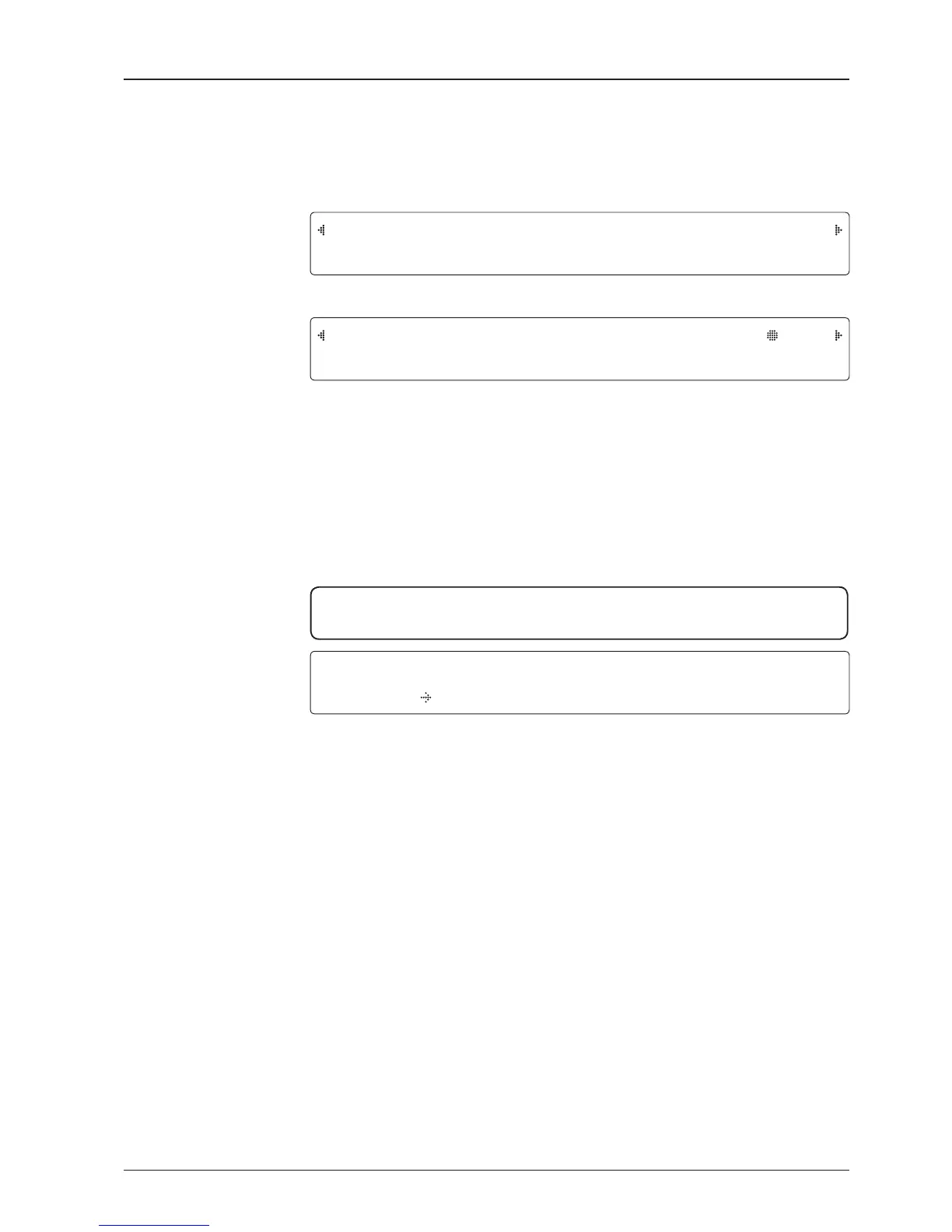
S E A R CH 1 06 2 .6 E I 5 _ F 1 S I G : 10 2
A Z : 2 5 4. 3 ( 1 6 4 . 3 ) E L : 1 0 . 9
1. The antenna is searching for the target satellite.
T R A C KI NG 0 6 2 . 6 E I5 _ F1 S I G :20 1
A Z : 2 5 4. 3 ( 1 6 4 . 3 ) E L : 1 0 . 9 F n
2. The antenna has locked onto the target satellite.
Current IF signal level SIG/ AGC is displayed. SIG will be displayed when NBD (Narrow band
detection) mode for TRACKING SIGNAL is chosen to be used and AGC will be displayed when
DVB mode of TRACKING SIGNAL is chosen to be used.
The symbol “•” will be only displayed when the satellite signal is strong enough to locked onto.
True azimuth [ 254.3] position of the antenna is the sum of ships heading 090.0
[ HDG ] and antenna relative [ 164.3].
SA V E C U RR E N T S A T I N F O ?
Y E S NO
3. Touch FUNCTION key to save current satellite information or abort and return to the main
display. "Fn" will be displayed only if the antenna is in tracking mode.
NOTE: However, if the "GYRO TYPE" is set to "NONE" or "NMEA" but without receiving
a proper input signal, "---.-" will be displayed at "True Azimuth"
Monitoring Current Antenna Status
When the BDT power is on, it displays the status of the antenna. The current status of the antenna is displayed as
shown below.
Current search status
Current tracking status
Save current satellite info


 To Next Page
 Loading...