6
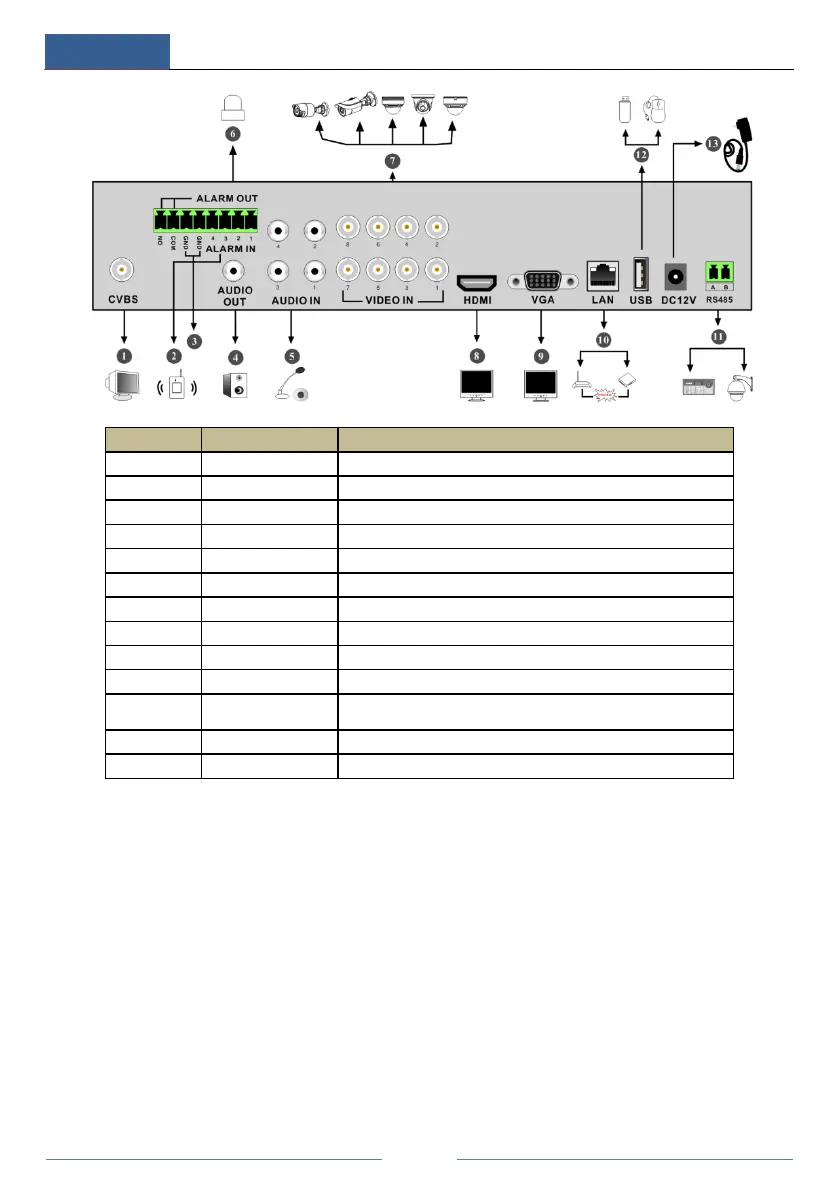
No. Name Descriptions
CVBS video output; connect to monitor
Alarm inputs for connecting sensors
Audio output; connect to sound box
6 ALARM OUT Relay output; connect to external alarms
7 VIDEO IN 8 CH video inputs
8 HDMI Connect to high definition display devices
9 VGA Connect to monitor
10 LAN Network port
11 RS485
Connectors for keyboards or speed domes. A is TX+; B is
TX-
12 USB Connector for USB storage devices or USB mouse



 To Next Page