91
Check “Obtain an IPv4 address automatically”, “Obtain an IPv6 address automatically” and
“Obtain DNS automatically” to get the network addresses automatically, or manually enter the
network addresses; select one NIC card connected to the Internet as the default route and then
click “Apply” to save the settings.
11.1.2 Port Configuration
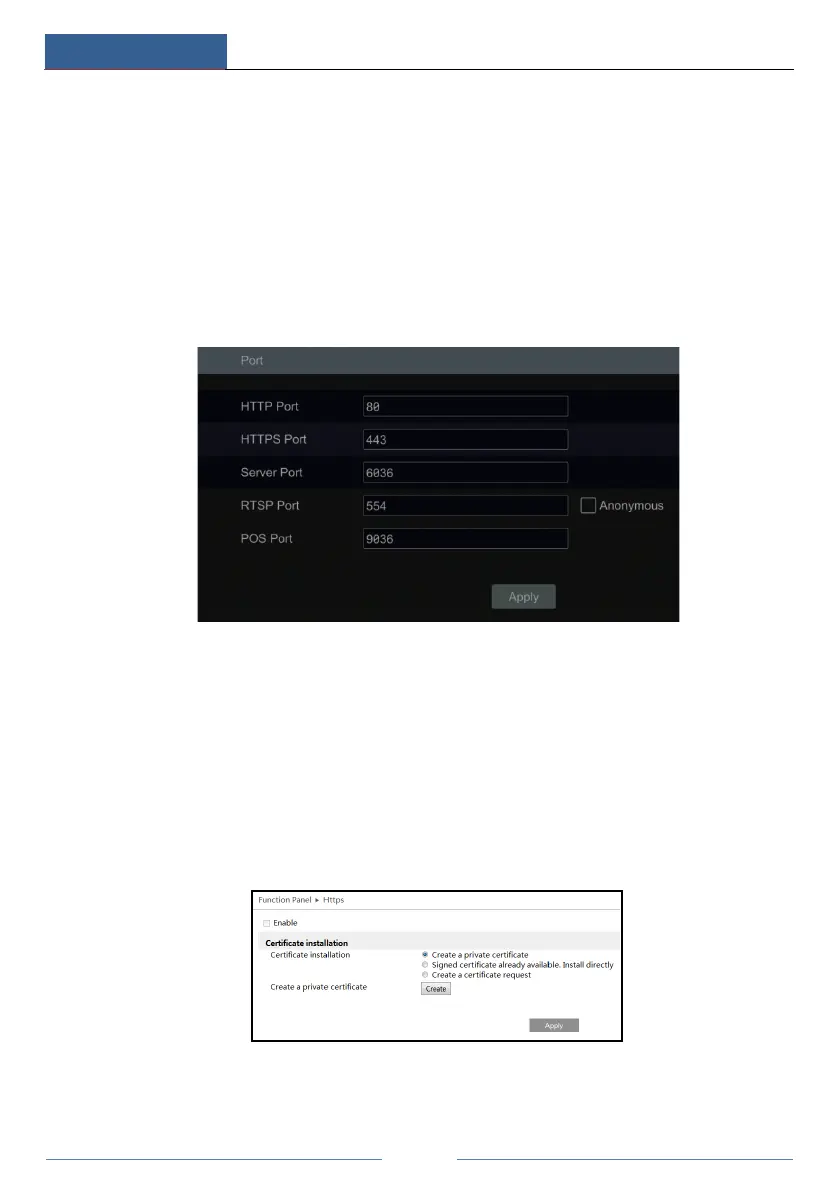
Click StartSettingsNetworkPort to go to the interface as shown below. Enter the HTTP
port, HTTPS Port, server port, RTSP and POS port of the DVR, enable “Anonymous” as
required and then click “Apply” to save the settings.
HTTP Port: the default HTTP port of the DVR is 80. The port number can be changed to
others like 81. The port is mainly used to client remote access. If you want to access the DVR
through a web browser, you should enter IP address plus HTTP port in the address bar like
http://192.168.11.61:81.
HTTPS Port: the default HTTPs port of the DVR is 443.
HTTPs provides authentication of the web site and protects user privacy. How to use it?
① Enter IP address plus HTTP port in the address bar of the web browser. Then enter
username and password to log in. Click Functional PanelNetworkHTTPS to go to the
following interface.
② Install a certificate.
* You can create a private certificate here. Click the “Create” button to create a private



 To Next Page