5
USB
To connect external USB device like USB mouse or USB
flash
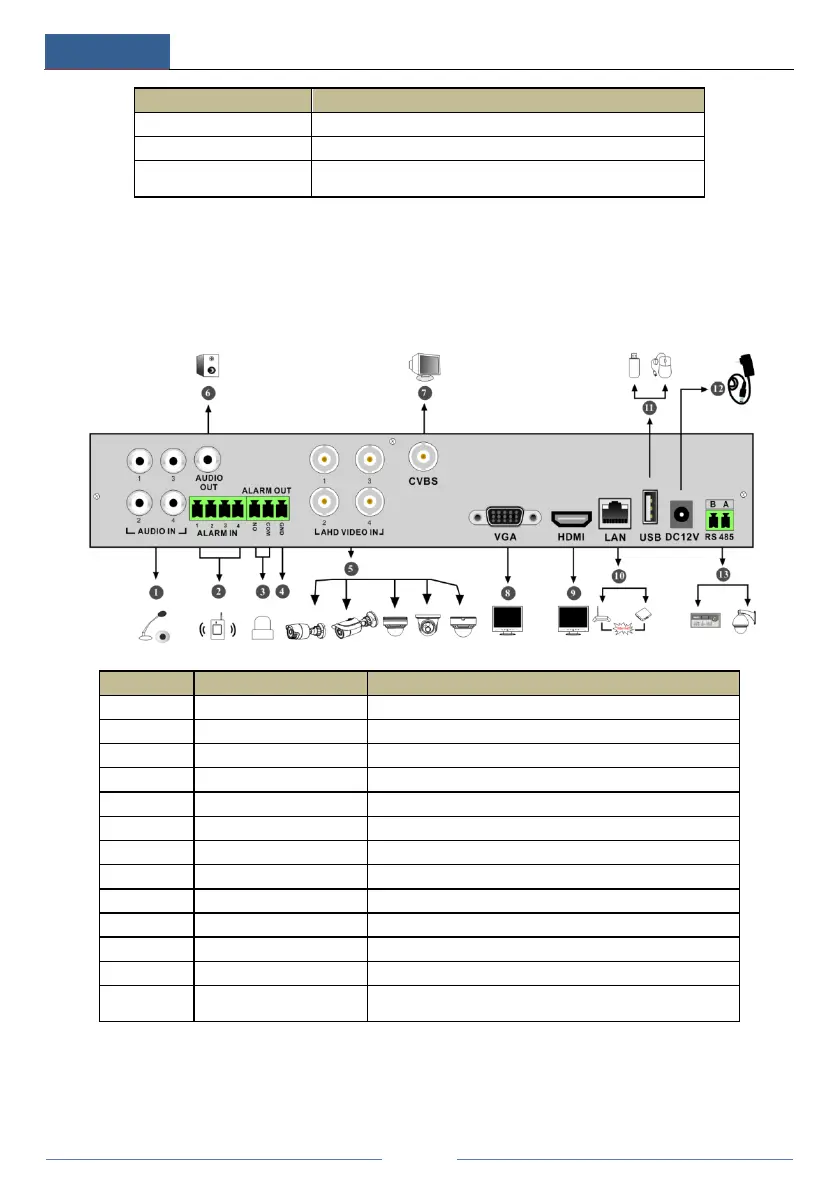
1.4 Rear Panel Descriptions
Here we only take a part of real panels for example to introduce their interfaces and
connections. The interfaces and locations of the interfaces are only for references. Please take
the real object as the standard.
1 AUDIO IN Audio input
2 ALARM IN Alarm inputs for connecting sensors
3 ALARM OUT Relay output; connect to external alarms
CVBS video output; connect to monitor
Connect to high definition display devices
11 USB Connector for USB storage devices or USB mouse
12 DC12V DC12V power input
13 RS485
Connector for keyboards or speed domes. A is TX+; B is
TX-



 To Next Page