14
3 Wizard & Main Interface
3.1 Startup Wizard
You can quickly configure the DVR by wizard setup to make the DVR work normally. You
must configure the wizard if you start the DVR for the first time (or click “Skip” to cancel the
wizard next time). Maybe different versions have different wizard steps. The following wizard
steps are for reference only.
① Choose the language and locality as needed if it is the first time for you to use the wizard
and then read the privacy statement.
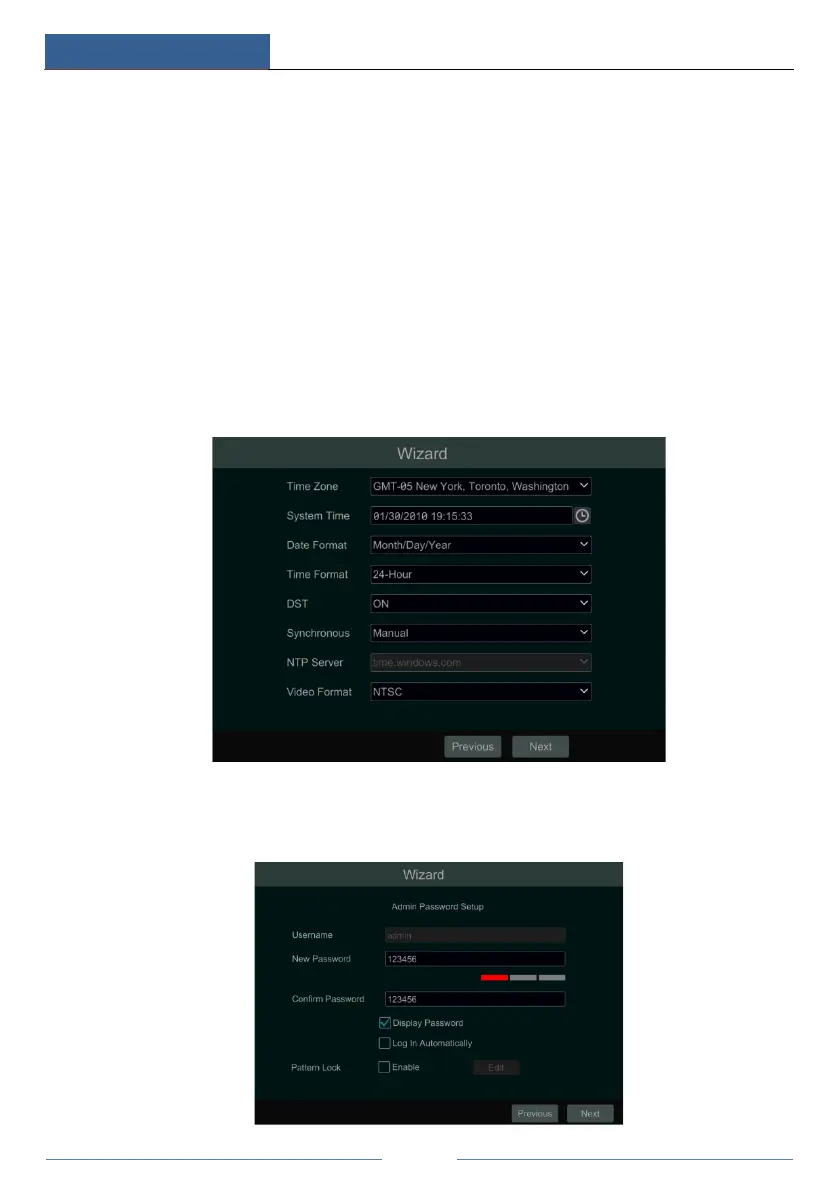
② Date and Time Configuration. The date and time of the system need to be set up if you
use the wizard for the first time. Refer to the following figure. Set the time zone, system time,
date format and time format. The DST will be enabled by default if the time zone selected
includes DST. Click “Next” to continue.
③ System Login. Set your own password for the first time (the default username of the
system is admin); select the login username and enter the corresponding password next time.



 To Next Page