15
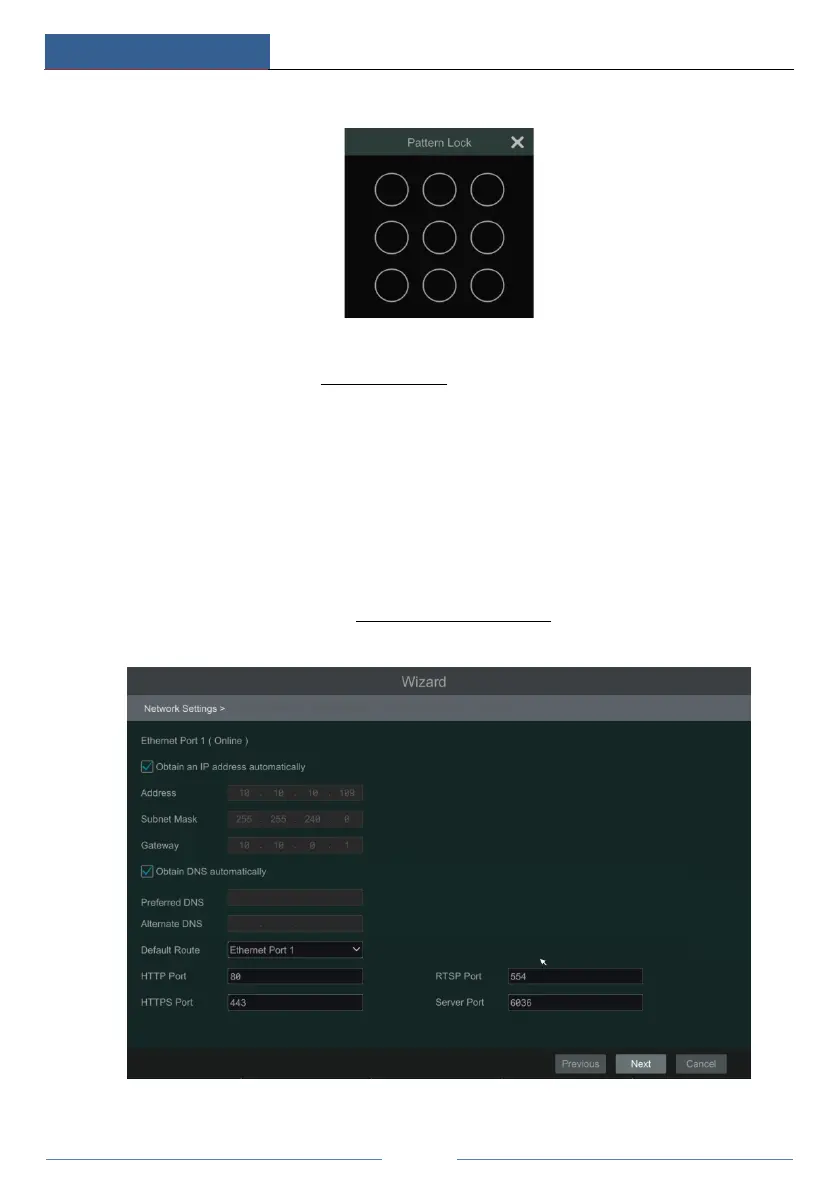
Enable pattern lock and click “Edit” to set the pattern lock.
Click “Next” to set questions and answers for password security of admin. If you forget the
password, please refer to Q4 in Appendix A FAQ for details.
Click “Next” to continue.
④ Disk Settings. You can view the disk number, disk capacity of the DVR and serial number,
R&W status of the disk. Click “Format” to format the disk. Click “Next” to continue. Then
click “Wizard Setup”.
⑤ Network Settings. Check “Obtain an IP address automatically” and “Obtain DNS
automatically” to get the IP address and DNS automatically (the DHCP function of the router
in the same LAN should also be enabled), or manually enter them. Enter the HTTP port, RTSP
port and Server port (please see 11.1.2 Port Configuration
for details). Click “Next” to
continue.
If the DVR has two network ports or above, you can select the network work pattern as



 To Next Page