74
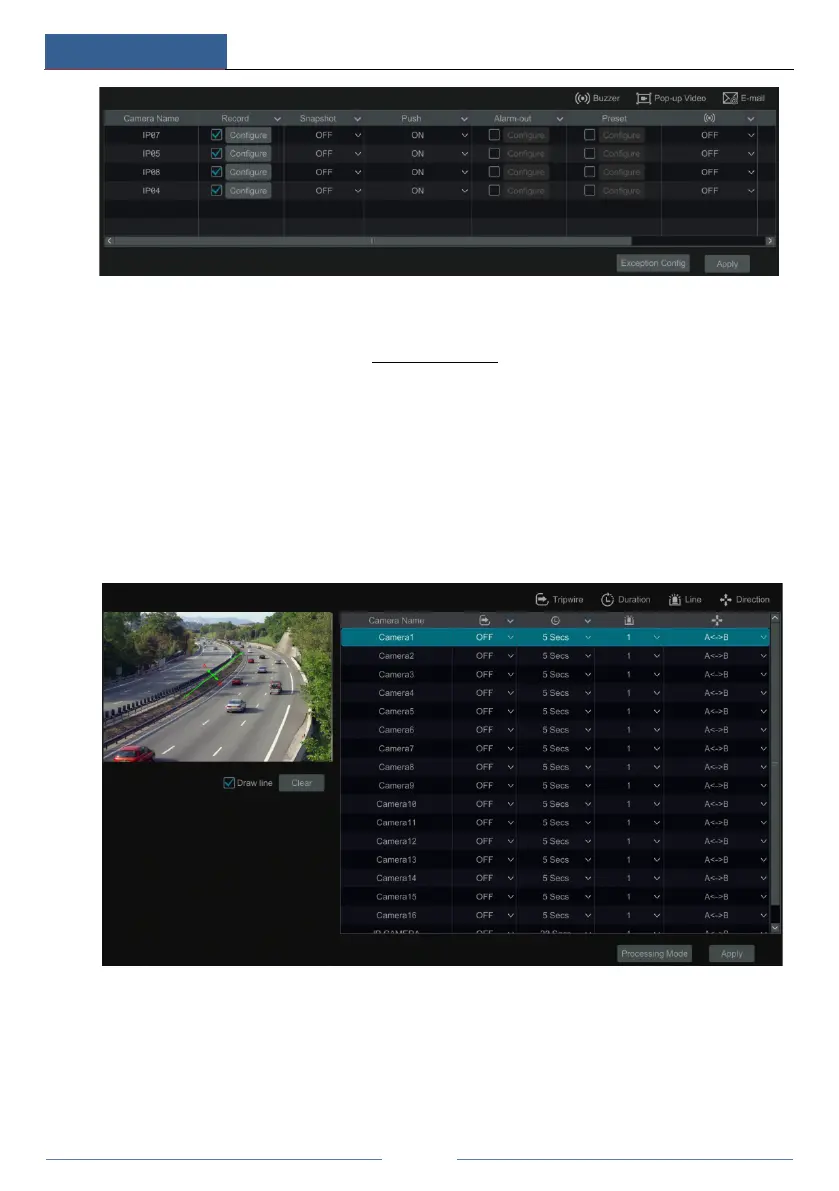
② Enable or disable “Record”, “Snapshot”, “Push”, “Alarm-out”, “Preset”, “Buzzer”,
“Pop-up Video” and “E-mail”. The alarm handling setting of exception detection alarm is
similar to that of the sensor alarm (see 9.1 Sensor Alarm
for details).
③ Click “Apply” to save the settings. You can click “Exception Config” to go to the
exception detection configuration interface.
9.3.3 Tripwire
Tripwire/Line Crossing Configuration:
Alarms will be triggered if someone or something crosses the pre-defined alarm line.
① Click StartSettingsCameraIntelligent DetectionTripwire to go to the following
interface.
② Select the camera, enable the line crossing detection and set the duration.
③ Select the direction.
Direction: A<->B, A->B and A<-B optional. It is the crossing direction of the intruder who
crosses over the alert line.
A<->B: the alarm triggers when the intruder crosses over the alert line from B to A or from A
to B.



 To Next Page