35
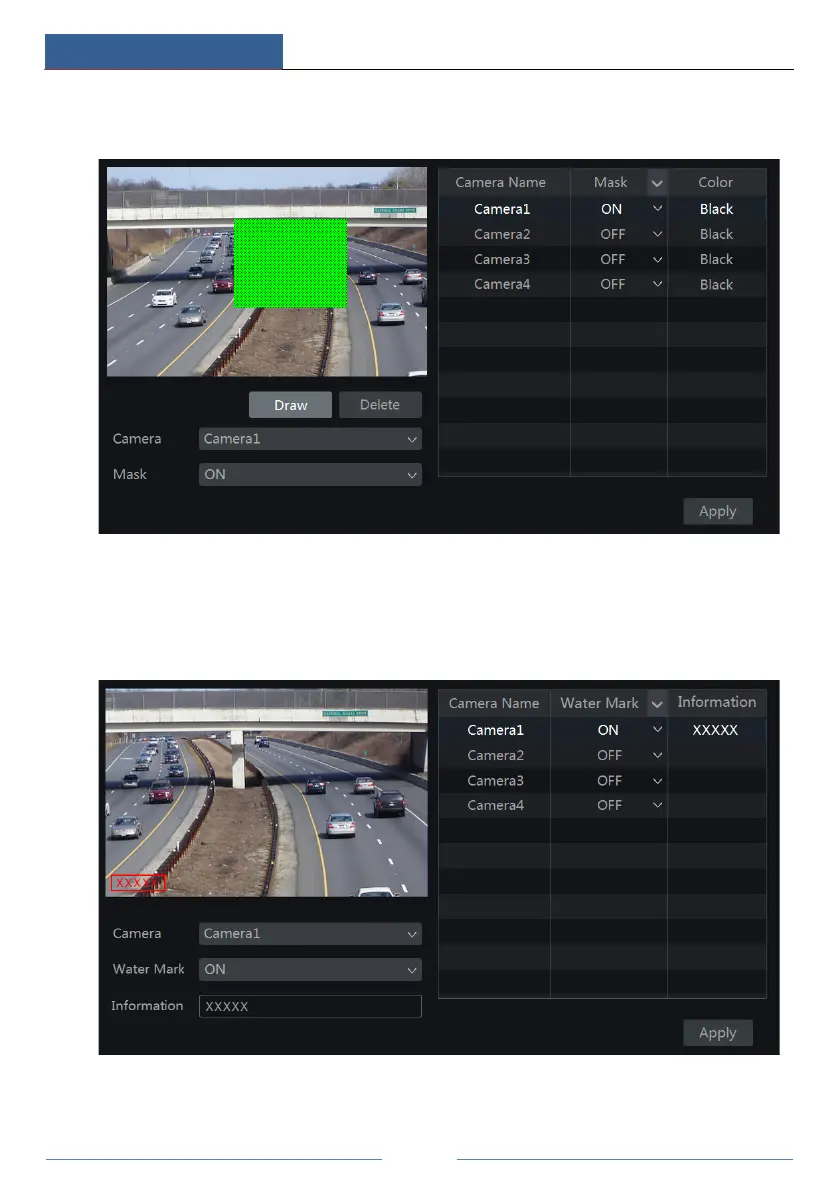
mouse on the image area to set the mask area; click “Delete” button to delete the mask areas;
click “Apply” to save the settings.
5.4.4 Water Mark Settings
Click StartSettingsCameraImageWater Mark Settings to go to the interface as shown
below. Select the camera and enable water mark and then enter the water mark information.
Click “Apply” to save the settings.



 To Next Page