27
Button Menu List Meaning
Zoom In
Click it to go to single channel amplification interface.
--
Click it to go to image adjustment interface. Refer to 5.4.5 Image
Adjustment for details.
Start talk
-- Camera Info
Click it to view the IP camera information.
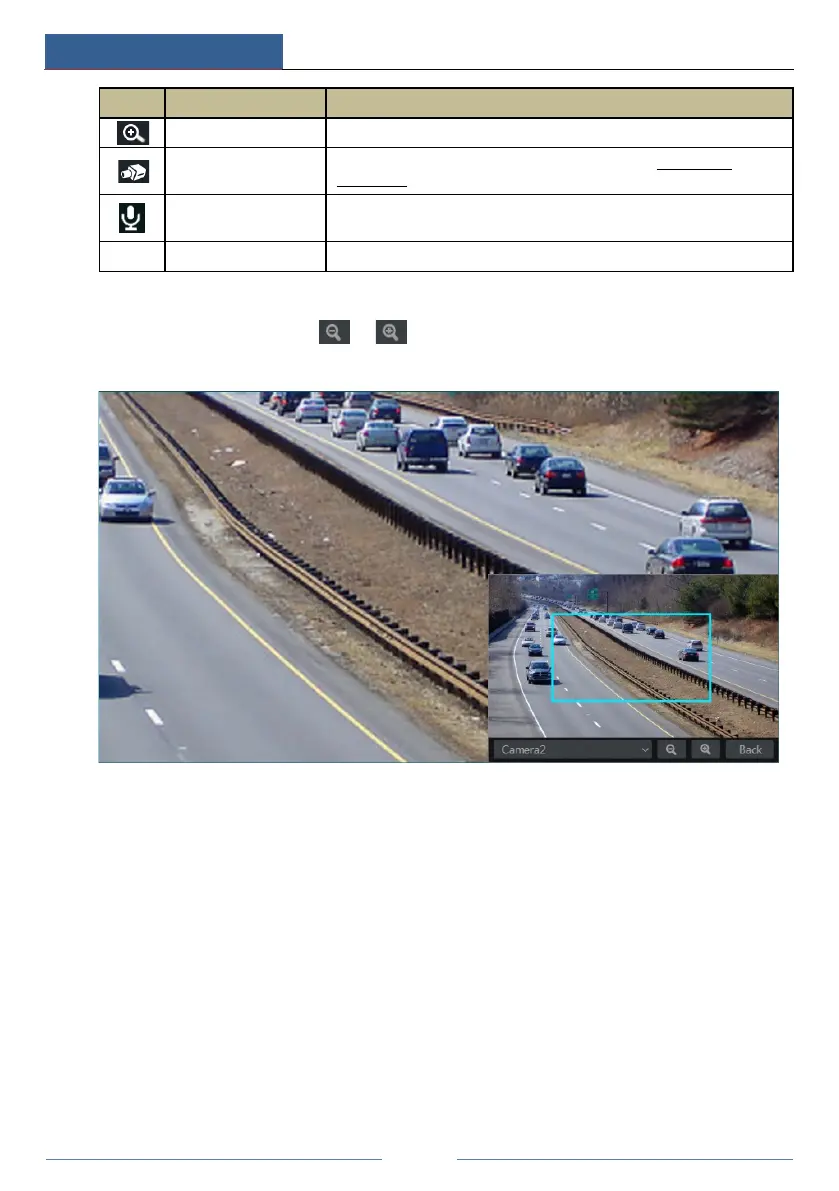
The single channel amplification interface is as shown below. Press and drag the blue box to
select the zoom in area. Click / to zoom the image. Click the camera selection box
to select other cameras for amplification. Click “Back” to return to the live view interface.
5.2 View Mode
5.2.1 Display Mode
Set different screen modes and cameras’ display sequences as required and then save the
display modes classified by surveillance areas, priorities and so on. Refer to the picture below.
Double click one display mode in the display mode list to view the live images in this mode.



 To Next Page