56
You can add the important channels into the backup group to avoid data loss.
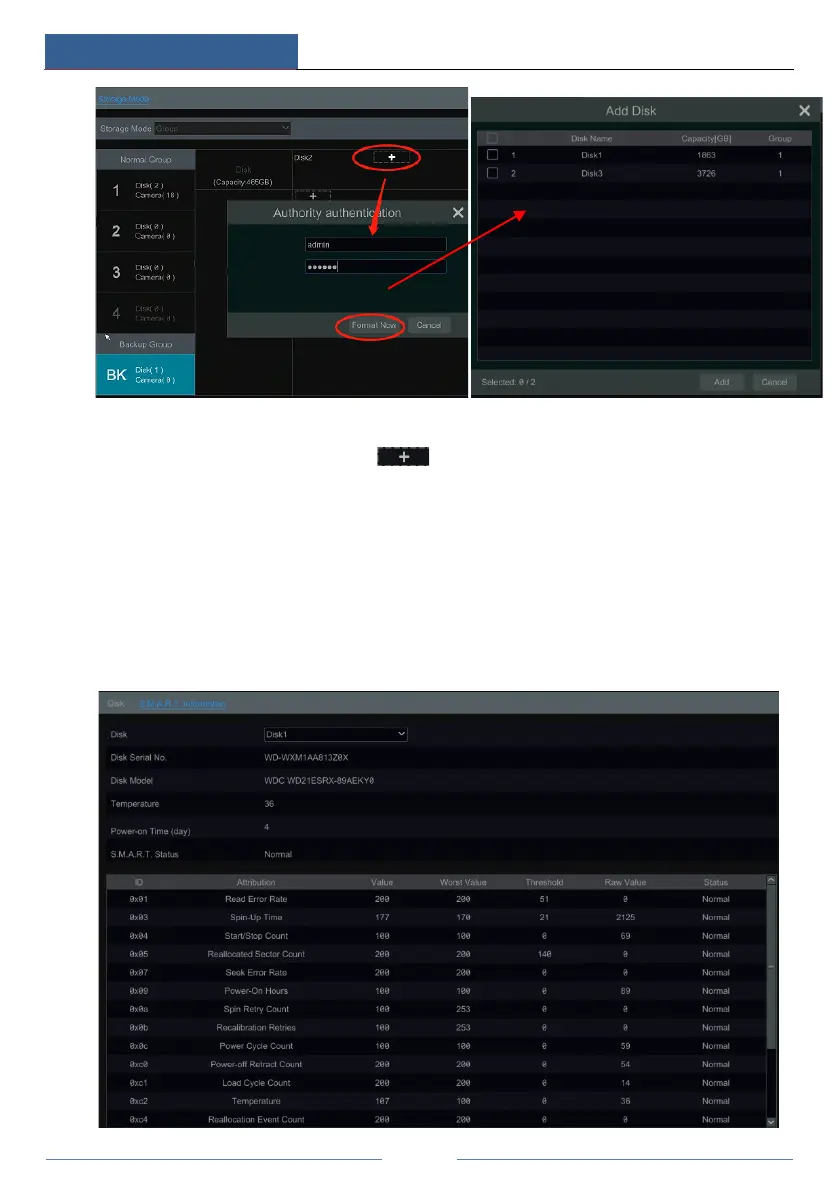
Select “BK Group” and then click to add a disk as the backup disk. Then an
authentication box will pop up. After entering the login username and password, click “Format
Now” to select the backup disk. The added backup disk will be formatted and this disk will be
removed from the normal group. Then add cameras to the backup group. These cameras can be
added to a normal group and the backup group simultaneously.
7.5.2 View Disk and S.M.A.R.T. Information
Click StartSettingsDiskView Disk Information to view the HDD information; click
“S.M.A.R.T. Information” to view the working status of the HDD. Refer to the picture below.



 To Next Page